
Ever forget what ingredients make a potion? Ever forget how to craft a specific item? Ever forget how many blocks are needed for a beacon?
Well, look no further than 200IQ UI solves all of these problems and more by adding custom info panels for quick reference! Never get caught googling for simple game information again. Check out the image gallery and see for yourself!
Features
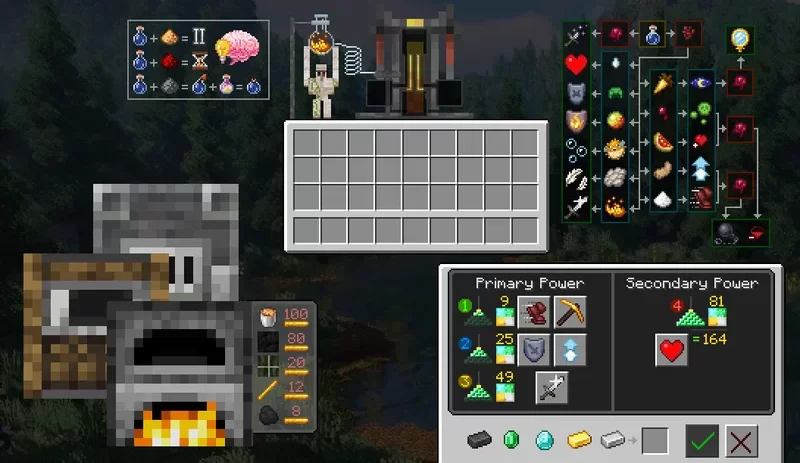
- Adds custom overlay info panels for the brewing stand gui that shows potion modifiers and ingredients for a quick reference.
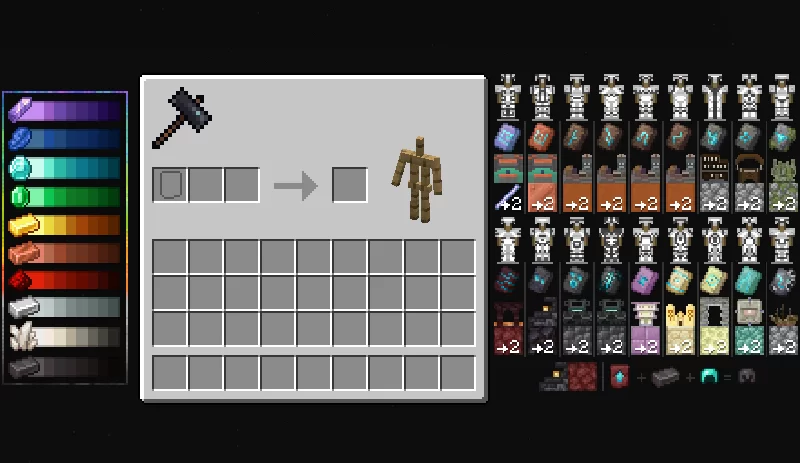
- Adds custom overlay info panels and graphic for the smithing table that shows color trimming combinations, where to obtain each smithing template, and the corresponding block that is used to craft more templates.
- Adds custom overlay info panels for the furnace gui that shows fuel consumption per x items for quick reference.
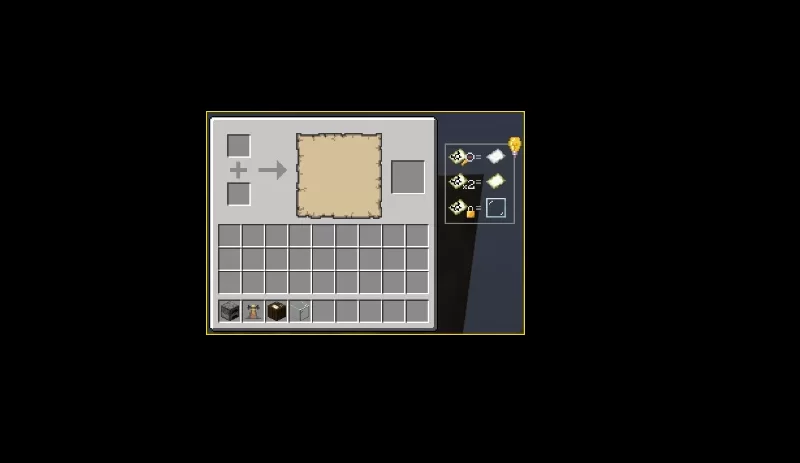
- Adds custom overlay info panel for cartography table, showing which items can be used to lock/duplicate/zoom out map.
- Replaces the beacon gui - shows the amount of blocks to complete the beacon and blocks per layer.
- Replaces the brewing stand gui with a (somewhat) nice looking skin.
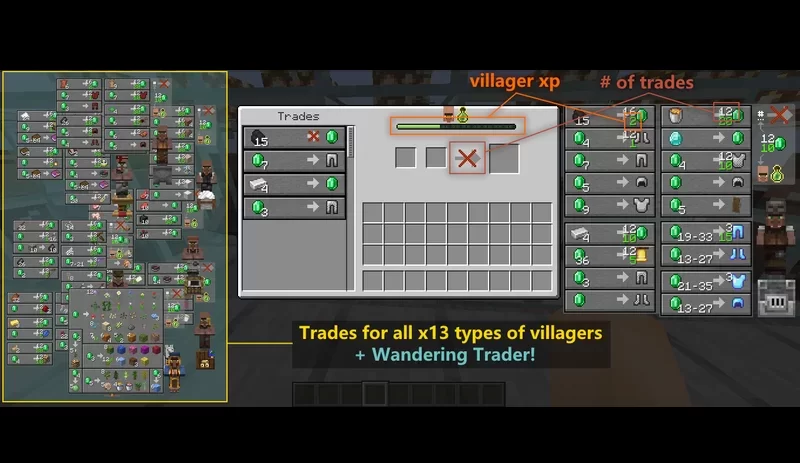
- Adds guis to ALL(13) villager types + wandering trader that displays a full catalog of possible trades.
- Modifies the villager trade screen to show villager xp symbols.
Quick facts
- Edition: Minecraft Java
- File type: .zip (resource pack)
- Minecraft versions listed: 1.21, 1.21.1, 1.21.2
- How to install: Download the .zip resource pack — do not unzip it. → Put it in .minecraft/resourcepacks. → Enable it in Options → Resource Packs.
- Where to get it: Opens on Modrinth — not every file is mirrored on our own servers.
Install steps are the general flow for this file type — How to install Minecraft Java resource packs walks through it step by step.
Verified by MCModsHub
- Downloads as 200IQ Big Brain GUI 1.21.x.zip
- Download size: 464 KB
- Download link checked 28 Aug 2026 — working
These come from our own check of the pack file, not from the source page.