
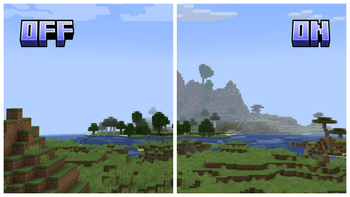
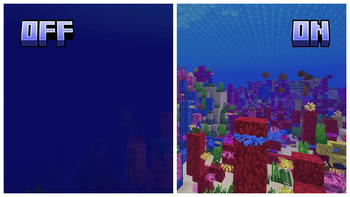
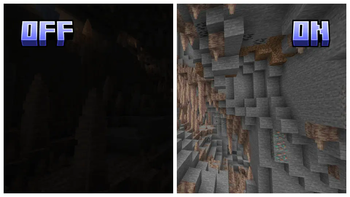
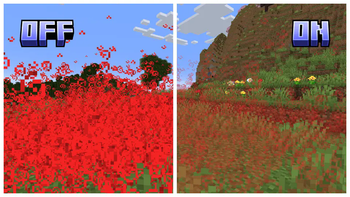
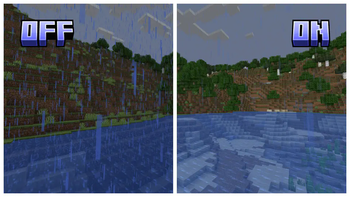
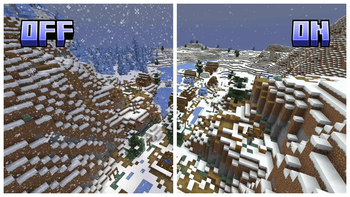
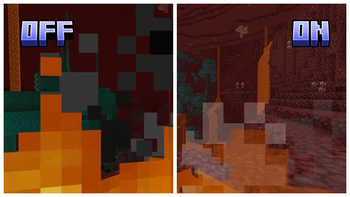
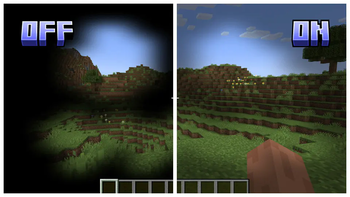



Clearview enhances your Minecraft experience by making the game less visually obstructive while maintaining its original charm. Designed for players who prefer clearer, less cluttered gameplay, Clearview offers a range of features aimed at improving visibility without removing original game elements.

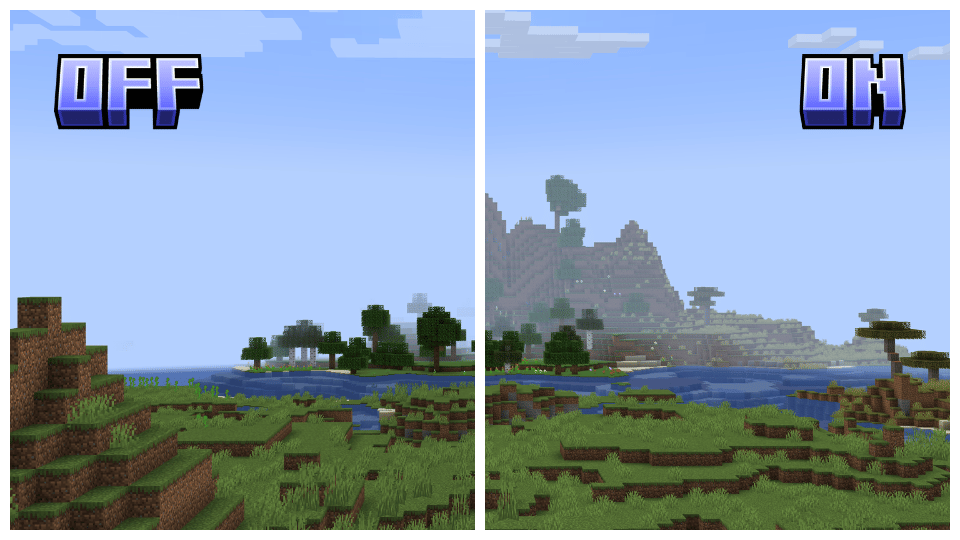
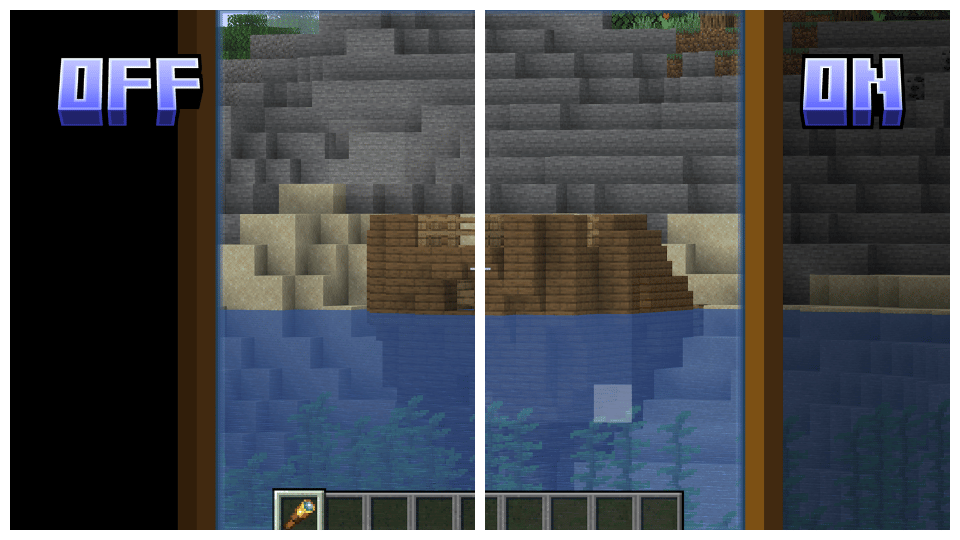
Reduced Fog and Underwater Fog: Greatly decreases fog density, both above and underwater, to enhance distant view and underwater exploration.
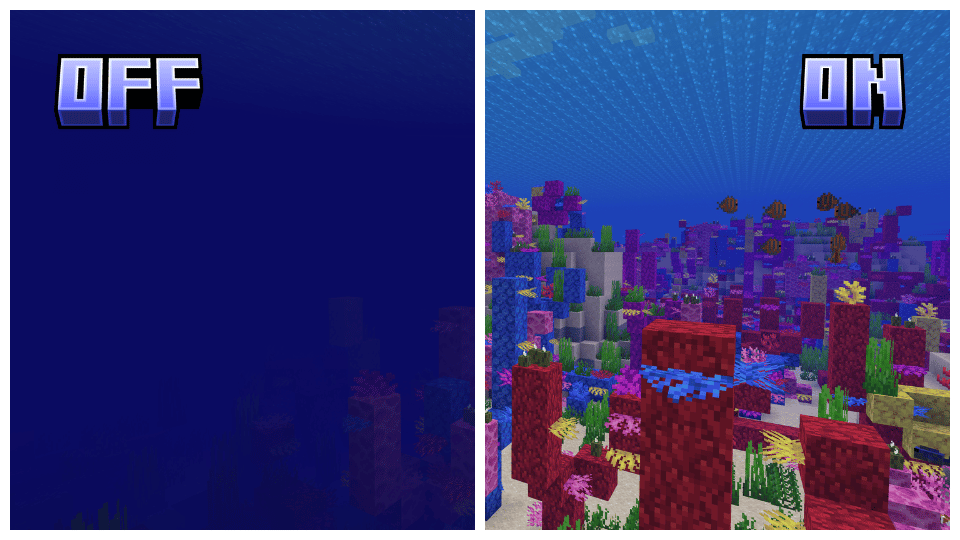
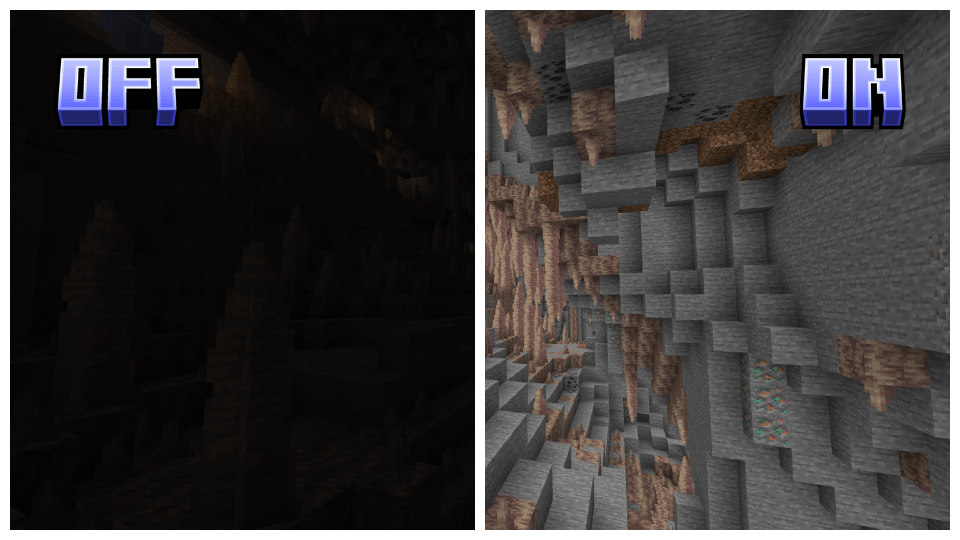
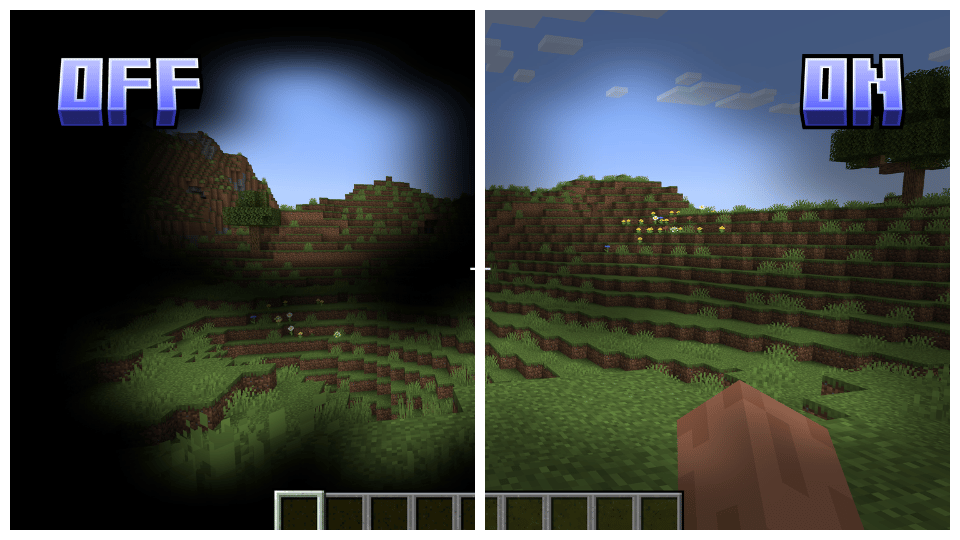
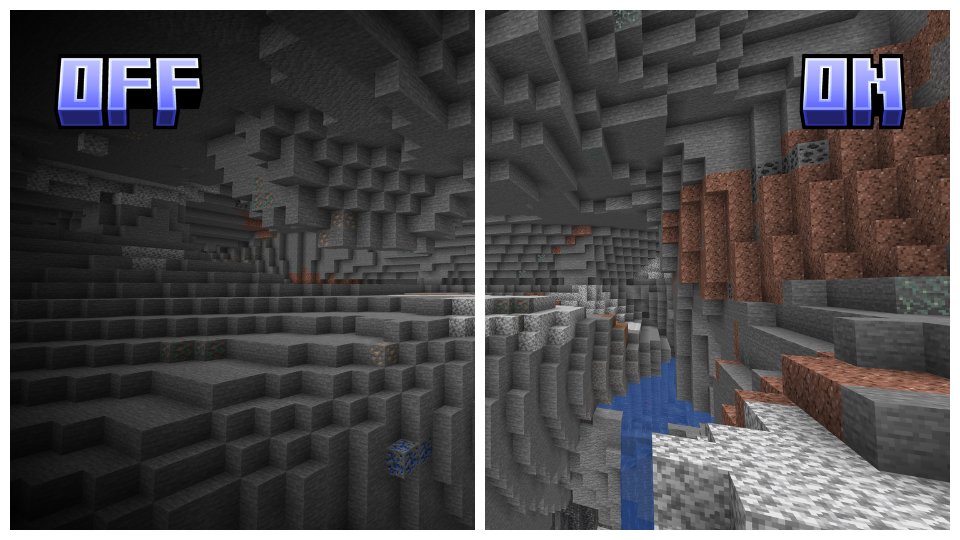
Full Bright: Ensures all environments are fully lit, eliminating dark areas.
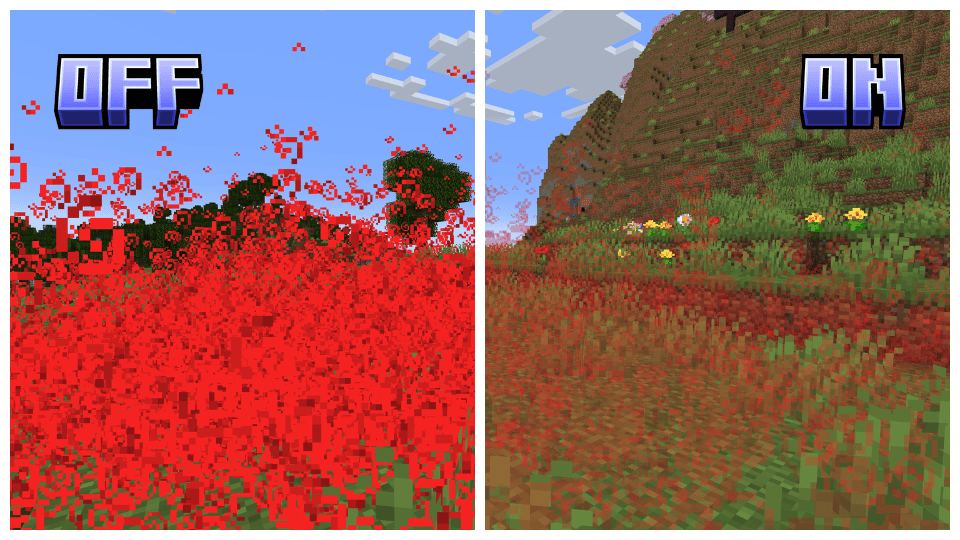
Transparent Particles: Reduces the visual impact of particles, improving visibility in particle-dense areas.
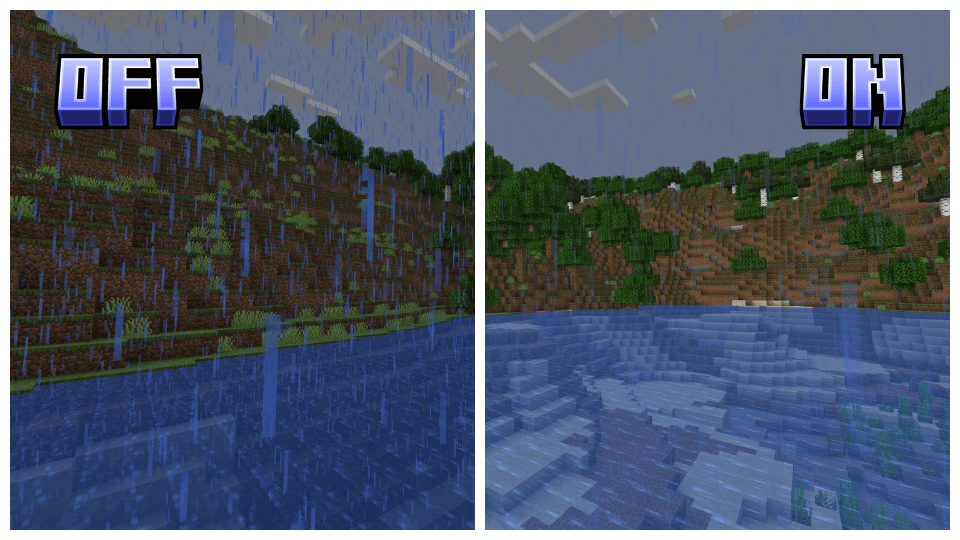
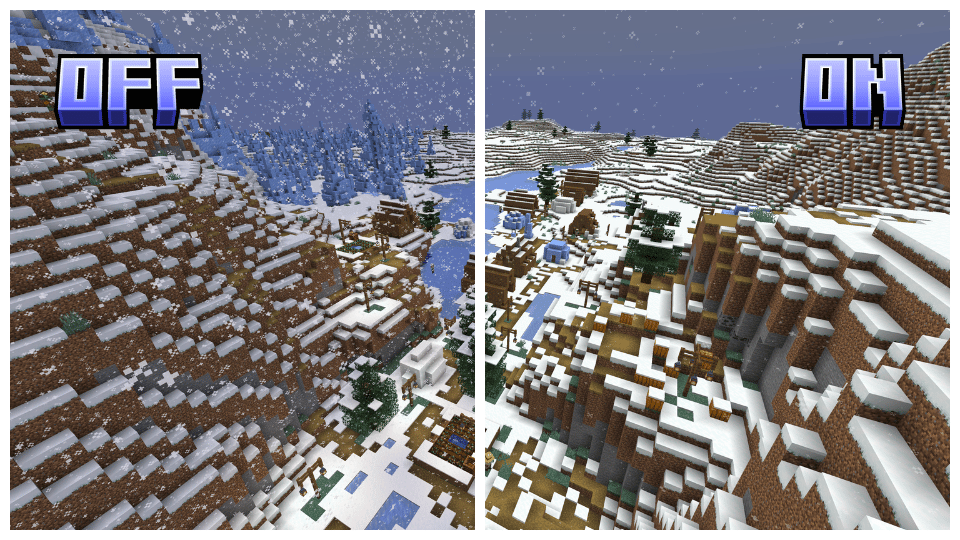
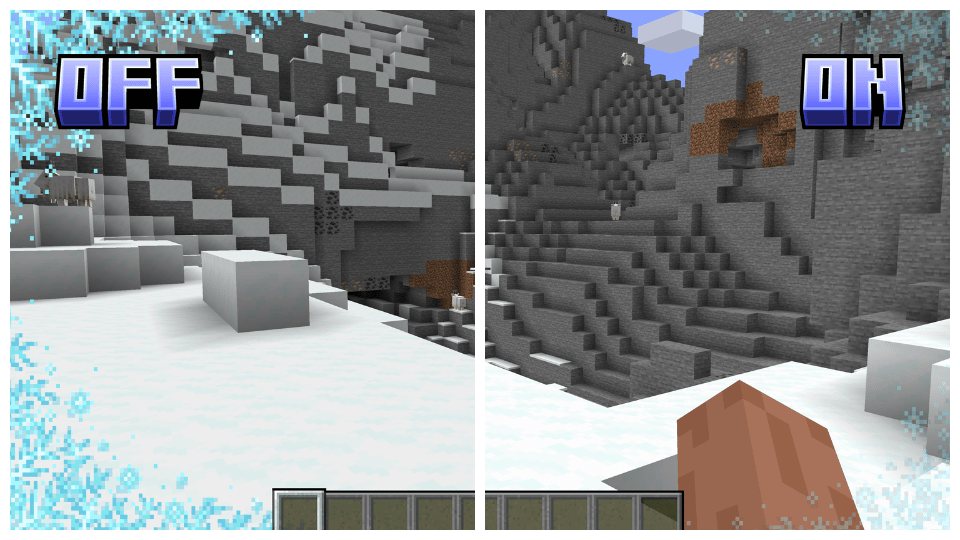
 Reduced Snow and Rain: Minimizes the density of snow and rain, enhancing visibility during weather cycles.
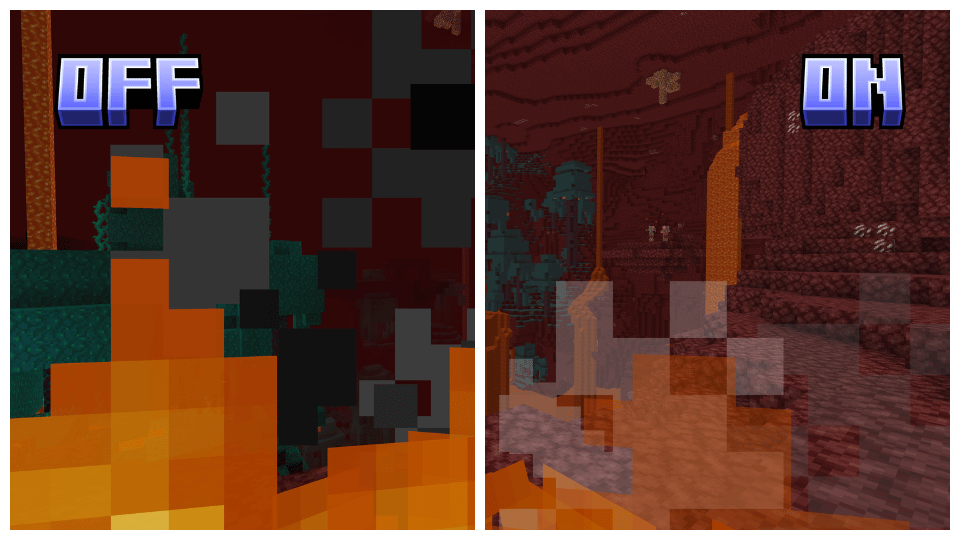
Lower and Transparent Screen Fire: Reduces and makes the fire overlay on the screen transparent for better visibility while the player is on fire.
Transparent Overlays: Makes overlays such as the pumpkin head, powdered snow, and spyglass overlay transparent, maintaining immersion without obstructing the view.
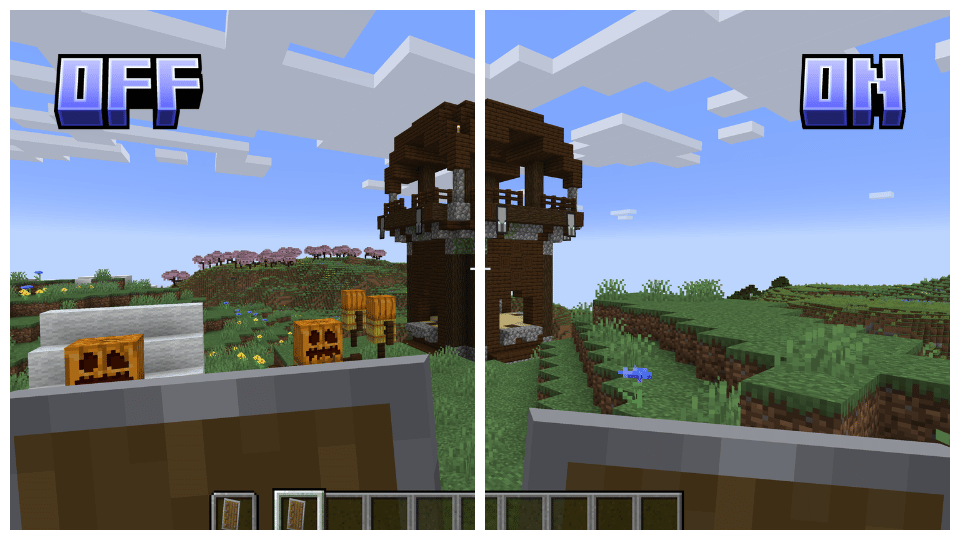
Lower Shield: Lowers the shield position on the screen, allowing for a better field of view.
No Vignette: Removes the dark vignette around the screen edges, providing a more open and clear display.

Clearview has several addons to maximize customizability, allowing you to adjust the game to your preferences and remove visual clutter. Check out the link below for more details and to download the addons!

Clearview supports all versions of Vanilla, Optifine, and Sodium starting from 1.17, ensuring a seamless experience across various versions. Please note that for Sodium, you will need to use Colormatic or Polytone to ensure full compatibility.

To install Clearview, simply download the appropriate version for your game, either Vanilla, Optifine, or Sodium, and place it in your resource pack folder. Make sure to set it as the top pack in your resource packs list to ensure all features are applied correctly.



- Edition: Minecraft Java
- File type: .zip (resource pack)
- Minecraft version listed: 1.21
- How to install: Download the .zip resource pack — do not unzip it. → Put it in .minecraft/resourcepacks. → Enable it in Options → Resource Packs.
- Where to get it: Opens on Modrinth — not every file is mirrored on our own servers.
Install steps are the general flow for this file type — How to install Minecraft Java resource packs walks through it step by step.
- Downloads as Clearview 1.21.zip
- Download size: 157 KB
- Download link checked 28 Aug 2026 — working
These come from our own check of the pack file, not from the source page.