
ItzLuwix's CPvP Essentials
An all-in-one resource pack that includes everything you need for CPvP, saving you from downloading multiple packs.
⬇ Download on Modrinth
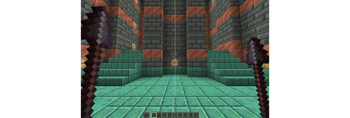
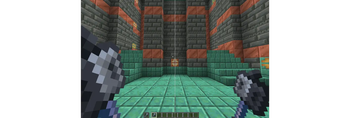
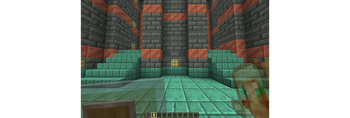
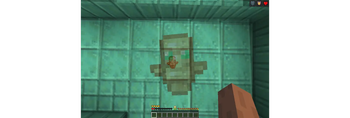
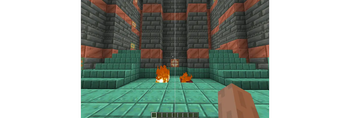
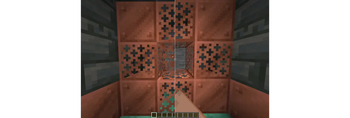


An all-in-one CPvP resource pack with everything you need
If you’re into Crystal PvP, you already know how annoying the screen can get when everything has particles and the visuals get messy. This pack is made to clean up the visuals, reduce clutter, and help you stay locked in during fights.
Why use this pack?
The fewer particles and distractions on your screen, the more you can focus on the fight.
This pack helps you:
- track your opponent easier
- keep your screen clear during mid-fights
- play more consistent when it really matters
A lot of competitive CPvP players already use packs like this — this one just puts all the essentials in one place.
What does it change?
These are the changes this pack makes:
- Removes totem particles (no more annoying screen particles)
- Shrinks the totem pop animation so it doesn’t block your view
- Removes explosion particles for clearer fights
- Removes block particles to reduce distractions
- Lowers the fire overlay and shrinks ground fire visuals so you can see clearly even when you're burning or fighting around flames
- Makes items smaller for better overall awareness
Why it’s worth it
- You don’t need to stack 5 different packs like “No Particles”, “Smaller Fire”, or “Smaller Shield” — this pack includes all the essentials for CPvP.
- It only edits the features listed above, so it won’t mess with your other textures or the game's actual textures. You can still use your favorite resource packs alongside it.
Only for CPvP?
Not at all.
You can use it for anything where you want more screen visibility:
- other PvP modes
- minigames
- practice servers
- basically any situation where visuals get messy
Contact
Having issues or found a bug? DM me on Discord: ItzLuwix
Support my projects: Buy Me a Coffee
- Edition: Minecraft Java
- File type: .zip (resource pack)
- Minecraft versions listed: 1.20, 1.20.1, 1.20.2
- How to install: Download the .zip resource pack — do not unzip it. → Put it in .minecraft/resourcepacks. → Enable it in Options → Resource Packs.
- Where to get it: Opens on Modrinth — not every file is mirrored on our own servers.
Install steps are the general flow for this file type — How to install Minecraft Java resource packs walks through it step by step.
- Downloads as ItzLuwix's CPvP Essentials 1.20 - 1.21.11.zip
- Download size: 3.9 MB
- Download link checked 28 Aug 2026 — working
These come from our own check of the pack file, not from the source page.