

Please read the Dependencies!
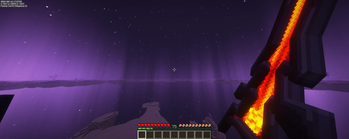
A Simple resource pack that replaces the Netherite sword with Aatrox aka. The Darkin Blade.
Preview Videos
Dependencies (Optional but recomended)
For the best glowing effect i recomend using Complementary Shaders.
You need to edit a file in the shaderpack for this to work.
Open the shaderpack with 7zip or winrar.
Navigate to the shaders folder and open the item.properties file with a text editor.
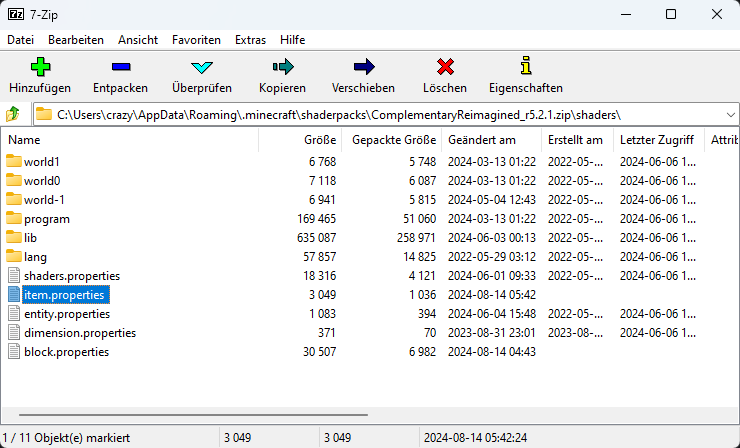
Press ctrl+f and search for trial_key.
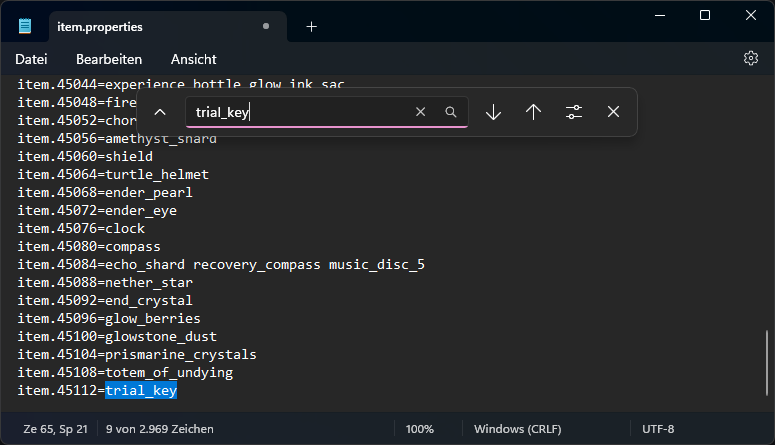
Add netherite_sword behind trial_key seperated by a space.
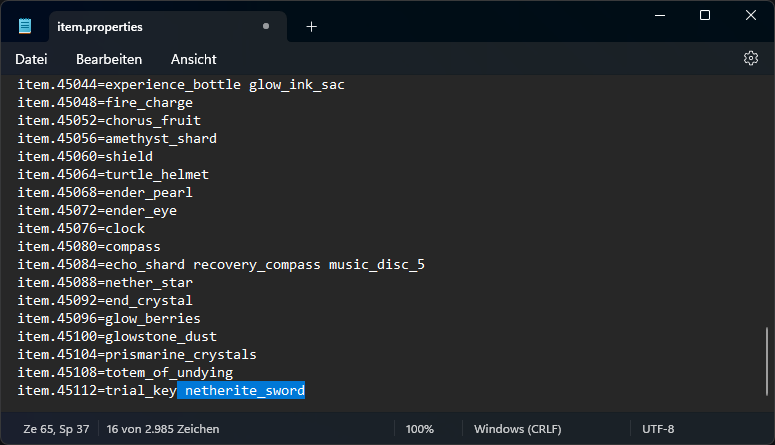
Save the file.
If you dont want to or can´t use the Shader i recomend using Continuity.
It ads a glowing effect to the sword without having to modify anything. The effect is however less bright and pronounced.
Quick facts
- Edition: Minecraft Java
- File type: .zip (resource pack)
- Minecraft versions listed: 1.21, 1.21.1, 1.21.2
- How to install: Download the .zip resource pack — do not unzip it. → Put it in .minecraft/resourcepacks. → Enable it in Options → Resource Packs.
- Where to get it: Opens on Modrinth — not every file is mirrored on our own servers.
Install steps are the general flow for this file type — How to install Minecraft Java resource packs walks through it step by step.
Verified by MCModsHub
- Downloads as TheDarkinBlade_v1.0.zip
- Download size: 837 KB
- Download link checked 28 Aug 2026 — working
These come from our own check of the pack file, not from the source page.