
Cubic Font
A bold, clean, and blocky font for Minecraft, replacing the default font with a geometric, pixel-perfect design. Works in vanilla and modpacks.
I don't know my version or loader


❗️The small "t" of pictures is old, the new one is already at latest version!

A clean, bold, and blocky typeface for Minecraft 1.20.2–1.21.x
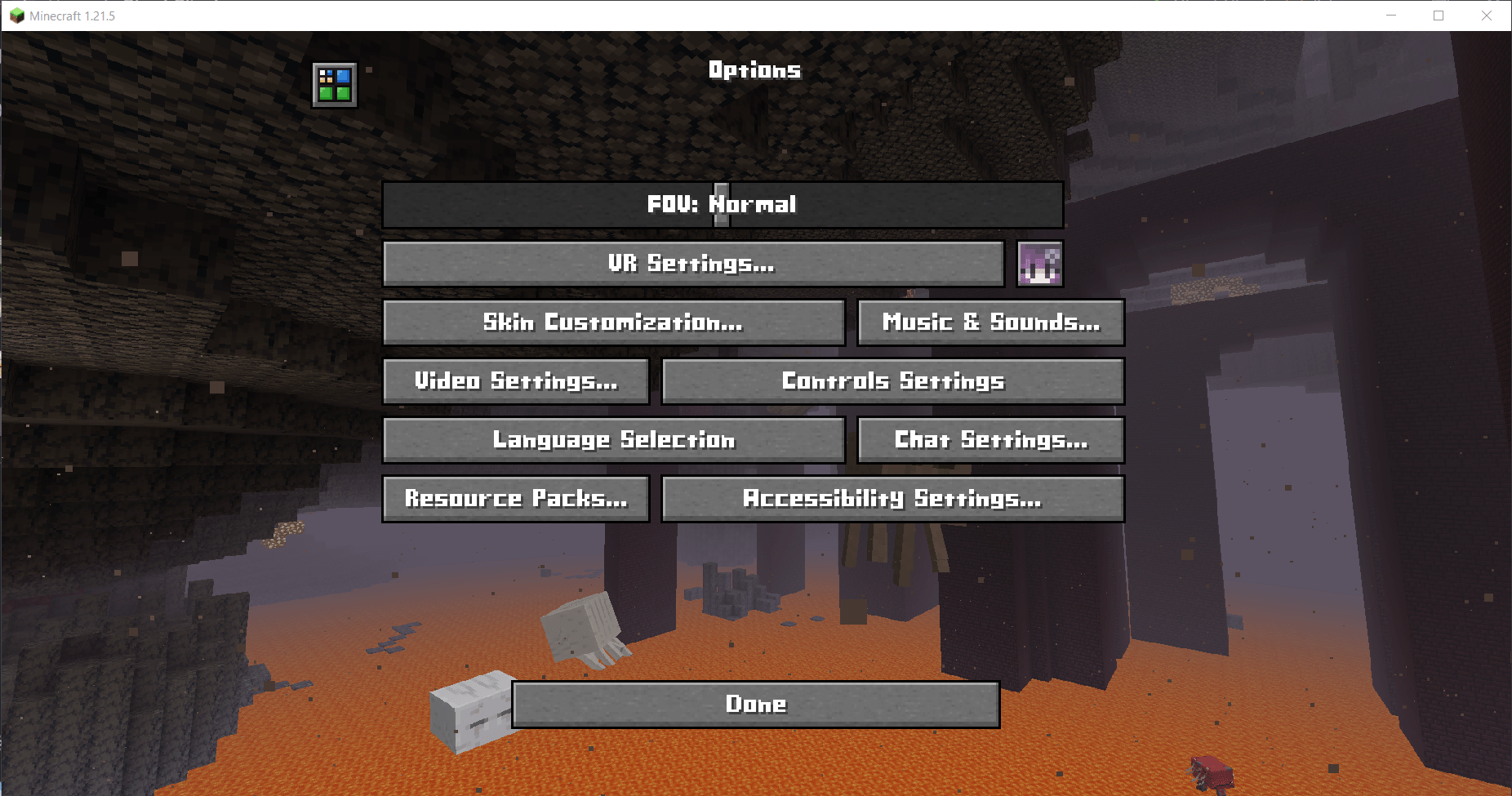
Give your Minecraft UI a sharp new look. Cubic Font replaces the default font with a geometric, pixel-perfect cubic design that fits Minecraft’s blocky aesthetic while improving clarity and readability.
✨ Features
🔳 Replaces Minecraft’s default font with a custom cubic style
📐 Bold, clean, and block-aligned character design
🎮 Suitable for modern GUIs and retro pixel-art styles
🧩 Works well in vanilla and most modpacks
🧩 Compatibility
✅ Minecraft versions: 1.20.2–1.21.x
✅ No mods required (vanilla resource pack)
✅ Compatible with GUI mods (REI, JEI, Sodium, etc.)
🔁 Works with OptiFine, Iris, and most shaders
🚫 May conflict with other resource packs that replace the font
⚠️ Known issue: bold text may not render correctly
📥 Installation
Download the .zip from the Versions section
Place it into your resourcepacks folder
Enable it from the Resource Packs menu
Enjoy your new UI font
👀 Preview
👤 Credits
Creator: Vulture White
Contact: t.me/Vulture_White
If you use Cubic Font in a modpack, feel free to credit it or contact me. I’d love to see it in!
- Edition: Minecraft Java
- File type: .zip (resource pack)
- Minecraft versions listed: 23w31a, 23w32a, 23w33a
- How to install: Download the .zip resource pack — do not unzip it. → Put it in .minecraft/resourcepacks. → Enable it in Options → Resource Packs.
- Where to get it: Opens on Modrinth — not every file is mirrored on our own servers.
Install steps are the general flow for this file type — How to install Minecraft Java resource packs walks through it step by step.
- Downloads as Cubic Font.zip
- Download size: 19 KB
- Download link checked 28 Aug 2026 — working
These come from our own check of the pack file, not from the source page.