
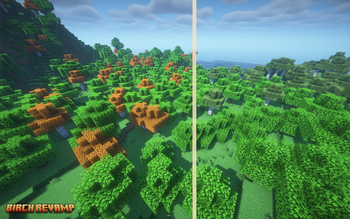
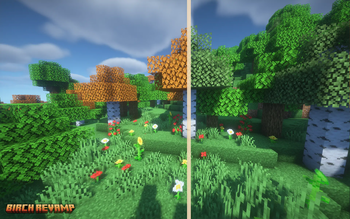
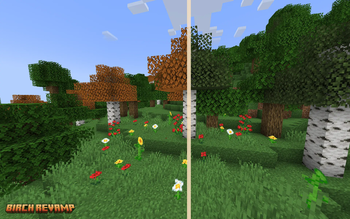
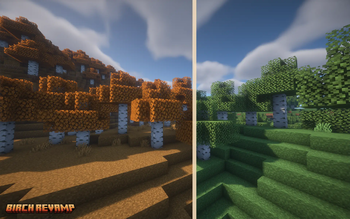
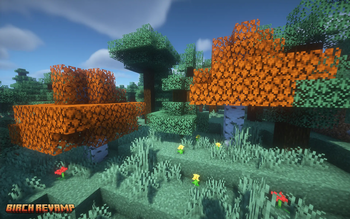
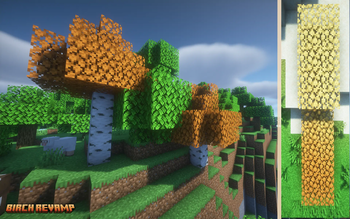
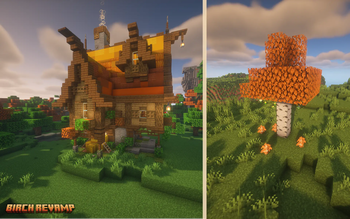

Tired of the not-so-pretty-looking birch leaves and birch forest. So was I! This pack aims in making birch better to both look at but also build with.
Features:
Changed birch texture: Not only does this pack change the color of the birch leaves, the texture of the leaves themselves is also changed to be more detailed. While still keeping the simplicity and traditional look of the other Minecraft leaf textures. Blending in with the rest of the Minecraft environment.
Birch color changes based on biome: While exploring different biomes, you might notice the birch leaves change color. This is intentional! Here is the different colors the leaves could be depending on the biome your in:
- Orange birch leaves are seen in most biomes(like forests, plains etc.), this is the base color.
- Yellow birch leaves can be in dessert biomes and the bad land biome.
- Dark(er) orange leaves can be seen in taiga/spruce biomes, to match more with the spruce around it.
These colors have a gradient in-between so that it looks smooth as the colors change from one to another.
Orange grass in birch forest: The birch forest grass is changed to orange to better match with all the orange colored birch leaves around it. This makes the birch forest feel almost autumn-y compared to the base game birch forest.
Orange birch sapling to match with the color of the orange leaves.
Installing:
- Download the pack from the Modrinth page
- IMPORTANT This pack requires either having OptiFine installed, or using a mod loader (like Fabric) and installing the mod Polytone (available in CurseForge). This is necessary so the leaves have their color, since it uses the Custom Colormaps feature.
- Open Minecraft and head to Options > Resources Packs > Open pack folder
- You then want to drag the Birch Revamp download into this resource pack folder. (make sure the pack is a folder)
- Load up a world and Enjoy!
Compatible with other resource packs like Motschen's Better Leaves (if you want a bushy leaf version). Or mods like Falling Leaves (tested on fabric) which show the right falling leaf color.
Please do not steal/copy textures unless for personal uses only. Do not create your own downloads of this and share/post as your own. To share always link back to this site or CurseForge site.
- Edition: Minecraft Java
- File type: .zip (resource pack)
- Minecraft version listed: 1.21.4
- How to install: Download the .zip resource pack — do not unzip it. → Put it in .minecraft/resourcepacks. → Enable it in Options → Resource Packs.
- Where to get it: Opens on Modrinth — not every file is mirrored on our own servers.
Install steps are the general flow for this file type — How to install Minecraft Java resource packs walks through it step by step.
- Downloads as Birch_Revamp_1.21.4.zip
- Download size: 234 KB
- Download link checked 19 Sept 2026 — working
These come from our own check of the pack file, not from the source page.