
Vanilla Cloud Fix
I don't know my version or loader
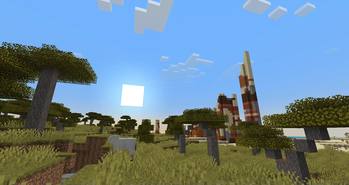
Vanilla Cloud Fix addresses two issues that I have with vanila clouds. The clouds are now properly centered on the player, and correctly fade out at the edge of the sky. This resourcepack uses vanilla shaders and may not work correctly for future versions.
Minecraft versions 1.21.2 and above please use the latest version!! Vanila Cloud Fix (1.21.2+) (v1.1)
Older Minecraft versions use Vanilla Cloud Fix 1.17-1.21.1 (v1.0.1)
When using with versions below 1.20.2, you will be told that the pack is made for an older version. You can safely ignore this and it should work!
Vanilla Cloud Fix is also on curseforge.
Note that some performance enhancing mods already correct for the cloud issues present in vanilla, so the effects of this shader can vary.
Features
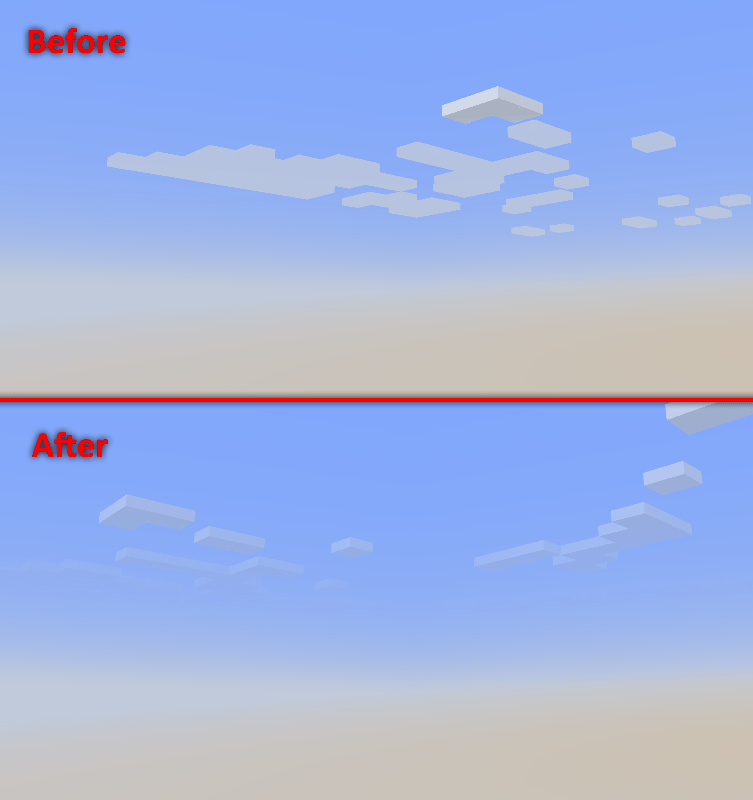
Vanilla clouds don't always appear to fade out correctly at the edge of the view. Vanilla Cloud Fix improves the fade out by properly scaling opacity with distance. View the results below.
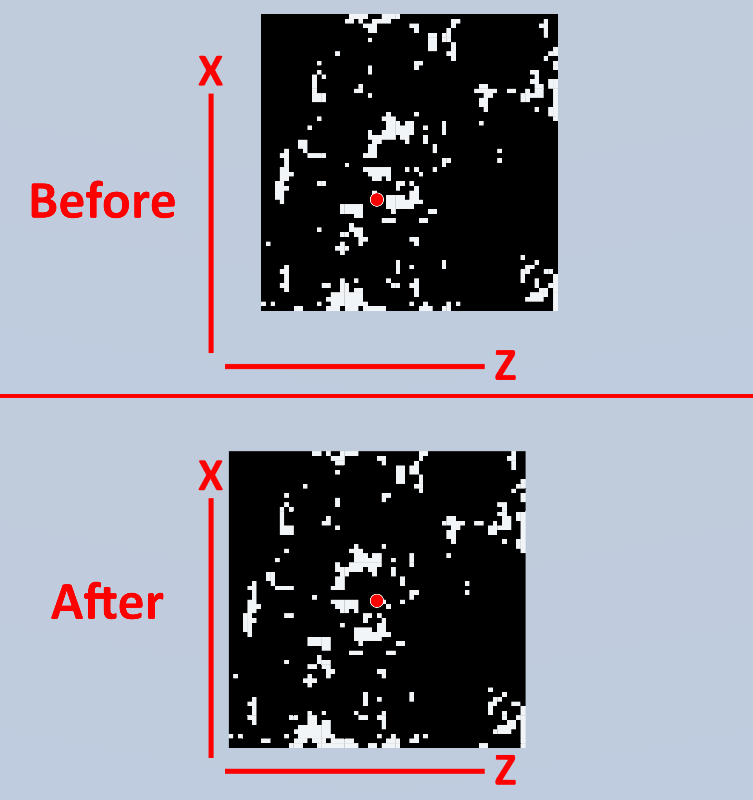
The vanilla clouds are not properly centered on the player and have an inaccurate offset in the positive X and Z direction, as shown in the figure below. Vanilla Cloud Fix corrects this offset using an approximation of -7 to correctly center the clouds. View the results below.
This comparison uses real screenshots at Y level 600~ looking down at the clouds using a modified cloud shader.
- Edition: Minecraft Java
- File type: .zip (resource pack)
- Minecraft versions listed: 1.17, 1.17.1, 1.18
- How to install: Download the .zip resource pack — do not unzip it. → Put it in .minecraft/resourcepacks. → Enable it in Options → Resource Packs.
- Where to get it: Opens on Modrinth — not every file is mirrored on our own servers.
Install steps are the general flow for this file type — How to install Minecraft Java resource packs walks through it step by step.
- Downloads as Vanilla Cloud Fix.zip
- Download size: 7 KB
- Download link checked 28 Aug 2026 — working
These come from our own check of the pack file, not from the source page.