
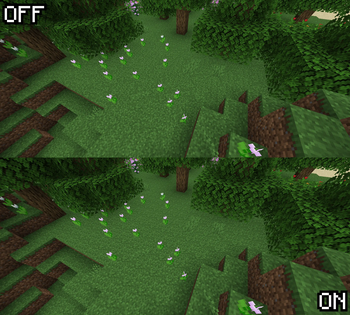
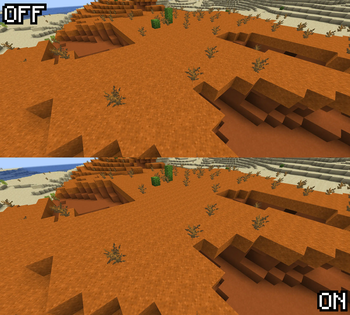
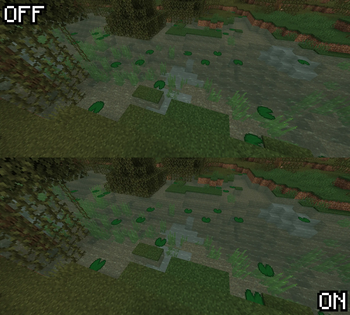
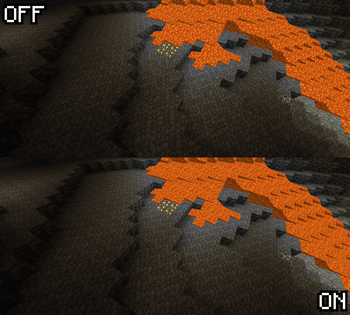
What is this?
1.8 introduced the "Alternate Blocks" option, later removed in 1.9 but with these random rotations still present within the default resource pack.
This pack works as an OFF button to that feature!
Why?
Idk, some people don't like it ¯\_(ツ)_/¯
How?
It changes the blockstates of all blocks that have random rotations.
I don't want [insert block] to be affected by the pack!
Open the pack using any compression tool or extract it. Go to assets/minecraft/blockstates and move the blockstates of the blocks you want into the disabled folder.
You can use the files with no restrictions for your own packs or mods if you want to.
- Edition: Minecraft Java
- File type: .zip (resource pack)
- Minecraft versions listed: 1.20, 1.20.1
- How to install: Download the .zip resource pack — do not unzip it. → Put it in .minecraft/resourcepacks. → Enable it in Options → Resource Packs.
- Where to get it: Opens on Modrinth — not every file is mirrored on our own servers.
Install steps are the general flow for this file type — How to install Minecraft Java resource packs walks through it step by step.
- Downloads as No More Alternate Blocks.zip
- Download size: 18 KB
- Download link checked 28 Aug 2026 — working
These come from our own check of the pack file, not from the source page.