
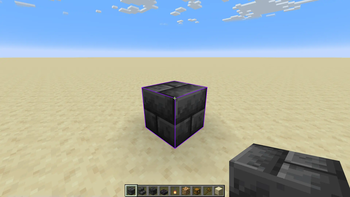
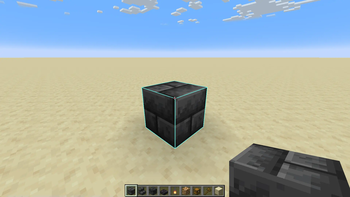
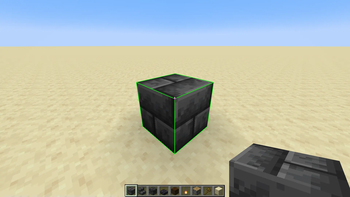
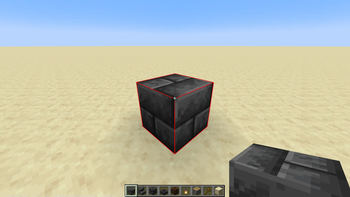
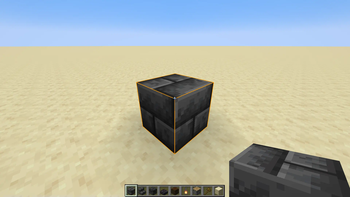
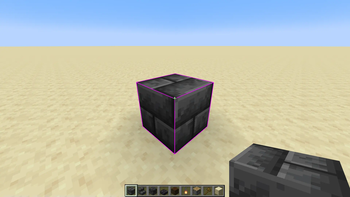
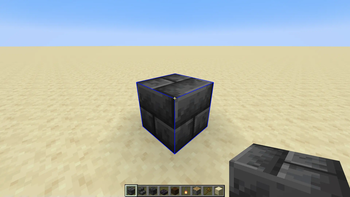
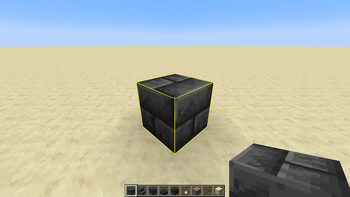
Selection Outlines
Disclaimer: This resource pack does not work when other shaders are active.
This resource pack simply changes the selection outline of the block you're looking at to currently one of two colors; purple or turquoise. It's very helpful for when building with dark blocks, since the vanilla outline can be really hard to see sometimes.
I would really like to see Mojang implementing this into the base game, but until then I have my own resource pack!
Why should this be in the base game?
Customization to the selection outline would benefit all players. Let's start with players building with dark blocks. The outline is currently dark gray/black, which makes it really hard to see when building with deepslate, blackstone, netherrack, etc.. Second point I have is personality. Some people may like the color blue more than black (me), and getting to change the outline to whatever color you'd like would make the game feel more personal, since it's your chosen color. Third and most important is accessibility. People with problems to their eyes can have it hard to see the block outline. Getting to change it to a vibrant color could help with this and make it easier for them to see the block they're looking at when they're building, for example.
In short, players building with dark blocks can more easily see where they're building, it allows for more personality and is also a very good accessibility feature.
Resource packs can already change the color of the selection outline by going to assets\minecraft\shaders\core\rendertype_lines.vsh and modifying a value. Though it can be hard for casual players to do since they have to read a vertex shader file and change a specific value in it, which is a bit confusing.
Therefore, adding a menu in the accessibility settings where you could modify the color and maybe choose some presets, would be a pretty good feature. It probably wouldn't take that much time for a skilled programmer to make either, and if I knew how to, I'd definitively make a mod for it!
- Edition: Minecraft Java
- File type: .zip (resource pack)
- Minecraft versions listed: 1.20, 1.20.1, 1.20.2
- How to install: Download the .zip resource pack — do not unzip it. → Put it in .minecraft/resourcepacks. → Enable it in Options → Resource Packs.
- Where to get it: Opens on Modrinth — not every file is mirrored on our own servers.
Install steps are the general flow for this file type — How to install Minecraft Java resource packs walks through it step by step.
- Downloads as selectionOutlines_v1.0_orange.zip
- Download size: 214 KB
- Download link checked 28 Aug 2026 — working
These come from our own check of the pack file, not from the source page.