
realism blend 1024x
Java resource pack listed for Minecraft 1.20–26.x. Downloads from the MC Java Mods app on Android.
⬇ Download on Modrinth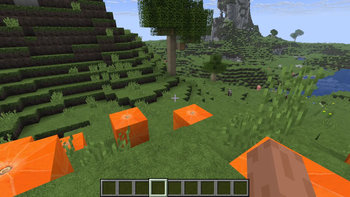
Realism blend 1024x version
Description and purpose
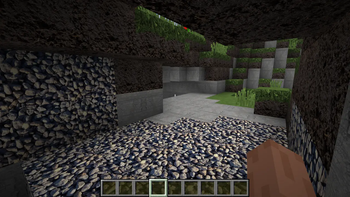
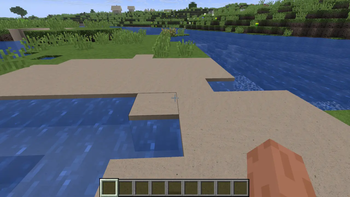
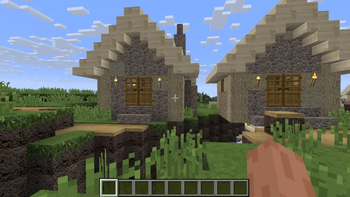
A texture pack for Minecraft which has the purpose to upgrade the default textures for the most blocks while still retaining some vanilla textures. The texture pack was made through photos with permissive licenses. Ultra quality: 1024x1024 textures (highest quality version). Personal note: this is my favorite version
How to enable the texture pack
If in the main menu click options, resource packs, and then go over available to select the resource pack and load it by clicking the arrow pointing right. You can unload the resource pack by going over selected and pressing the arrow pointing to left. Also in order to actually work be careful because in available the priority system is a top down one, thus you should press the small lateral arrows to move the texture pack on top and always on top of default to actually apply the new textures.
- Edition: Minecraft Java
- File type: .zip (resource pack)
- Minecraft versions listed: 1.20, 1.20.1, 23w31a
- How to install: Download the .zip resource pack — do not unzip it. → Put it in .minecraft/resourcepacks. → Enable it in Options → Resource Packs.
- Where to get it: Opens on Modrinth — not every file is mirrored on our own servers.
Install steps are the general flow for this file type — How to install Minecraft Java resource packs walks through it step by step.
- Downloads as realism blend 1024x.zip
- Download size: 217.0 MB
- Download link checked 9 Oct 2026 — working
These come from our own check of the pack file, not from the source page.