![[MTR 4/JCM] (Un)Legible Prague PIDs](https://cdn.modrinth.com/data/20RLgc6S/8011f824d9910e864c8d525fdb4e14658ccc9090_96.webp)
[MTR 4/JCM] (Un)Legible Prague PIDs
Adds Prague inspired custom passenger information display (PID) to Minecraft Transit Railway (MTR) mod. Works only with MTR4. You must use Joban Client…
⬇ Download on Modrinth![[MTR 4/JCM] (Un)Legible Prague PIDs — screenshot 1](https://cdn.modrinth.com/data/20RLgc6S/images/e1ff16ddd9f2d8f798bcb52ce46ab497437fbd45_350.webp)
![[MTR 4/JCM] (Un)Legible Prague PIDs — screenshot 2](https://cdn.modrinth.com/data/20RLgc6S/images/d8773243d1bd160dca813836834e4759162283e7_350.webp)
![[MTR 4/JCM] (Un)Legible Prague PIDs — screenshot 3](https://cdn.modrinth.com/data/20RLgc6S/images/188184e013e5a2071ee4ef67ad20665fb273d90d_350.webp)
![[MTR 4/JCM] (Un)Legible Prague PIDs — screenshot 4](https://cdn.modrinth.com/data/20RLgc6S/images/71bd55373b93f6add4333ab4d669c708a0b700bf_350.webp)
This resource pack adds custom PIDs to Joban Client Mod (JCM) for Minecraft Transit Railway (MTR). Those PIDs are inspired by both new panels in Prague within redesign effort called Legible Prague (Čitelná Praha) and older style panels.
It supports only PID within Joban Client Mod. So NO default display support for now. Also It is not professionaly made script at all, so it may contain bugs. I will try to make fixes and improve resource pack over time.
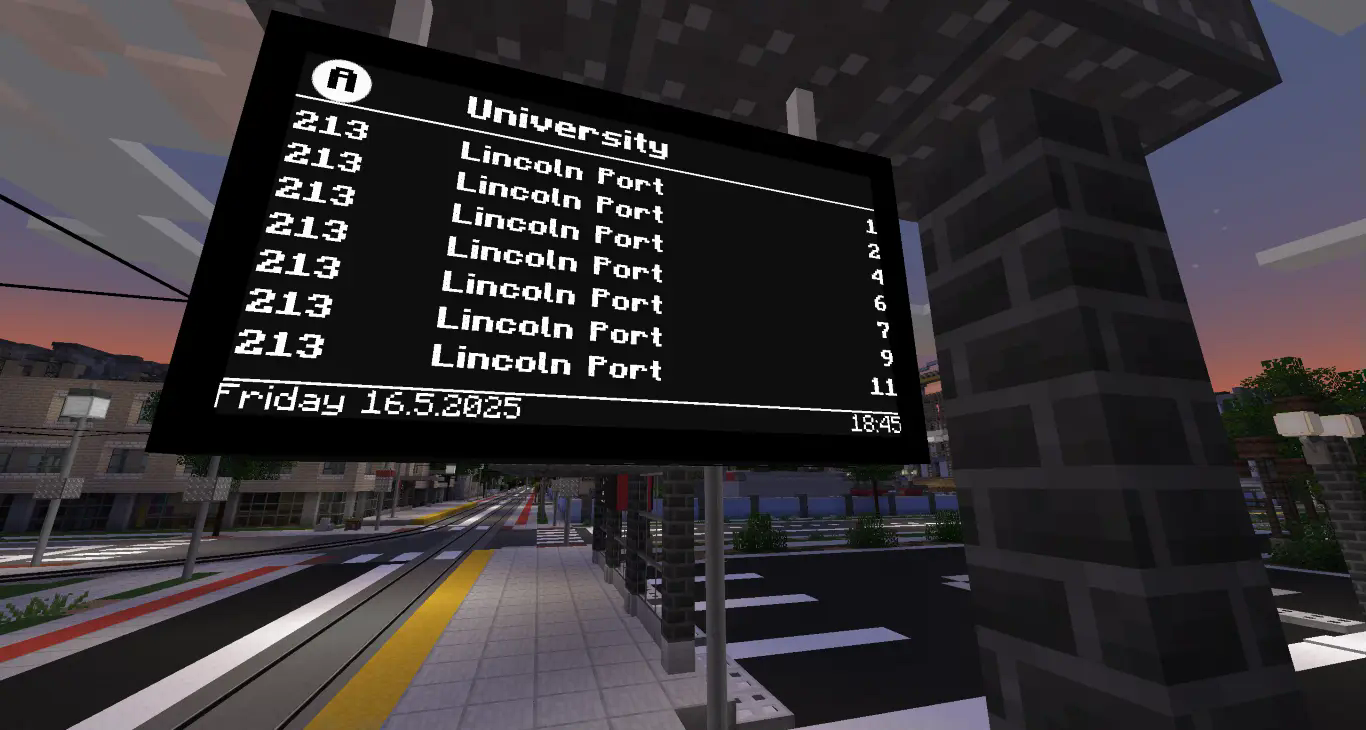
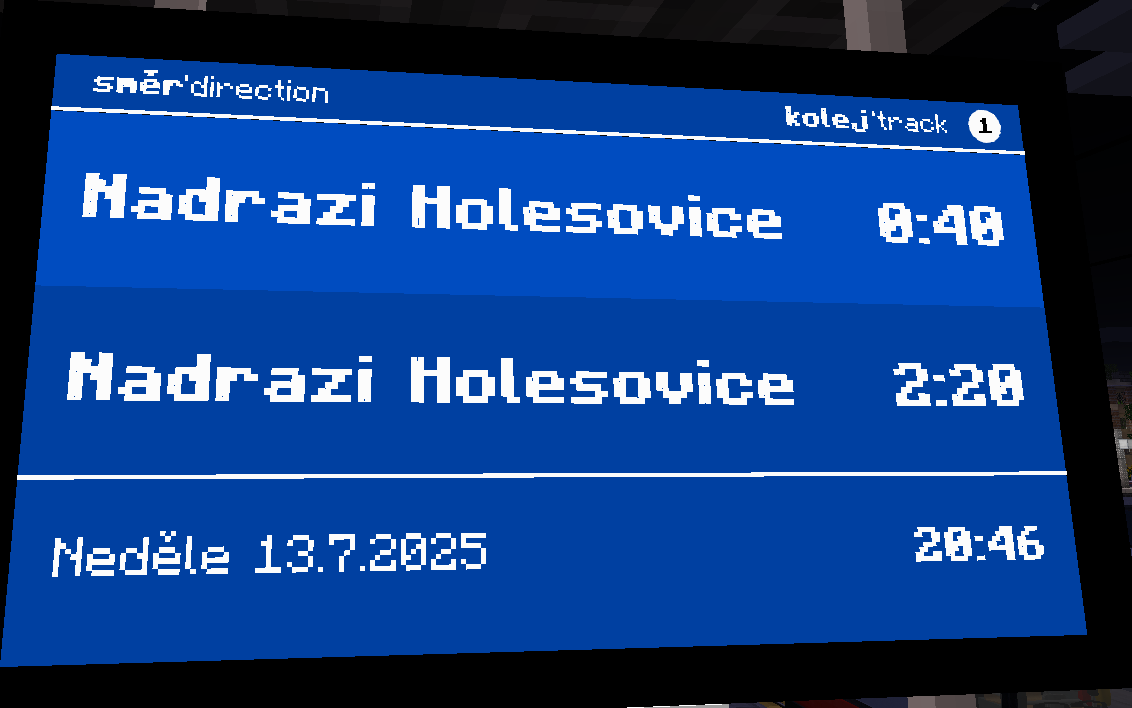
Requirments
- Minecraft Transit Railway mod - version 4
- Joban Client Mod - v2.0.0
How to use
- Enable resource pack in Minecraft
- Right click on Joban PID with brush
- Select PID preset called "Prague Legible Tram"
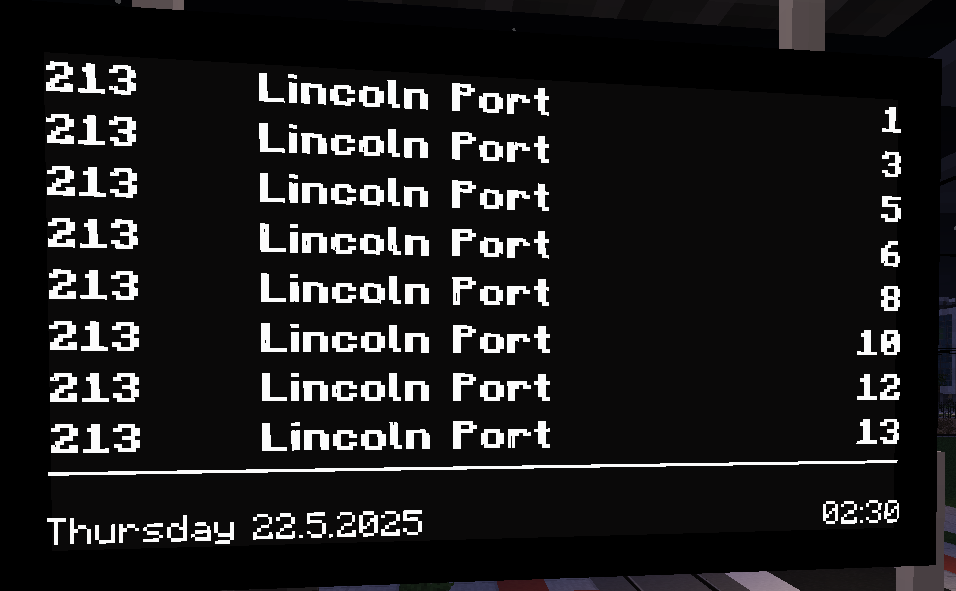
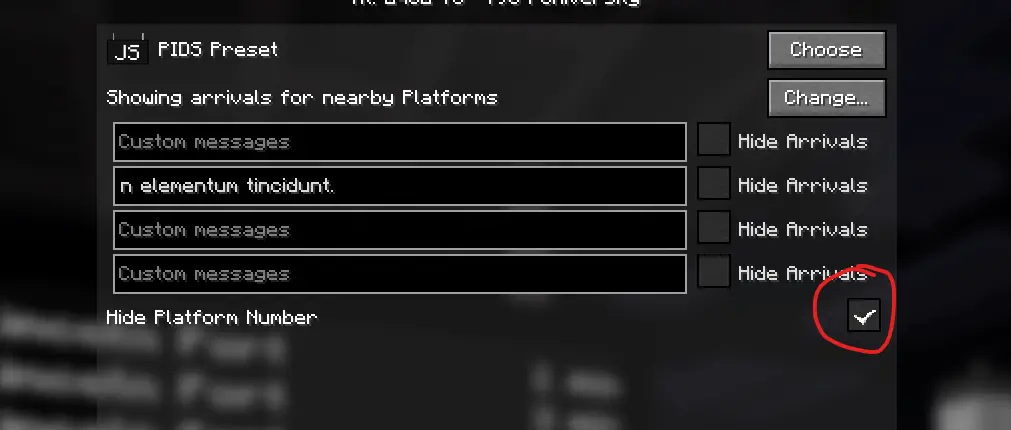
If you want to add custom message that overwrites whole departure board, write the message down to first text box. If you want to add custom message that rolls at the bottom above the clock, write the message down to second text box.
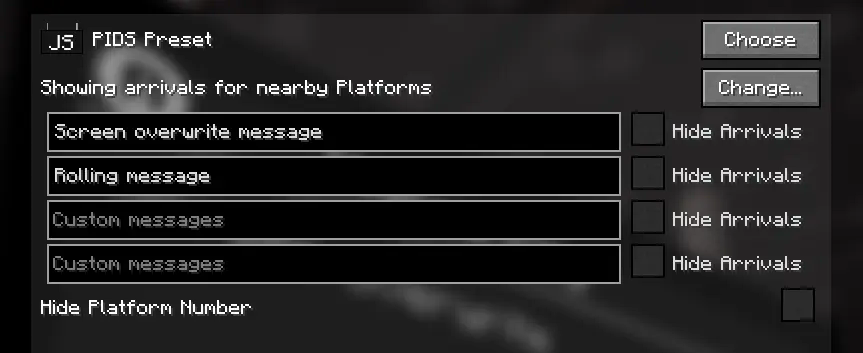
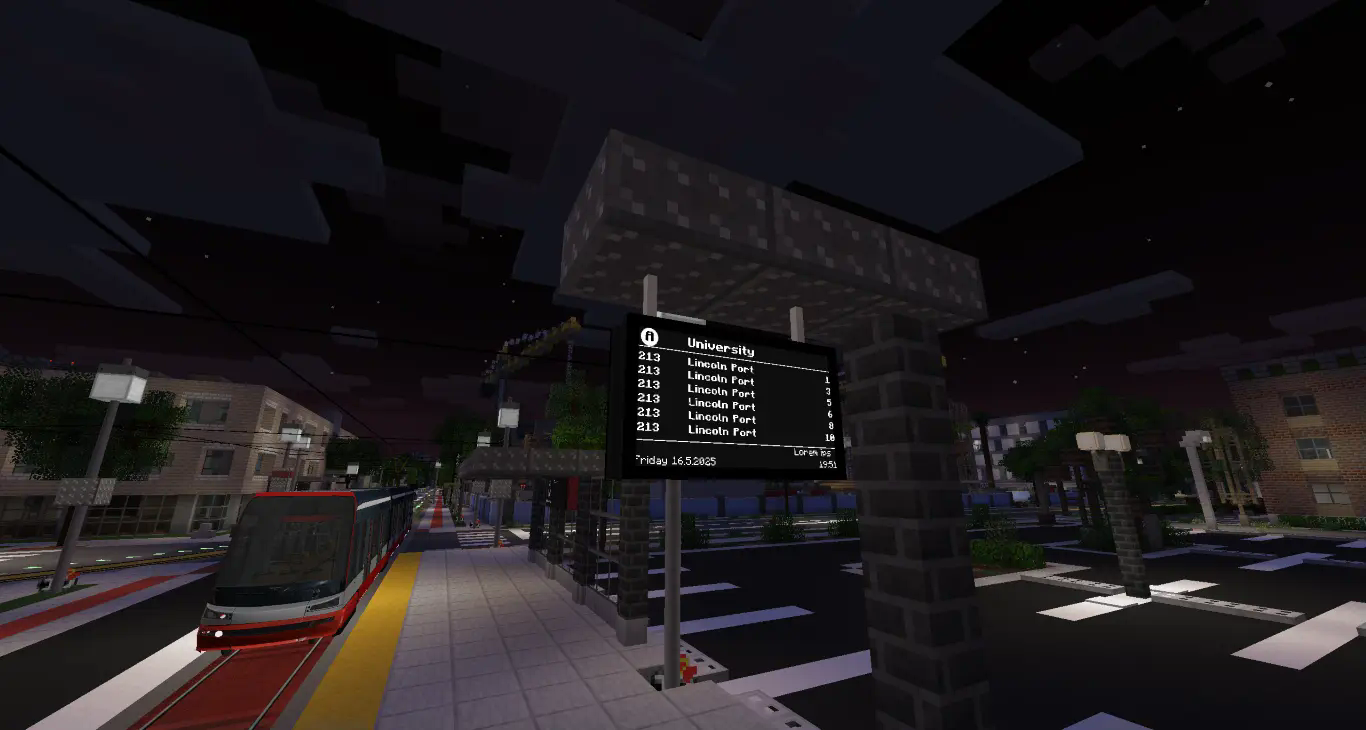
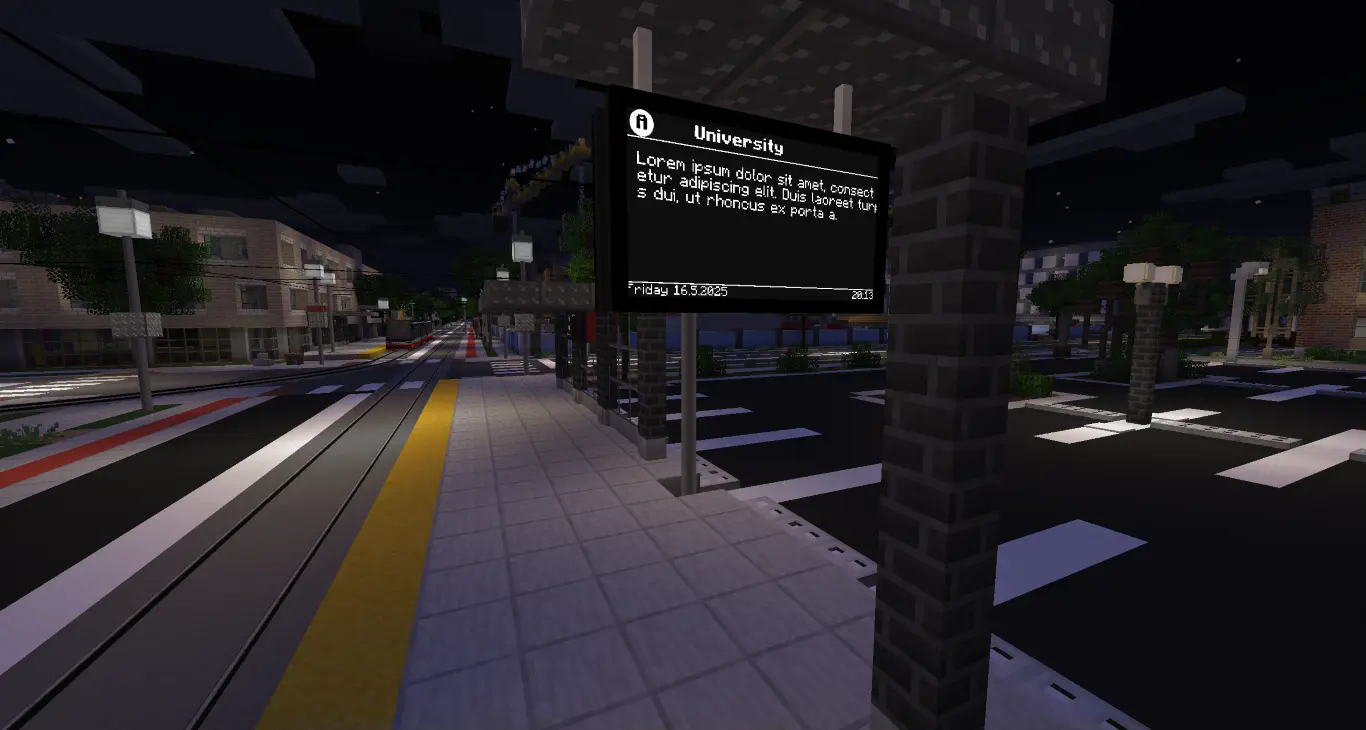
There are few variants of the PID that are available.
Prague Legible Tram This is the basic variants with all the function that you can see in the title picture 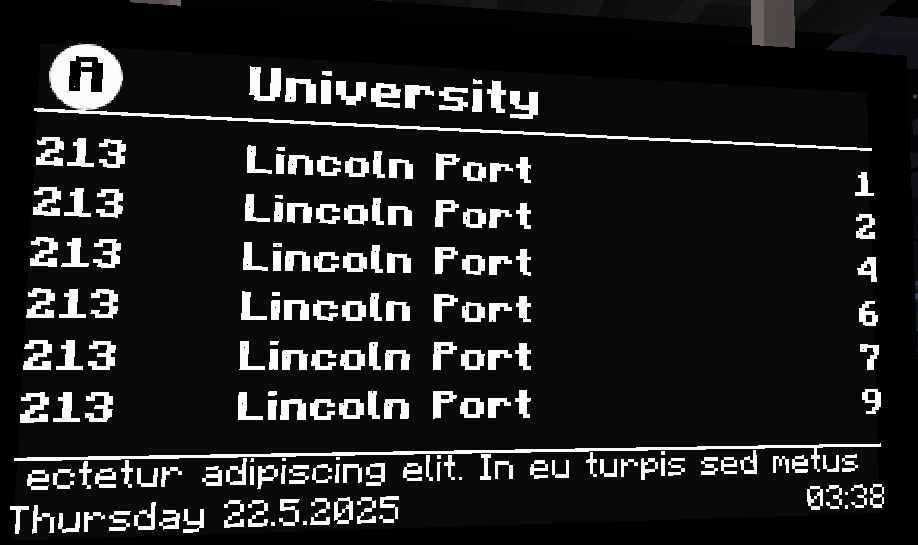
The similar variant to the one above but it has Czech day names in the date line. Use it to feel even more like in Prague.
![Prague Legible Tram [CZ]](https://cdn.modrinth.com/data/cached_images/63f467f8285e572895eaf3c8b23d9fa10a54f3a2.png)
The similar variant to the one above but it does not have a date at all.
![Prague Legible Tram [No Date]](https://cdn.modrinth.com/data/cached_images/0cee1218ac220addabe279c01e7a475c5eabb927.png)
![Prague Legible Tram [Simple]](https://cdn.modrinth.com/data/cached_images/1ed8d561afb2f353f3fbfa8a11706ce535cc6044.png)
Like previous variant except it now shows "min" suffix to time. This variant is used on some Prague bus terminals.
![Prague Legible Tram [Simple min]](https://cdn.modrinth.com/data/cached_images/9585eaabb0f045fc9a50893804175c2fbb8ea2cf.png)
Display type used at entrances to metro station in Prague.
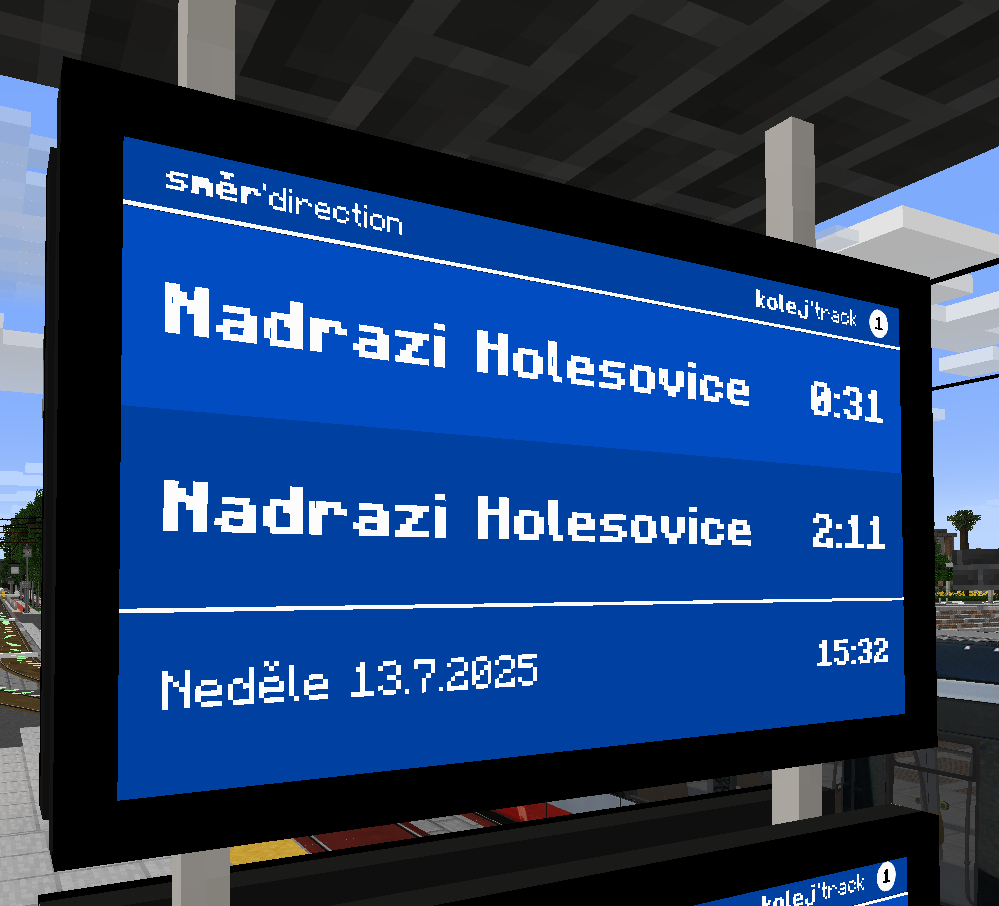
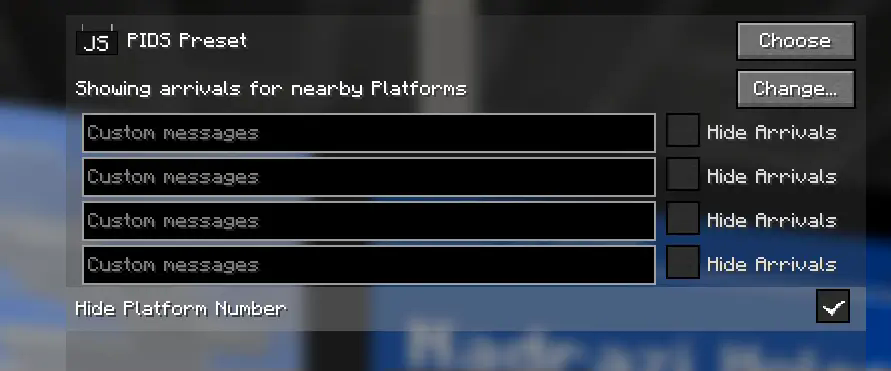
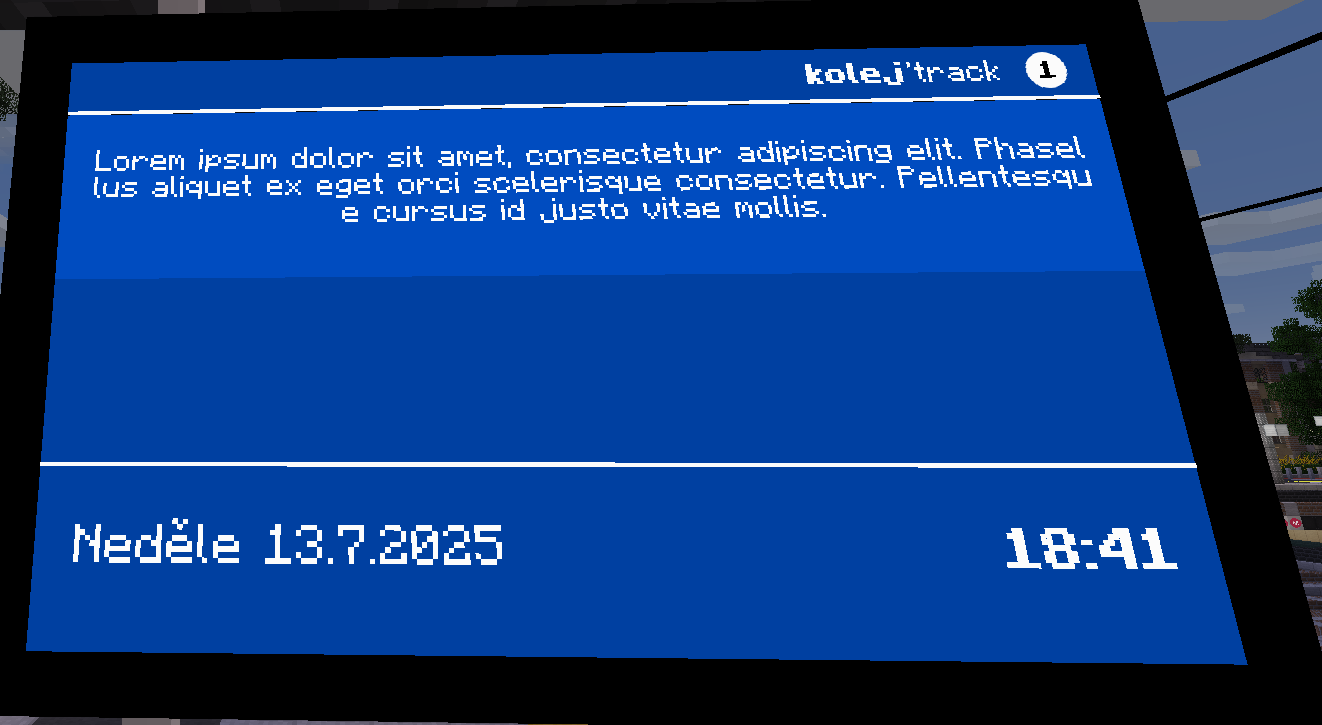
If you want to add custom message that overwrites whole departure board, write the message down to first text box.
If you want to add custom message to the bottom of the screen, write the message down to second text box.
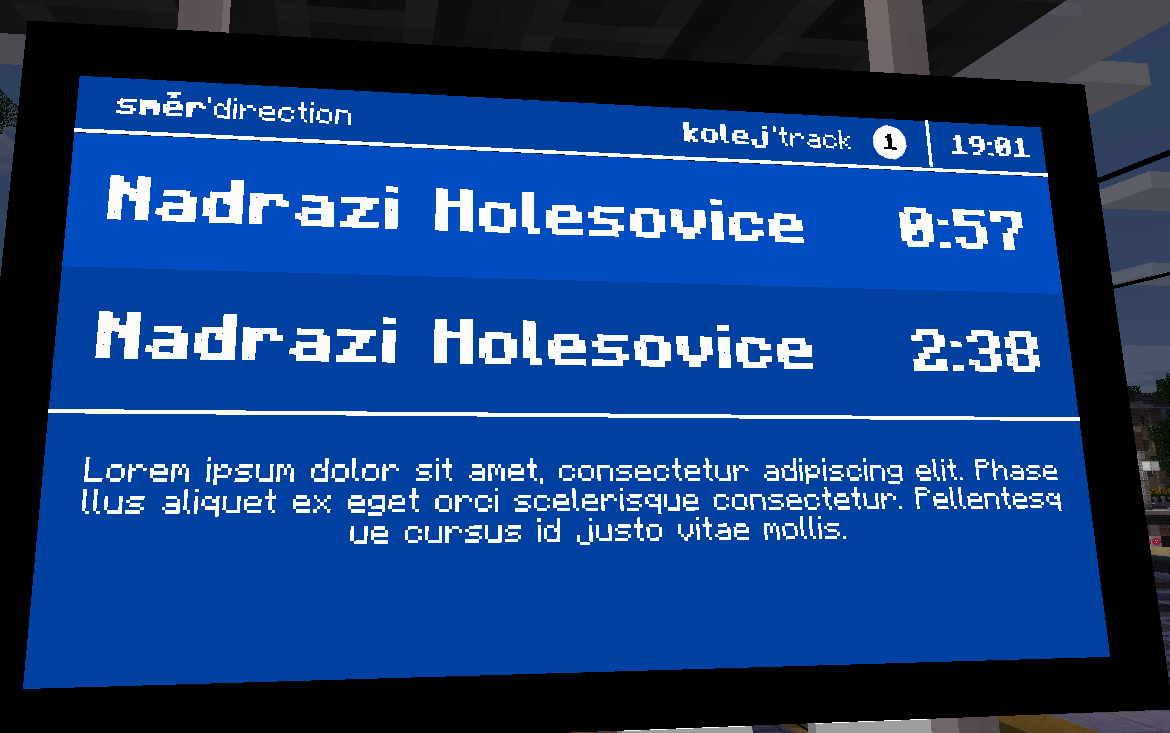
There are few variants available.
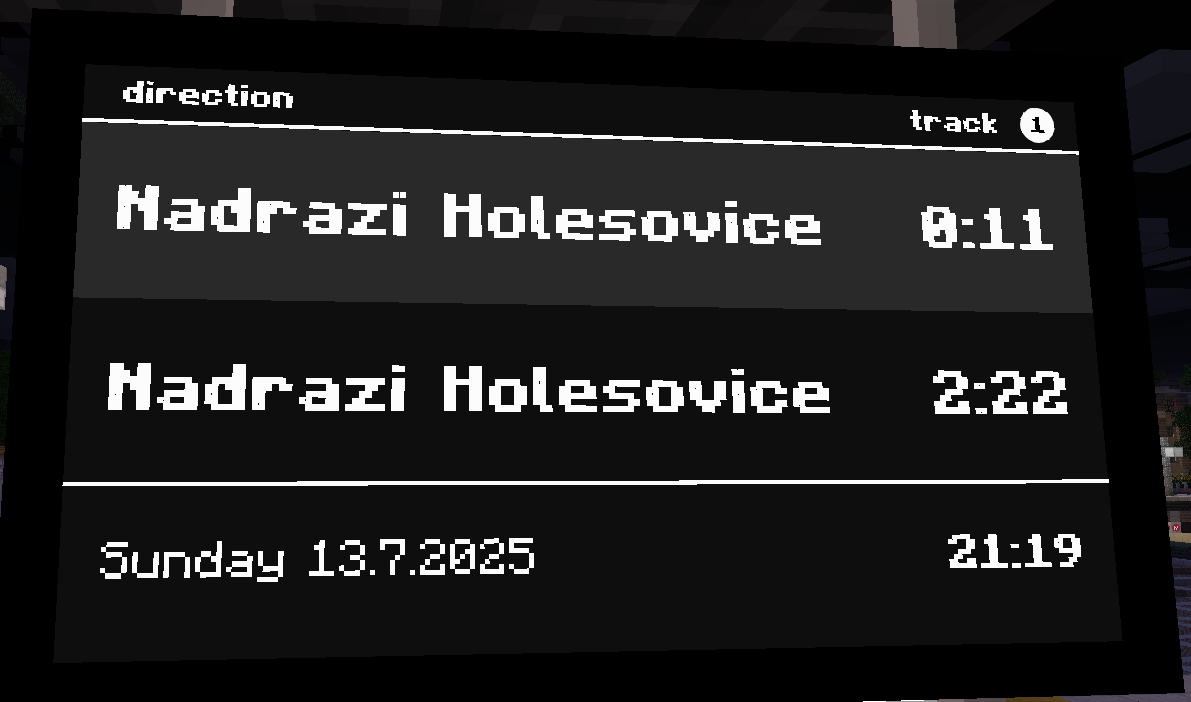
Prague DPP Metro LCD [CZ] This variant is closest to the real display. It has Czech and English captions with Czech day names.
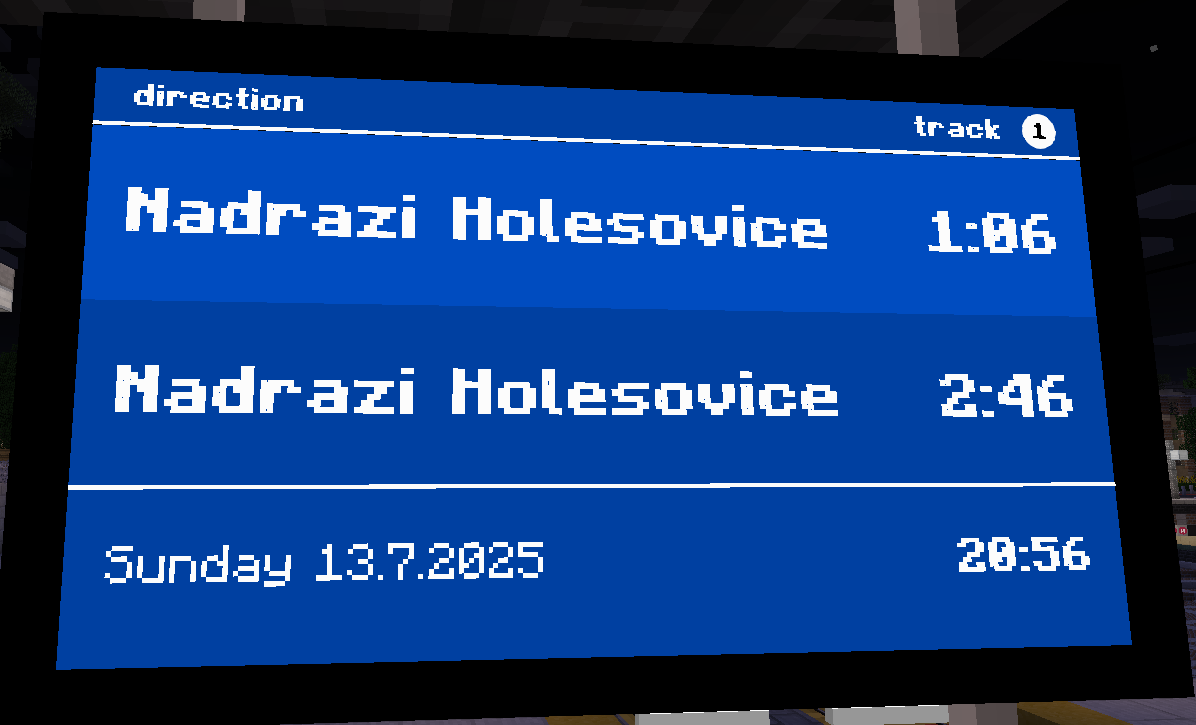
![Prague Legible Metro LCD [CZ]](https://cdn.modrinth.com/data/cached_images/2596e9518353803cbe355533aaf29f826c36a035.png)
Known issues
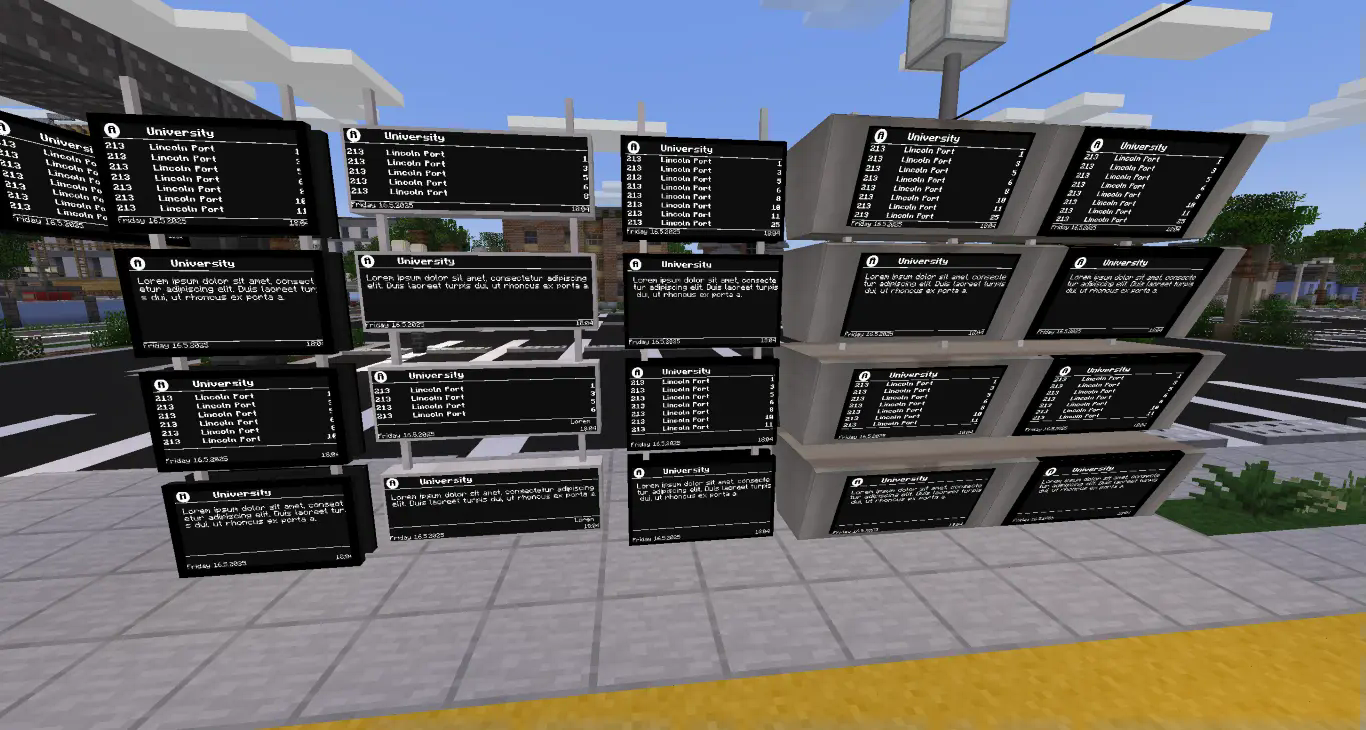
Hide Arrivals function is not implemmented and probably never will be as it is directly contradicts the fact, that number of lines is dynamic based on size of used panel.
Bug reporting, support and contact information
If you want to contact me regarding bug or some idea how to improve this resource pack, contact me on Discord username: vojta637
Tested on
- Minecraft Transit Railway mod - FABRIC-4.0.0-prerelease.1+1.20.4
- Joban Client Mod - v2.0.0-beta.12+1.20.4
- Edition: Minecraft Java
- File type: .zip (resource pack)
- Minecraft version listed: 1.19.4
- How to install: Download the .zip resource pack — do not unzip it. → Put it in .minecraft/resourcepacks. → Enable it in Options → Resource Packs.
- Where to get it: Opens on Modrinth — not every file is mirrored on our own servers.
Install steps are the general flow for this file type — How to install Minecraft Java resource packs walks through it step by step.
- Downloads as MTR_UnLegiblePrague_v3.zip
- Download size: 34 KB
- Download link checked 29 Aug 2026 — working
These come from our own check of the pack file, not from the source page.