
Minimalist Dark GUI
I don't know my version or loader
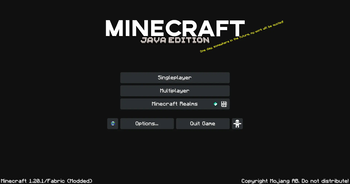
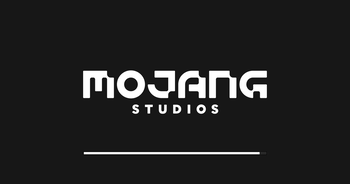

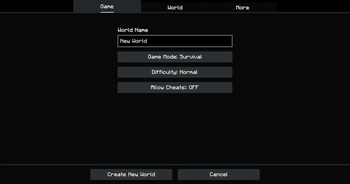
A pack that gives the GUI a simplistic dark mode look.
This pack also supports ModMenu and adds dark mode texture to it's buttons
The dark mojang loading screen only works on Optifine
If you dont like the plain gray background, you can use my other pack with a night version of the default panorama. Check them out in my profile page.
This pack supports some mods with custom GUI Elements. If you want me to add support for another mod, feel free to leave a comment below.
List of supported mods:
- Inmis
- Trinkets (This includes all trinket mods that I know of, namely elytra trinkets, charm of undying, inmis,etc)
- ModMenu
- RP Renames
- Appleskin
- Inventory Profiles Next
- Just Enough Items (JEI)
Feel free to leave a comment if you want a mod to be supported by this pack.
- Edition: Minecraft Java
- File type: .zip (resource pack)
- Minecraft versions listed: 1.21, 1.21.1
- How to install: Download the .zip resource pack — do not unzip it. → Put it in .minecraft/resourcepacks. → Enable it in Options → Resource Packs.
- Where to get it: Opens on Modrinth — not every file is mirrored on our own servers.
Install steps are the general flow for this file type — How to install Minecraft Java resource packs walks through it step by step.
- Downloads as dArk GUI [1.21]-2.zip
- Download size: 928 KB
- Download link checked 29 Aug 2026 — working
These come from our own check of the pack file, not from the source page.