
ResourcepacksJava
Classic Reimagined for Sodium and Mods
Java resource pack listed for Minecraft 1.20–24.x. Downloads from the MC Java Mods app on Android.
I don't know my version or loader
Open the Minecraft launcher and look at the profile you play on — it names both, like fabric-loader-1.21.4. The version also shows in the bottom-right corner of the game's main menu.
No loader in the profile name? Then it's plain Minecraft, and these mods won't run — you need Fabric or NeoForge installed first.
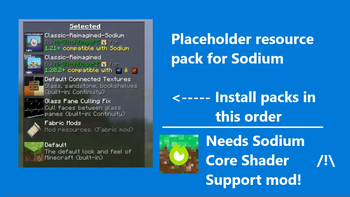
Classic Reimagined Compatibility layer
🧩 What It Does
It fixes Classic Reimagined from faling to load on Sodium, it gives full compatibility with Sodium while enhancing visuals with such mods
✅ Why It Matters
- Preserves Classic Reimagined's retro aesthetic while benefiting from Sodium’s performance enhancements.
- Eliminates reliance on OptiFine, making Classic Reimagined viable in modpacks built for speed and modularity.
- Streamlines texture and model behavior to prevent crashes or unexpected visuals when Sodium is installed.
Required mods
- Sodium: You may already have this one installed, and if not, then you don't need this resource pack
- Sodium Core Shader Support: This mod is required for Sodium to support core shaders
- Polytone: For custom colors, cloud height, etc.

Quick facts
- Edition: Minecraft Java
- File type: .zip (resource pack)
- Minecraft versions listed: 1.20.5, 1.20.6, 24w18a
- How to install: Download the .zip resource pack — do not unzip it. → Put it in .minecraft/resourcepacks. → Enable it in Options → Resource Packs.
- Where to get it: Opens on Modrinth — not every file is mirrored on our own servers.
Install steps are the general flow for this file type — How to install Minecraft Java resource packs walks through it step by step.
File checked by MCModsHub
- Downloads as Classic-Reimagined-Modded.zip
- Download size: 169 KB
- Download link checked 30 Oct 2026 — working
These come from our own check of the pack file, not from the source page.