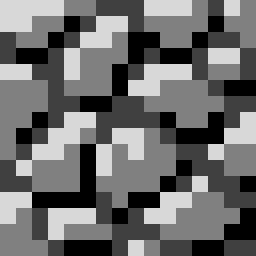


Welcome to Minecraft: First Edition, a Resource Pack focused on restoring Everything in Minecraft to its original state, no matter how ugly or impractical!
This resource pack changes textures, models, sounds, and even names; reverting them to the way they were whenever they were added to the game. This isn't just for a nostalgia trip, this pack is here to show you how each and every little detail has come so far from where it started.
What this pack includes:
- Textures
- Models
- Sounds
- Names
- CITs (Custom Item Textures)
- CEMs (Custom Entity Models)
Reasons to Use this pack:
- Learning (If you ever wanted to know what something was like when it was first added, this pack basically shows you real-time in-game!)
- Nostalgia (This pack may invoke this feeling in people, it's a wonderful, mysterious emotion.)
- Challenge (It could be used for an entertaining challenge, as many things are not obvious as to what they are.)
- Cursed (This resource pack is pretty ugly and can look and sound mighty cursed with all the original textures and sounds. It's horrible and I love it.)
Questions and Answers:
Q: "Does this pack require any mods?"
A: While it doesn't require any, if you want the full experience (such as having the CITs and CEMs), you should download the optional mods listed OR OptiFine for 1.18.2. Do not download the Fabric mods if you wish to use OptiFine.
Q: "How do I rename an item?"
A: Put it in an Anvil. You can rename the text in there. You can also rename something with a command, but if you know how to use commands like that, you probably aren't the type to ask this question.
Q: "Where can I find a list of all the Custom Item names?"
A: I will include a list within the resource pack soon. For now, look in the CIT folder and their names will be inside their .properties files.
Go here if you have a PMC account and would like to post comments!
- Edition: Minecraft Java
- File type: .zip (resource pack)
- Minecraft version listed: 1.21.4
- How to install: Download the .zip resource pack — do not unzip it. → Put it in .minecraft/resourcepacks. → Enable it in Options → Resource Packs.
- Where to get it: Opens on Modrinth — not every file is mirrored on our own servers.
Install steps are the general flow for this file type — How to install Minecraft Java resource packs walks through it step by step.
- Downloads as Minecraft First Edition 1.21.4 1.0.0.zip
- Download size: 7.9 MB
- Download link checked 29 Aug 2026 — working
These come from our own check of the pack file, not from the source page.