
JustTimm's Vanilla Additions - Dark GUI Add-On
I don't know my version or loader
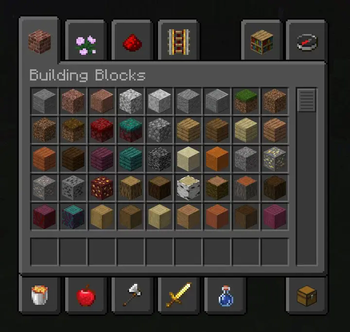
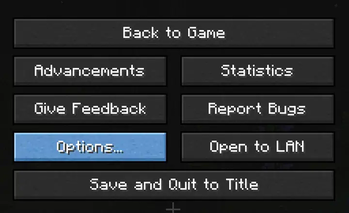
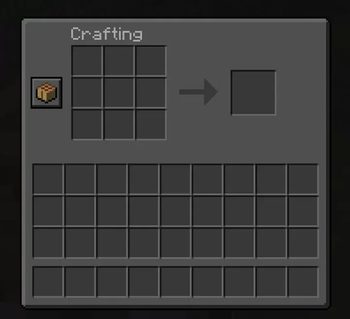
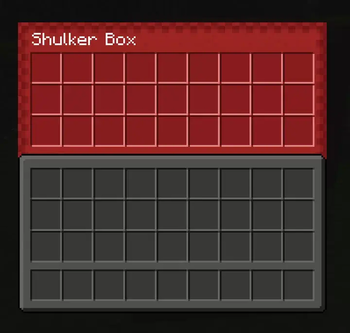

🖥️Java | 🎮Bedrock | ⚙️Mod Support | 🌙Dark GUI | 🍁Autumn Edition | ❄️Winter Edition | 🎅🏻Xmas Add-On
Vanilla Additions - Dark GUI Add-On is an additional pack for my original pack Vanilla Additions. This pack makes all the vanilla and Vanilla Additions GUI's a dark mode. Please only use this pack on top of my Vanilla Additions resource pack!
You can find Vanilla Additions - Dark GUI Add-On on Modrinth and PlanetMinecraft!
Download the original Vanilla Additions here!

📰Twitter | 📸Instagram | 💬Discord | 📽️YouTube | 📱TikTok

Supported mods:
- 🍎Appleskin
- 🚫No Chat Reports
- 📄Mod Menu
- 🦸Fabric Capes
- ⌛ViaFabric
- 🌈Iris Shaders
- 🧟Entity Texture Features



You are FREE to:
- Use this pack on your server.
- Alter the pack for personal use.
- Combine with other packs for personal use and play.
- Use this pack in YouTube videos. (Credit is appreciated)
You are NOT allowed to:
- Claim ownership over the textures/models in this pack.
- Reupload the entire resource pack elsewhere.
- Redistribute unedited individual assets from the pack without permission and credit.
- Redistribute edited assets from the pack without permission and credit.
Thanks in advance.




- Edition: Minecraft Java
- File type: .zip (resource pack)
- Minecraft versions listed: 1.20, 1.20.1
- How to install: Download the .zip resource pack — do not unzip it. → Put it in .minecraft/resourcepacks. → Enable it in Options → Resource Packs.
- Where to get it: Opens on Modrinth — not every file is mirrored on our own servers.
Install steps are the general flow for this file type — How to install Minecraft Java resource packs walks through it step by step.
- Downloads as Vanilla_Additions_Dark_GUI_Add-On_1.4.zip
- Download size: 314 KB
- Download link checked 29 Aug 2026 — working
These come from our own check of the pack file, not from the source page.