G+ | Sculk Weapons and Tools
Java resource pack listed for Minecraft 1.21. File opened and checked on 4 Nov 2026; downloads from the MC Java Mods app on Android.
I don't know my version or loader
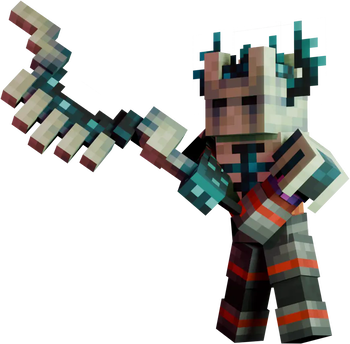
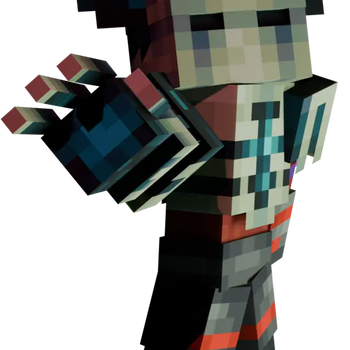

Resource Pack required to correctly view the items in-game!

GearPlus is a group of small Data Packs that focuses on adding tools, weapons or armor to Minecraft to thematically and aesthetically diversify the range of acquirable gear without breaking the balance of the vanilla game experience.
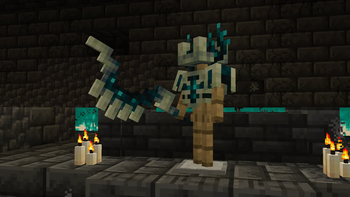
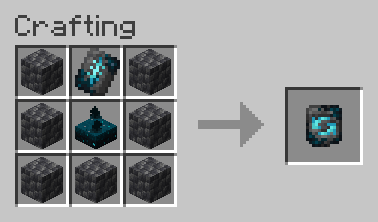
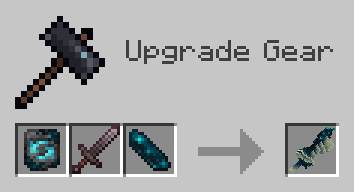
The "Sculk module" adds the Sculk Transmuter, a new Smithing Template which can be used to convert Netherite equipment and the Mace into twisted counterparts made of Sculk!
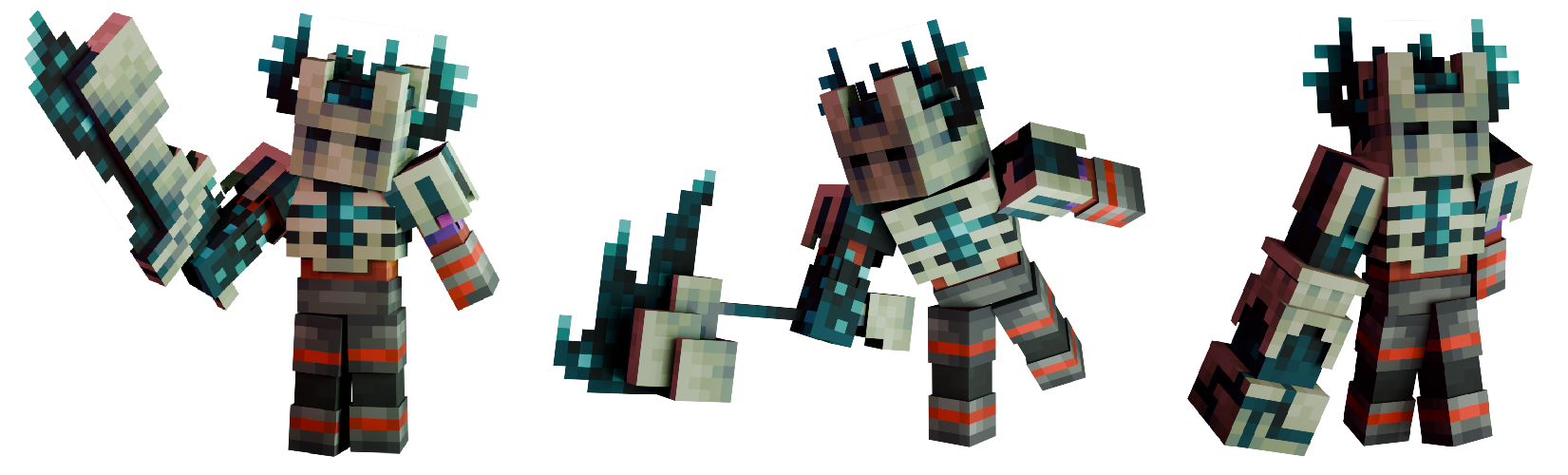
Sculk weapons, tools and armor work a bit differently than their base versions, each one of them granting a small buff whenever the player is near a Sculk Catalyst.
When outside of the range of action of Sculk Catalysts, most of the Sculk set gear keeps the same stats of their Netherite versions, with the exception of the Mace which has a set of debuffs to balance its Catalyst power.
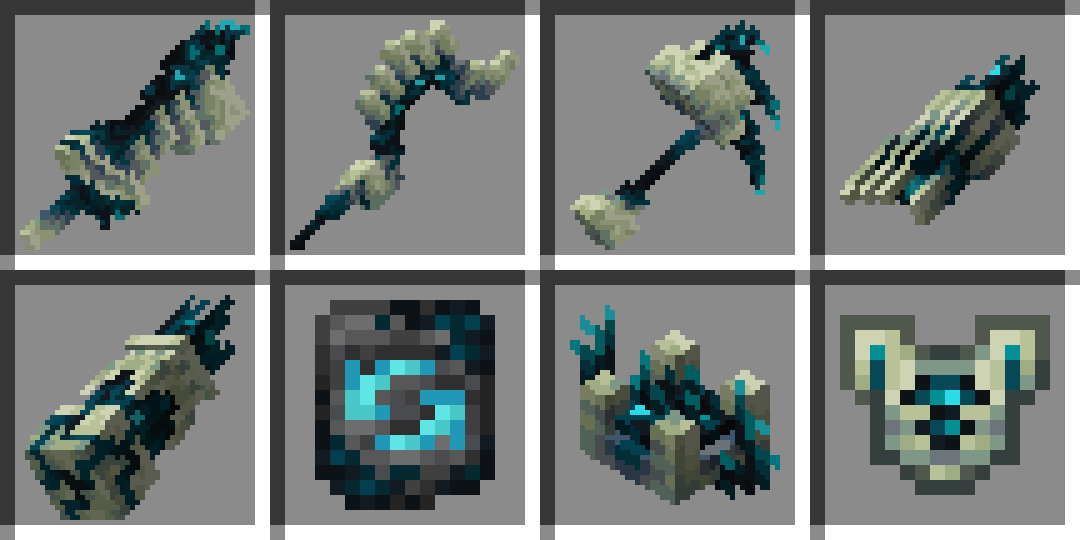
Here is the full list of items added by the Data Pack:
| New Items | Description | Stats | Catalyst Power |
|---|---|---|---|
 Sculk Transmuter |
Smithing Template made with the Silence Armor Trim. When used with an Echo Shard, allows the transmutation of various gear. | N/A | N/A |
 Sculk Greatsword |
Transmuted version of the Netherite Sword. Uses a sharp Sculk tendril as its blade. |
8 Atk Damage 1.6 Atk Speed |
+0.4 Atk Speed |
 Sculk Greataxe |
Transmuted version of the Netherite Axe. Its cutting edge has been replaced by a set of teeth-like bone formations. |
10 Atk Damage 1.2 Atk Speed |
+1.25 Atk Reach |
 Sculk Fungal Hammer |
Transmuted version of the Netherite Pickaxe. It crushes blocks with a heavy, calcified mushroom cap. |
6 Atk Damage 1.2 Atk Speed |
+2 Atk Damage |
 Sculk Claw |
Transmuted version of the Netherite Shovel. Clings to the user's hand to enhance their mining strength and mine farther. Can dig blocks mineable by Shovel and Hoe. |
6.5 Atk Damage 1 Atk Speed |
+2 Block Interaction Range (Works with blocks in off-hand) |
 Sculk Warped Arm |
Transmuted version of the Mace. Clings to the user's arm, turning the arm itself into a bludgeoning weapon. It is incredibly heavy, impairing the user's movement when not empowered by a Catalyst. |
6.5 Atk Damage 0.6 Atk Speed -0.2 Speed +0.2 Gravity +50% Fall Damage |
+0.2 Jump Strength -70% Fall Damage (Stacks with debuff, -20% Total) |
 Sculk Crown |
Transmuted version of the Netherite Helmet. It wraps around the user's head, altering their sensitivity to Sculk's effects. |
3 Armor 3 Armor Toughness 1 Knockback Resistance |
Grants immunity to the Darkness effect |
 Sculk Carapace |
Transmuted version of the Netherite Chestplate. It wraps around the user's body, enhancing their physical strength around a Sculk Catalyst. |
8 Armor 3 Armor Toughness 1 Knockback Resistance |
Tools mine their corresponding blocks faster |
Installation
To properly view and use the module, both the Data Pack and the Resource Pack must be installed.
To manually install the Data Pack, simply drop the corresponding .zip file in the 'datapack' folder inside your world folder. To manually install the required Resource Pack, drop the corresponding .zip file in the 'resourcepacks' folder inside your main MC directory.
The module is extremely lightweight and is compatible with Multiplayer, as long as the Resource Pack is correctly loaded.
Currently supported versions: 1.21.2+
Support
If you like my Data Packs, Resource Packs or textures, consider donating, it would really mean a lot to me. If you are interested in commissioning any content, contact me on any available platform, I'll try to reach out to you as fast as I can.
Suggestions for future Minecraft content are also well received. Thank you for taking a look at my content. :)
- Edition: Minecraft Java
- File type: .zip (resource pack)
- Minecraft versions listed: 1.21.2, 1.21.3, 1.21.4
- How to install: Download the .zip resource pack — do not unzip it. → Put it in .minecraft/resourcepacks. → Enable it in Options → Resource Packs.
- Where to get it: Opens on Modrinth — not every file is mirrored on our own servers.
Install steps are the general flow for this file type — How to install Minecraft Java resource packs walks through it step by step.
- Downloads as GearPlus SM 1.21.2-1.21.4 Data Pack.zip
- Download size: 9 KB
- Download link checked 30 Oct 2026 — working
These come from our own check of the pack file, not from the source page.