
Pumpkin Blur Blocker
Pumpkin Blur Blocker is a resource pack that removes the blur effect on your screen when you wear a pumpkin. This keeps your vision always clear and…
I don't know my version or loader

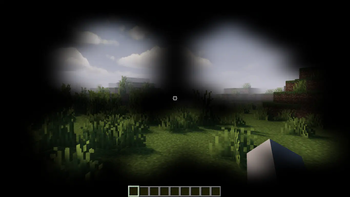
Pumpkin Blur Blocker is a simple and useful resource pack that completely removes the distracting blur effect that appears on your screen when you wear a pumpkin.
In Minecraft, when you wear a pumpkin on your head, the game adds a blur effect that separates you from the world around you and limits your vision. This can be quite annoying, especially when fighting monsters. This pack solves that exact problem.
With Pumpkin Blur Blocker, your vision remains completely open and clear when you wear a pumpkin. Now you can move more comfortably when exploring at night or just walking around with a pumpkin mask on.
Installation is very simple. Just place the downloaded .zip file into your resourcepacks folder, which you can access from the Minecraft main menu by going to Options > Resource Packs > Open Pack Folder. Once you enable the pack, you will see the changes instantly.
I hope Pumpkin Blur Blocker makes your Minecraft adventure more enjoyable!
- Edition: Minecraft Java
- File type: .zip (resource pack)
- Minecraft versions listed: 1.16.2, 1.16.3, 1.16.4
- How to install: Download the .zip resource pack — do not unzip it. → Put it in .minecraft/resourcepacks. → Enable it in Options → Resource Packs.
- Where to get it: Opens on Modrinth — not every file is mirrored on our own servers.
Install steps are the general flow for this file type — How to install Minecraft Java resource packs walks through it step by step.
- Downloads as Pumpkin Blur Blocker.zip
- Download size: 10 KB
- Download link checked 29 Aug 2026 — working
These come from our own check of the pack file, not from the source page.