Restored Brightness
I don't know my version or loader
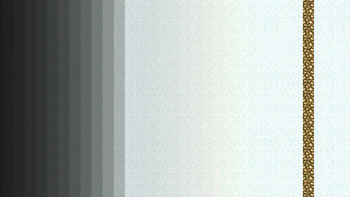
Restored Brightness fixes the buggy lightmap sampling in 1.17+ that causes the world to look darker than normal. This was reported as MC-225088 which was initially marked as "Works As Intended" until it was finally fixed in 1.21.9. This resource pack initially used custom-made edits but it now uses the official fix created by Mojang. This resource pack is not needed for versions 1.21.9 and later.
This mod is compatible with Sodium with either Sodium Core Shader Support for 1.20.4+ or Sodium Shader Support for 1.20.1 and below. You may get warnings when trying to use this mod with Sodium with core shader support which can be simply ignored. Using Sodium 0.5.11 can lead to visual errors and Sodium 0.5.13 needs to be paired with the 0.6 version of the resource pack.
- Edition: Minecraft Java
- File type: .zip (resource pack)
- Minecraft versions listed: 1.20.1, 1.21, 1.21.1
- How to install: Download the .zip resource pack — do not unzip it. → Put it in .minecraft/resourcepacks. → Enable it in Options → Resource Packs.
- Where to get it: Opens on Modrinth — not every file is mirrored on our own servers.
Install steps are the general flow for this file type — How to install Minecraft Java resource packs walks through it step by step.
- Downloads as restored-brightness-sodium-0.6.zip
- Download size: 10 KB
- Download link checked 29 Aug 2026 — working
These come from our own check of the pack file, not from the source page.