Dark GUI – Minimal Dark Mode Interface
Version: 1.20+
Resolution: 16x
Category: GUI / Interface
Style: Dark Mode, Minimal, Vanilla Friendly
Description
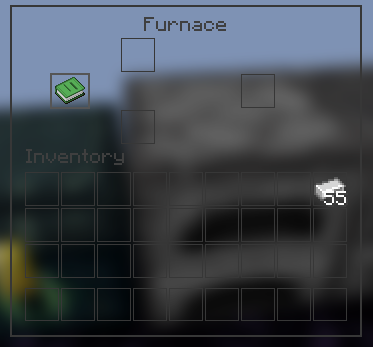
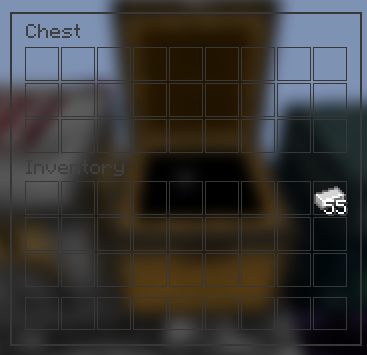
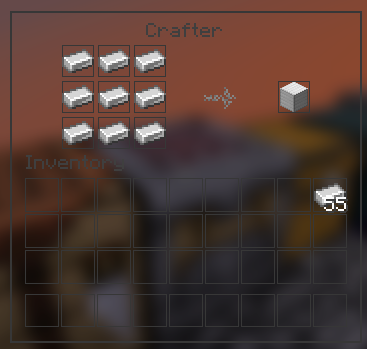
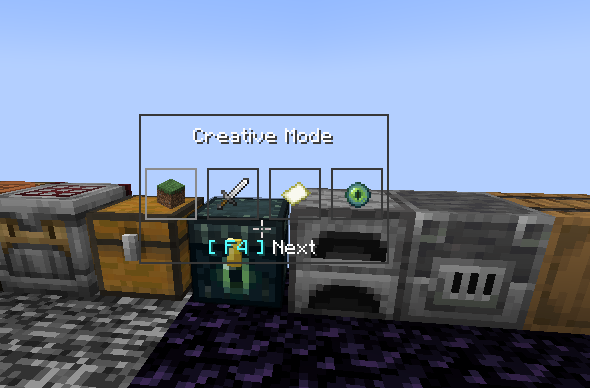
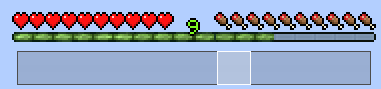
Dark GUI replaces Minecraft’s bright default menus with a clean and modern dark interface. The pack keeps the familiar vanilla layout while introducing a minimal black and dark gray design that improves readability and reduces eye strain.
It is designed for players who prefer a darker aesthetic without changing the overall feel of Minecraft. All menus, containers, and interface elements are adjusted to create a consistent dark theme while remaining simple and functional.
Dark GUI works well for long play sessions, night gameplay, PvP, building, and general survival worlds.
Features
• Complete dark GUI overhaul
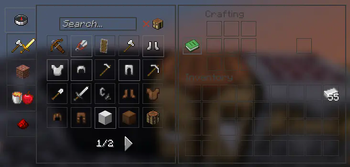
• Dark inventory, crafting, chest, and menu interfaces
• Minimal and modern design that stays close to vanilla
• Improved icon contrast for better visibility
• Supports Minecraft 1.20+ interfaces
• Compatible with OptiFine, Fabric, Sodium, and most mods
• Lightweight 16x resolution with no performance impact
Why Use Dark GUI
Minecraft’s default interface is very bright, especially during nighttime gameplay. Dark GUI provides a darker alternative that is easier on the eyes while keeping menus clear and readable.
This pack is ideal for players who want a simple dark mode UI without changing textures, items, or blocks.
Screenshot

Installation
- Download the .zip file
- Move the file into the following folder:
.minecraft/resourcepacks
- Open Minecraft
- Go to Options → Resource Packs
- Enable Dark GUI
Compatibility
Minecraft 1.20+
OptiFine / Fabric / Forge / Sodium
Compatible with most resource packs
- Edition: Minecraft Java
- File type: .zip (resource pack)
- Minecraft versions listed: 1.20, 1.20.1, 23w31a
- How to install: Download the .zip resource pack — do not unzip it. → Put it in .minecraft/resourcepacks. → Enable it in Options → Resource Packs.
- Where to get it: Opens on Modrinth — not every file is mirrored on our own servers.
Install steps are the general flow for this file type — How to install Minecraft Java resource packs walks through it step by step.
- Downloads as Dark Gui.zip
- Download size: 424 KB
- Download link checked 29 Aug 2026 — working
These come from our own check of the pack file, not from the source page.