
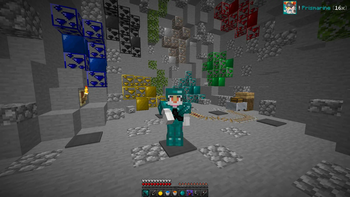
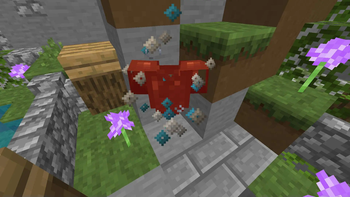


Dive into truly epic battles with our new Prismarine 16x PvP Resource Pack!
This pack is created especially for those who strive for maximum performance and visual perfection in combat. You can expect:
- Modernized textures: Updated and improved textures of swords, armor, arrows and other combat items make them more recognizable and stylish on the battlefield.
- Modernized Graphics: Bright and crisp blocks that are not distracting but still emphasize the atmosphere of the battle.
- Performance Optimization: A lightweight resource pack that doesn't burden your computer, ensuring smooth gameplay even on weak devices.
- Animated Elements: Visual effects on critical hits, as well as animated potions and potions.
- New Sounds: Realistic sound effects for an immersive gaming experience, from the clang of swords to the thud of bows.
With “Prismarine 16x” you'll become a legend on the server, impressing your opponents with your skill and style. Ready for battle? Download and see for yourself!
How to use a Texture Pack:
After downloading your pack follow this step guide to get it working in your game
- Open Minecraft
- Go to Settings
- Click on Resource Packs
- Open Pack Folder
- Drag the zip file that you just downloaded in the folder that opens up
- Select the pack in game from left side by clicking on it
- Press 'Done' and wait for the game to load the textures
After that the textures should load up and you can play the game with a brand new look!
Watch the resource pack review video below:
Quick facts
- Edition: Minecraft Java
- File type: .zip (resource pack)
- Minecraft versions listed: 1.8, 1.8.1, 1.8.2
- How to install: Download the .zip resource pack — do not unzip it. → Put it in .minecraft/resourcepacks. → Enable it in Options → Resource Packs.
- Where to get it: Opens on Modrinth — not every file is mirrored on our own servers.
Install steps are the general flow for this file type — How to install Minecraft Java resource packs walks through it step by step.
Verified by MCModsHub
- Downloads as ! §3Prismarine §8[§f16x§8].zip
- Download size: 11.6 MB
- Download link checked 29 Aug 2026 — working
These come from our own check of the pack file, not from the source page.