![Sharp Fonts [Scale 2x] (GUI Scale dependant)](https://cdn.modrinth.com/data/Ss4ZTytz/62453be434a8b5cc166cf8bebdd3c4e06d87e286_96.webp)
Sharp Fonts [Scale 2x] (GUI Scale dependant)
Java resource pack listed for Minecraft 1.8–26.x. Downloads from the MC Java Mods app on Android.
⬇ Download on Modrinth![Sharp Fonts [Scale 2x] (GUI Scale dependant) — screenshot 1](https://cdn.modrinth.com/data/Ss4ZTytz/images/7205303c27cd29868043d14ac2769457496ef350_350.webp)
![Sharp Fonts [Scale 2x] (GUI Scale dependant) — screenshot 2](https://cdn.modrinth.com/data/Ss4ZTytz/images/f34eef20a5056bd73c590f00ceb8d437f010398d_350.webp)
![Sharp Fonts [Scale 2x] (GUI Scale dependant) — screenshot 3](https://cdn.modrinth.com/data/Ss4ZTytz/images/74c26cbcf25e6a6f49620ecc86a3d1998affbb8d_350.webp)
[THIS IS THE 32x VERSION FOR SCALE 2x]
This pack is also available on Curseforge!


Modrinth said I can't upload multiple different versions of a pack on one page because it doesn't follow their intended path, so you can get the other resolutions here:
- Scale 2x: You are here already!
- Scale 3x: 48x pack for Scale 3x
- Scale 4x: 64x pack for Scale 4x
- Scale 5x: 80x pack for Scale 5x
Quick Description
This pack adds a custom-made font that looks sharper, and the diagonals look so smooth they almost don’t feel pixel-based at all. And yes, this version has support for ALL unicode letters.
How to use (NOTE)
In the links, you will see four projects, with different resolutions. This is purely because of how Minecraft scales up resolutions, and if used incorrectly, can leave unwanted interpolation artifacts on your screen that just look ugly.
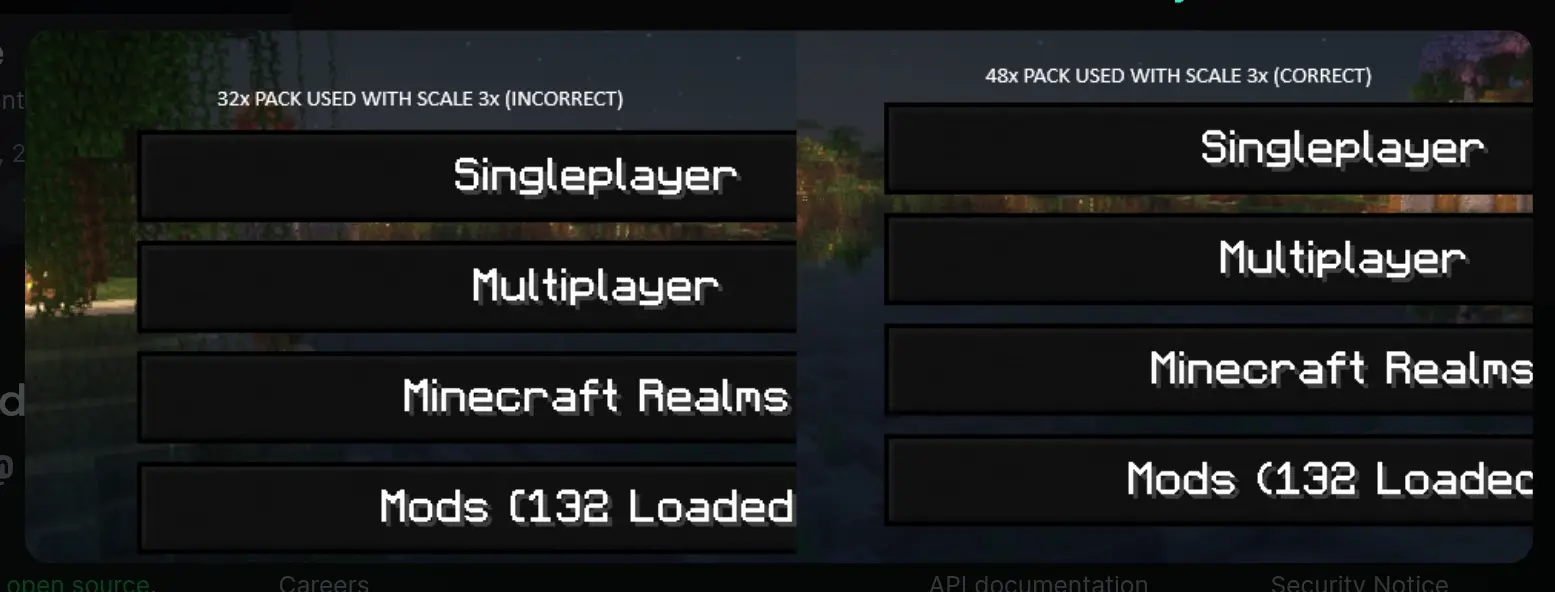
Little chart to show you which pack to use corresponding to your GUI Scale:
| GUI Scale | 2x | 3x | 4x | 5x (1440p display or higher) |
|---|---|---|---|---|
| 32x | ✅ | ❌ | ✅ (sure, but use 64x for extra sharpness, come on) | ❌ |
| 48x | ❌ | ✅ | ❌ | ❌ |
| 64x | ❌ | ❌ | ✅ | ❌ |
| 80x | ❌ | ❌ | ❌ | ✅ |
Supported Unicode:
| Pack | 2x | 3x | 4x | 5x (1440p display or higher) |
|---|---|---|---|---|
| ascii | ✅ | ✅ | ✅ | ✅ |
| accented | ✅ | ✅ | ✅ | ✅ |
| ascii_sga | ✅ | ✅ | ✅ | ✅ |
| asciillager | ✅ | ✅ | ✅ | ✅ |
| nonlatin_european | ✅ | ✅ | ✅ | ✅ |
- Edition: Minecraft Java
- File type: .zip (resource pack)
- Minecraft versions listed: 1.8, 1.8.1, 1.8.2
- How to install: Download the .zip resource pack — do not unzip it. → Put it in .minecraft/resourcepacks. → Enable it in Options → Resource Packs.
- Where to get it: Opens on Modrinth — not every file is mirrored on our own servers.
Install steps are the general flow for this file type — How to install Minecraft Java resource packs walks through it step by step.
- Downloads as SharpFonts (§l32x§r).zip
- Download size: 79 KB
- Download link checked 9 Oct 2026 — working
These come from our own check of the pack file, not from the source page.