
ResourcepacksJava
Vexa 16x
🌈 Introducing: Vexa 16x – The Ultimate PvP & Survival Experience! Vexa 16x, a sleek and vibrant texture pack crafted for competitive Bedwars players…
I don't know my version or loader
Open the Minecraft launcher and look at the profile you play on — it names both, like fabric-loader-1.21.4. The version also shows in the bottom-right corner of the game's main menu.
No loader in the profile name? Then it's plain Minecraft, and these mods won't run — you need Fabric or NeoForge installed first.
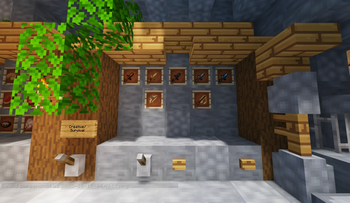
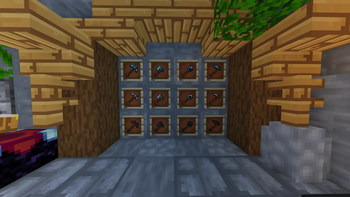
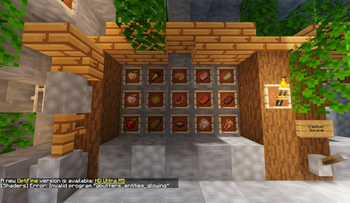
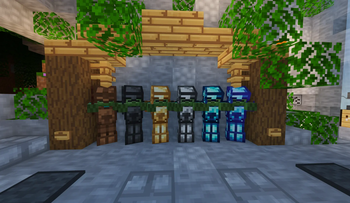
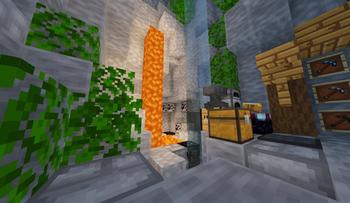
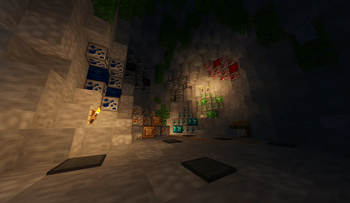
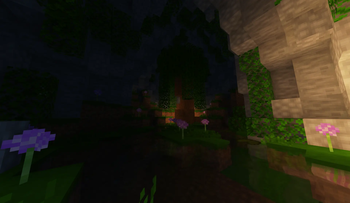
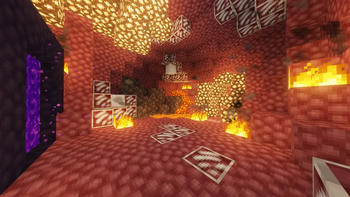
🌈 Introducing: Vexa 16x – The Ultimate PvP & Survival Experience!
Vexa 16x, a sleek and vibrant texture pack crafted for competitive Bedwars players, fireball clutchers, Survival, and PvP enthusiasts alike. Designed to blend clarity, smoothness, and cozy visuals.
⚡ Pack Features
- 🔪 Sleek Swords: Minimal and refined for perfect visibility and cleaner PvP focus.
- 🌌 Custom Sky & UI: Enjoy a soothing, reworked sky and a modern, minimalistic hotbar interface.
- 🛠️ Full Version Support: Seamlessly compatible with Minecraft 1.6.1 – 1.20.2, with 1.8.9 recommended for the best PvP performance.
- ✨ Shader Friendly: Looks stunning with Optifine, Sodium, or any shader that doesn’t alter base textures.
- ⚔️ PvP Optimized: Tailored for Hypixel Bedwars and other competitive modes—low-lag, smooth performance, and sharp visuals.
- 💻 Lightweight Build: Clean textures that keep your FPS high and gameplay responsive on all setups.
❓ FAQ
Can I use shaders with it?
- ✅ Yes! Just avoid shaders that override or distort the textures.
Can I showcase it on YouTube or streams?
- 🎥 Of course! You’re welcome to feature Vexa 16x in your videos or streams — just remember to credit the creators below.
🎨 Credits
ItsFlare – Item design, concept, and creative direction
Yumeno 32x (Chr7st) - some 1.21 references
Dazuberi 16x - stone refrences
Quick facts
- Edition: Minecraft Java
- File type: .zip (resource pack)
- Minecraft versions listed: 1.21, 1.21.10
- How to install: Download the .zip resource pack — do not unzip it. → Put it in .minecraft/resourcepacks. → Enable it in Options → Resource Packs.
- Where to get it: Opens on Modrinth — not every file is mirrored on our own servers.
Install steps are the general flow for this file type — How to install Minecraft Java resource packs walks through it step by step.
Verified by MCModsHub
- Downloads as §6! §bVexa §3[16X] 1.21.zip
- Download size: 9.1 MB
- Download link checked 29 Aug 2026 — working
These come from our own check of the pack file, not from the source page.