
The ultimate enchantment book indicator
This resource pack allows you to see the enchantment and its level on the book.
- !!! The resource pack may take a very long time to load
- !!! The game may lag severely on less powerful devices with this resource pack
Features
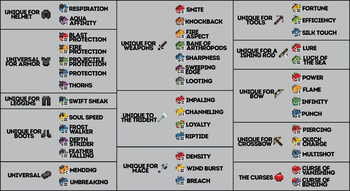
- The top left corner displays an icon of the item the enchantment is intended for.
- The bottom right corner shows the enchantment level.
- The enchantment level is highlighted in yellow if it is the maximum level for this enchantment.
- Books with ideal enchantment combinations also have unique textures.
- Books with incompatible enchantments have a unique texture.
required CIT Resewn
Level 1a (Books with 1 Enchantment)
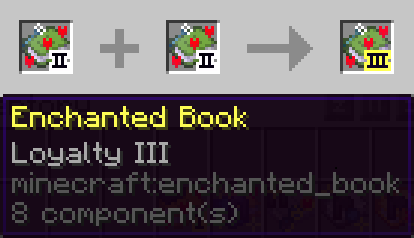
Each book with a single enchantment has a unique texture depending on its level. The book itself is colored to best match the enchantment. In the top left corner, there is an icon of the item you are most likely to apply this enchantment to. The book also features particles that best suit the enchantment. In the bottom right corner, there is an indicator showing the enchantment level.
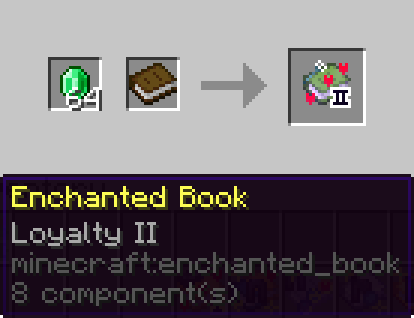
If this is the maximum level for this enchantment, it will be highlighted in yellow.
Level 1b (Unknown Book)
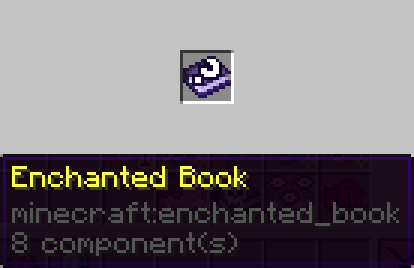
The resource pack does not support displaying enchantments that are not in the vanilla game. Adding such functionality is not currently planned. Enchantments that do not exist in the vanilla version, as well as enchanted books without any enchantments, use the texture of an unknown book.
Level 2a (Dual Books)
When combining two enchantments for a single item, you will get a dual book.
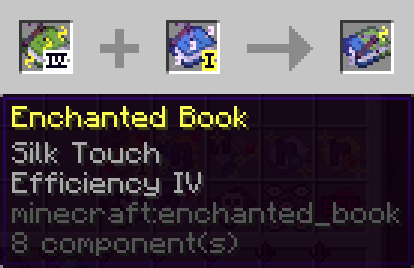
If both enchantments are at their maximum level, you will see yellow particles.
Level 2b (Bad Books)
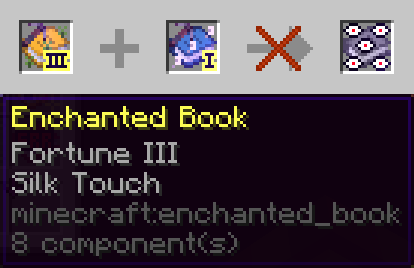
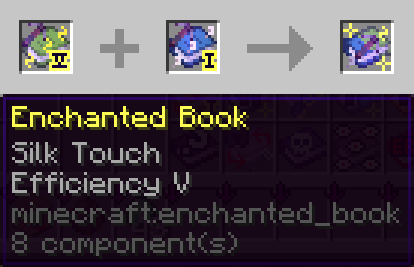
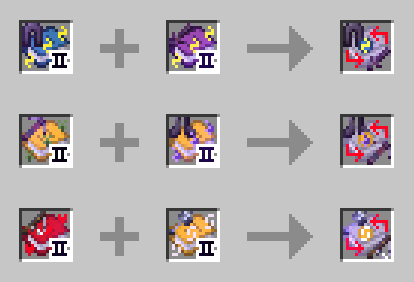
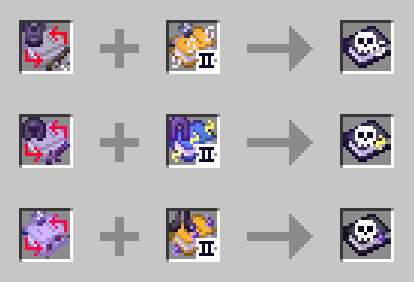
When combining two books with single enchantments for different items, you will get a bad book.
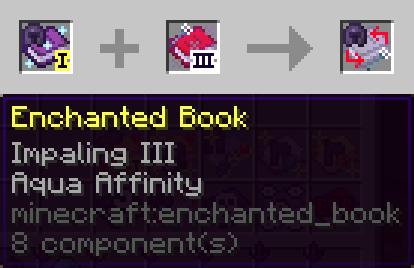
Of course, bad company doesn’t make you a bad person, so I’ve highlighted enchantments that are a bit harder to obtain than simply buying them from villagers. These enchantments are "Soul Speed", "Wind Burst", and "Swift Sneak".
Level 3a (Sealed Books)
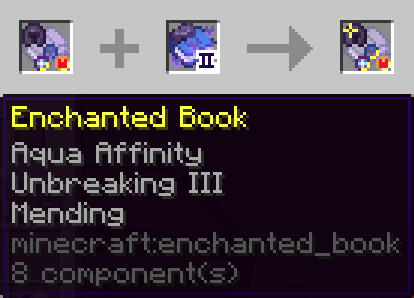
If your book has between three and max-2 enchantments, it transforms into a sealed book. If an enchantment in the book is at its maximum level, the corresponding seal will have a golden border.
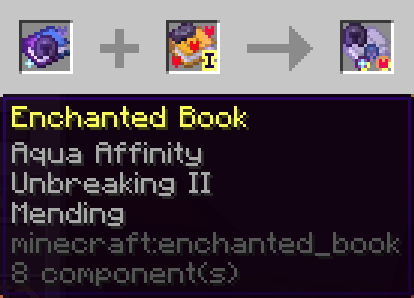
Of course, I'll save you some time: if all enchantments on a sealed book are at their maximum level, a sparkle will also appear on the item icon.
Level 3b (Disgusting Book)
If the book has three or more enchantments for different items, it will become disgusting. Get rid of this junk as soon as possible!
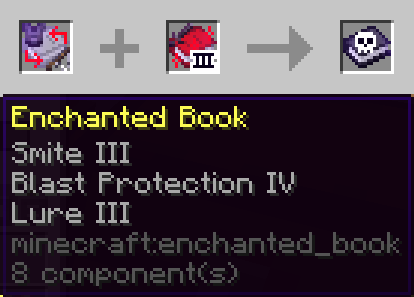
Of course, the indication for particularly valuable enchantments within the book is preserved.
Level 4a (Iron Books)
If the book is missing just one enchantment for the best combination, it becomes an iron book, and a blueprint seal of the missing enchantment appears on it.
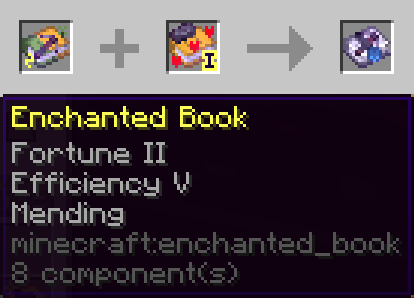
If the combination could lead to multiple best combinations, the blueprint seal will have a question mark.
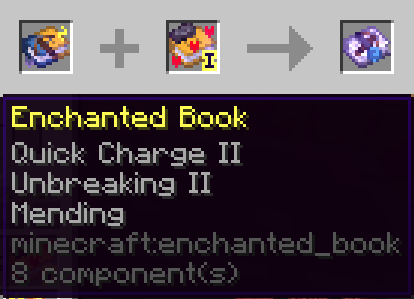
And, of course, if all enchantments in this almost perfect combination are at their maximum level, you will see sparkles.
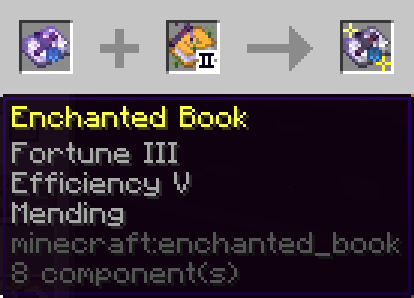
Level 4b (Distorted Books)
If the book has incompatible enchantments, it becomes distorted.
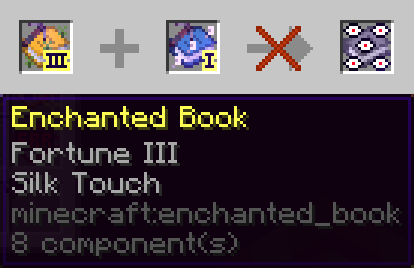
Level 5a (Golden Books)
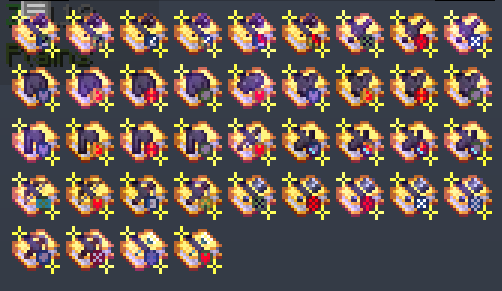
Books with perfect enchantment combinations become golden. The seal on such a book indicates the specific type of perfect combination for that book.
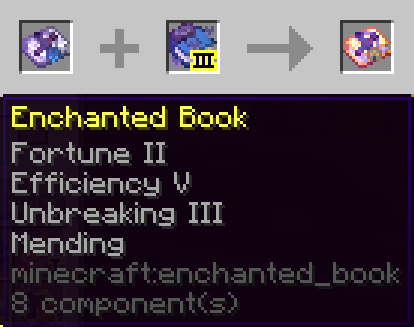
And, of course, if all enchantments in the perfect combination are at their maximum level, you will see sparkles. These are the best books you can get in the game, and you can safely apply them to the corresponding item.
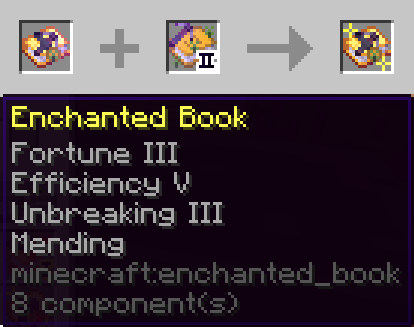
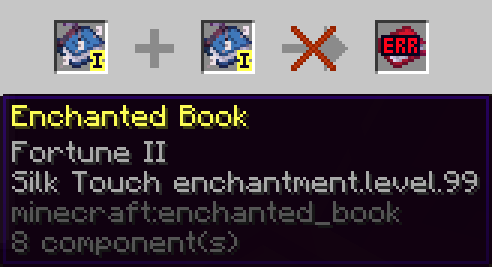
Level 5b (Error Books)
Books with a level higher than the possible maximum become error books.
- Edition: Minecraft Java
- File type: .zip (resource pack)
- Minecraft versions listed: 1.20.6, 1.21, 1.21.1
- How to install: Download the .zip resource pack — do not unzip it. → Put it in .minecraft/resourcepacks. → Enable it in Options → Resource Packs.
- Where to get it: Opens on Modrinth — not every file is mirrored on our own servers.
Install steps are the general flow for this file type — How to install Minecraft Java resource packs walks through it step by step.
- Downloads as The ultimate enchantment book indicator.zip
- Download size: 12.8 MB
- Download link checked 29 Aug 2026 — working
These come from our own check of the pack file, not from the source page.