
Jacob's 3D Ladder with Flowers
Java resource pack listed for Minecraft 1.14–26.x. Downloads from the MC Java Mods app on Android.
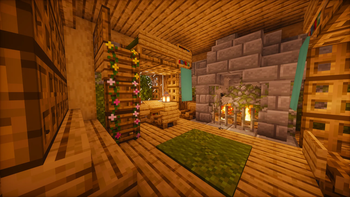
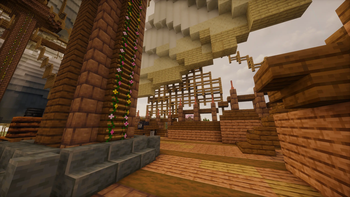
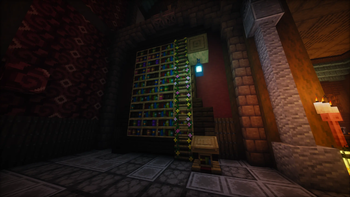
Replaces vanilla ladders with realistic 3D models decorated with vibrant pink and yellow flowers. Bring a natural and aesthetic vibe to your builds!…
⬇ Download on Modrinth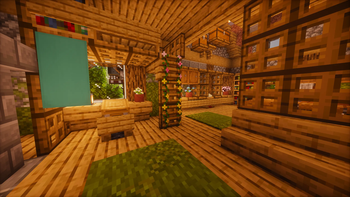


Want to add an aesthetic, natural, and vibrant touch to your Minecraft world? Jacob's 3D Ladder with Flowers completely revamps the ordinary ladders in the game, bringing a brand-new atmosphere to your builds! It is the perfect add-on, especially for players who love building treehouses, greenhouses, gardens, or nature-themed structures.
🌟 Highlights
- Realistic 3D Model: Forget the classic, flat, and paper-like vanilla ladder textures. This texture pack adds depth to the ladders, giving them a much more realistic and stylish 3D appearance.
- Natural Floral Decorations: Make climbing much more enjoyable and aesthetic! The fresh pink and yellow flowers delicately placed on the ladders bring a sweet spring vibe to your designs.
- Wide Version Support: No need to worry about being stuck on older versions! This pack is designed to work seamlessly and is fully compatible with Minecraft 1.14 and all newer versions.;
🛠️ Installation
- Copy the downloaded
.zipfile into the%appdata%\.minecraft\resourcepacksfolder on your computer. - Launch the game and open the Options > Resource Packs menu.
- Find Jacob's-3D-Ladder-with-Flowers-1.14+ in the list, move it to the active packs side, and click "Done".
Note: Add this pack to your world right away to bring a warm, natural, and colorful atmosphere to your builds. Happy crafting!
🌸 Choose Your Variant!
Looking for a specific color? I've separated the flowers into different packs so you can choose the exact vibe that fits your build's color palette:
- 🌺 Mixed Flowers (Pink & Yellow) - The original colorful mix! 📍 (You are here)
- 🌸 Pink Flowers Only - For a delicate, sweet, and spring-like vibe.
- 🌼 Yellow Flowers Only - For a bright, warm, and sunny atmosphere.


- Vanilla 3D Ladders – fully created by me.
- And of course, thanks to the Minecraft community for the feedback and support!
Features
- Lightweight, no performance loss.
- You can use my texture pack in your video if you want. 😊


License This resource pack is licensed under CC BY-NC (Creative Commons Attribution-NonCommercial). You may use, modify, and share it for personal or non-commercial projects, but you may not sell it or use it commercially. Always give credit to JacobStar_.
- Edition: Minecraft Java
- File type: .zip (resource pack)
- Minecraft versions listed: 1.14, 1.14.1, 1.14.2
- How to install: Download the .zip resource pack — do not unzip it. → Put it in .minecraft/resourcepacks. → Enable it in Options → Resource Packs.
- Where to get it: Opens on Modrinth — not every file is mirrored on our own servers.
Install steps are the general flow for this file type — How to install Minecraft Java resource packs walks through it step by step.
- Downloads as Jacob's-3D-Ladder-with-Flowers-1.14+.zip
- Download size: 1.3 MB
- Download link checked 18 Oct 2026 — working
These come from our own check of the pack file, not from the source page.