
ResourcepacksJava
Noteblock Glow
I don't know my version or loader
Open the Minecraft launcher and look at the profile you play on — it names both, like fabric-loader-1.21.4. The version also shows in the bottom-right corner of the game's main menu.
No loader in the profile name? Then it's plain Minecraft, and these mods won't run — you need Fabric or NeoForge installed first.

✨ What it does
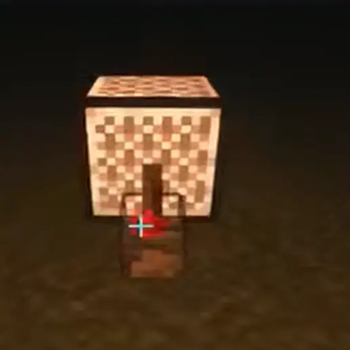
When a Note Block is powered by redstone, its texture switches to a brighter, highlighted version — making it easy to spot active blocks in complex redstone music setups.
- Pure client-side resource pack — no mods required
- Does not affect note pitch, instrument, or redstone behavior
- Compatible with OptiFine, Sodium, Iris, and other render mods
📝 How to use
- Drop the resource pack into
.minecraft/resourcepacks/ - Enable it in Options → Resource Packs
- Power a note block with redstone — it will glow!
- For a specific version, please check the version description.
⚠️ Limitations
- This is a texture swap effect, not actual light emission, need datapack download
- The "glow" does not illuminate surrounding blocks or prevent mobs from spawning
- In very dark environments, the texture will still dim slightly due to Minecraft's lighting engine
🔧 Technical Details
- Uses the
poweredblockstate ofnote_blockto switch models - Overrides texture for
powered=truestate
📜 License
Quick facts
- Edition: Minecraft Java
- File type: .zip (resource pack)
- Minecraft versions listed: 1.17, 1.17.1, 1.18
- How to install: Download the .zip resource pack — do not unzip it. → Put it in .minecraft/resourcepacks. → Enable it in Options → Resource Packs.
- Where to get it: Opens on Modrinth — not every file is mirrored on our own servers.
Install steps are the general flow for this file type — How to install Minecraft Java resource packs walks through it step by step.
Verified by MCModsHub
- Downloads as NoteBlockGlow_OptiFine.zip
- Download size: 4 KB
- Download link checked 13 Sept 2026 — working
These come from our own check of the pack file, not from the source page.