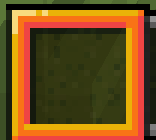
Red Hobar Selection
Java resource pack listed for Minecraft 26.x. Downloads from the MC Java Mods app on Android.
I don't know my version or loader
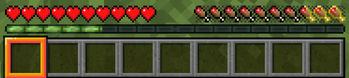
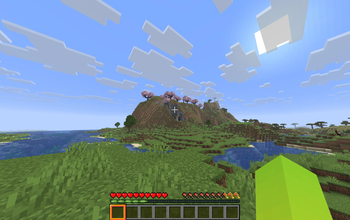
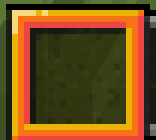
Red Hotbar Selection is a small vanilla‑style UI pack that changes the selected hotbar slot highlight to a bright red color for better visibility.
It keeps the original Minecraft frame shape, only adjusting the color so it is easier to see which slot is active in all lighting conditions.
If your are using "Default Dark Mode" Resource Packs, please move my resource pack "Red Hotbar Selection" above it, Otherwise, it won't work.
License / Permissions:
•All textures in this pack are my own edits of vanilla Minecraft assets.
•Do not re-upload this pack to other sites.
•You can use this pack in your own videos or modpacks. A credit link to this Modrinth page is not required, but it is appreciated.
- Edition: Minecraft Java
- File type: .zip (resource pack)
- Minecraft versions listed: 26.1, 26.1.1, 26.1.2
- How to install: Download the .zip resource pack — do not unzip it. → Put it in .minecraft/resourcepacks. → Enable it in Options → Resource Packs.
- Where to get it: Opens on Modrinth — not every file is mirrored on our own servers.
Install steps are the general flow for this file type — How to install Minecraft Java resource packs walks through it step by step.
- Downloads as Red_Hobar_Selection.zip
- Download size: 3 KB
- Download link checked 23 Oct 2026 — working
These come from our own check of the pack file, not from the source page.