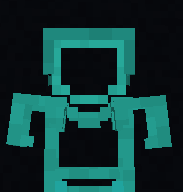
Lazycat's Partially Transparent Armor
Armor is partially transparent. only the outlines armor are shown. letting you see the skin easily while not disabling armor view fully.
I don't know my version or loader
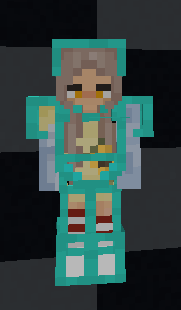
Armor is partially transparent. only the outlines of the armor are shown. letting you see the skin easily while not disabling armor view fully.
like this :D
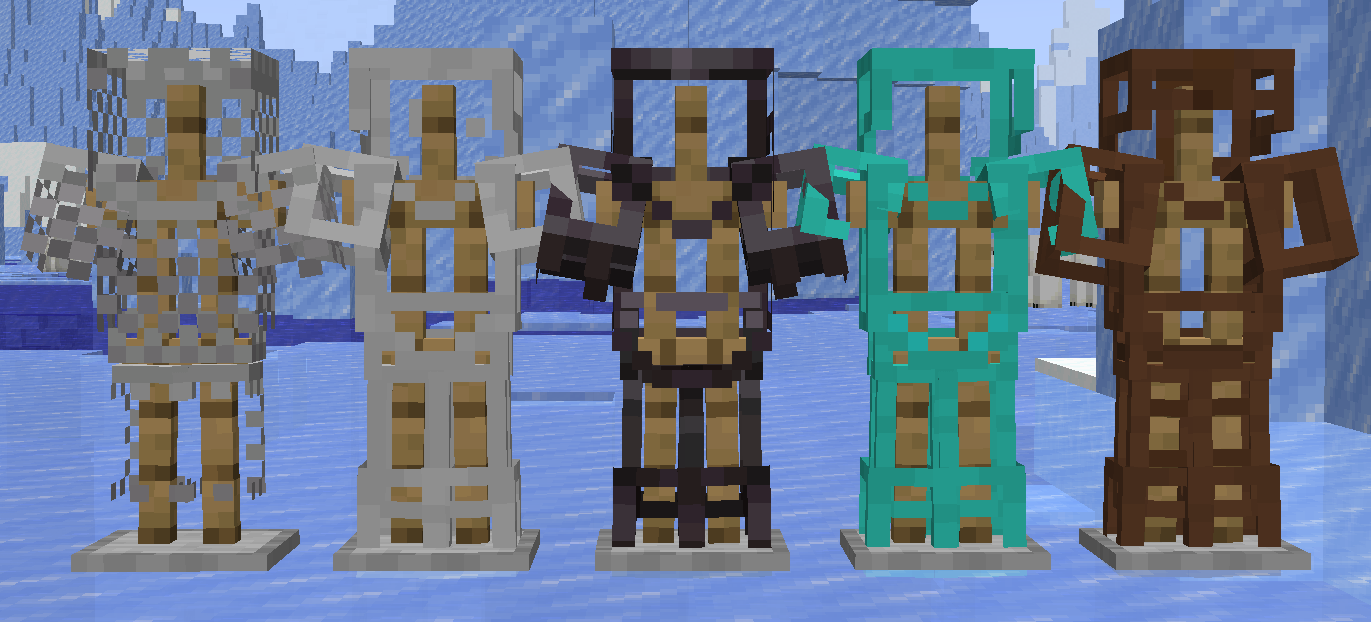
as of now it supports
- Leather Armor
- Chainmail Armor
- Iron Armor
- Diamond Armor
- Netherite Armor
- Turtle shell helmets
How to install
(if you do not understand check out youtube tutorials or the wiki)
on Windows :
download the resource pack and u should see a file named
Lazy's PaTrAr
or
Lazy's PaTrAr.zip
downloaded. now copy the file and then press win+R to open the run dialouge it will show up in the bottom left of your screen now erase whatever is typed in the box and type
%appdata%
now press ENTER
it should open a folder with lots of files. find "minecraft" and open it then u should see a "resource pack" folder paste the file there
now open the game go to options. click on resource packs and enable it.
on Linux:
download the resource pack and u should see a file named "Lazy's PaTrAr" or "Lazy's PaTrAr.zip" downloaded. now copy the file and then go to ur home directory and enable "show hidden files" if u dont know how to look it up based on ur file manager. now u should see a file named ".minecraft" open it and go into the "resource packs" folder and paste the zip file u copied there.
now open the game go to options. click on resource packs and enable it.
on mac:
download the resource pack and you should see a file named "Lazy's PaTrAr" or "Lazy's PaTrAr.zip" downloaded. now copy the file. open Finder and in the top menu bar click Go → Go to Folder… a small box will appear. erase whatever is in it and type:
~/Library/Application Support/minecraft
then press Enter it should open a folder with lots of files. find "resourcepacks" (or "resource packs" depending on version) and open it. paste the file there. now open the game go to options. click on resource packs and enable it.
Let me know if u have any suggestions regarding this resource pack bai bai my dear strangers <3
- Edition: Minecraft Java
- File type: .zip (resource pack)
- Minecraft versions listed: 26.1, 26.1.1, 26.1.2
- How to install: Download the .zip resource pack — do not unzip it. → Put it in .minecraft/resourcepacks. → Enable it in Options → Resource Packs.
- Where to get it: Opens on Modrinth — not every file is mirrored on our own servers.
Install steps are the general flow for this file type — How to install Minecraft Java resource packs walks through it step by step.
- Downloads as Lazy's PaTrAr 26.1.2.zip
- Download size: 9 KB
- Download link checked 13 Sept 2026 — working
These come from our own check of the pack file, not from the source page.