
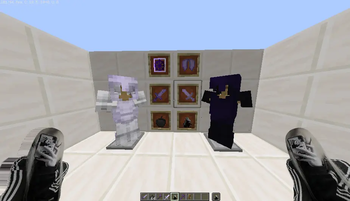
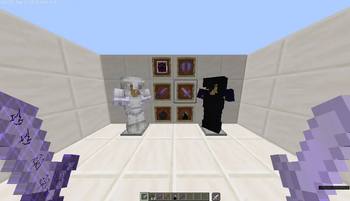
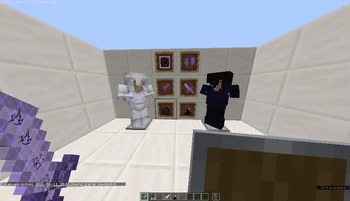
🚀 [ShakeBest] - Official Modrinth Page
Are you ready to elevate your Minecraft experience? [ShakeBest] is a carefully crafted [Modpack / Resource Pack / Plugin] designed to deliver top-tier performance, aesthetics, and gameplay features all in one place.
This project aims to enhance the vanilla atmosphere of Minecraft while keeping the gameplay smooth, immersive, and highly enjoyable.
✨ Key Features
- ⚡ Maximum Performance (FPS Friendly): Optimized down to the last file. No bloatware or unnecessary heavy files, ensuring high FPS and smooth gameplay even on low-end systems.
- 🎨 Enhanced Visuals: [Eğer Resource Pack ise: Custom textures, animated items, and breathtaking sky details...] / [Eğer Mod paketi ise: Perfectly compatible visual mods...] that will make you fall in love with Minecraft all over again.
- 🛠️ Zero Conflict & High Stability: All components have been thoroughly tested for hours to ensure zero crashes, bugs, or compatibility issues.
- 🎮 Multiplayer Ready: Fully compatible with both your Singleplayer worlds and Multiplayer servers. Enjoy it flawlessly with your friends!
🛠️ Installation Guide
Follow these simple steps to install the project without any issues:
- Download the latest version of the project from Modrinth.
- Make sure your Minecraft version is set to [Örn: 1.20.1].
- [Eğer Resource pack ise: "Go to Options > Resource Packs and move the pack to the selected side."]
📢 Updates & Feedback
This project is actively maintained and constantly updated with new features. Since we are currently in the Preview (Early Access) stage, some elements are still being polished. Check out the Changelog tab to see what's new in every update!
💬 Got Feedback? If you encounter any bugs, glitches, or have cool ideas to suggest, feel free to drop a comment or reach out to me. Your feedback helps make this project better!
❤️ Thank you for choosing [ShakeBest]! Have fun gaming!
- Edition: Minecraft Java
- File type: .zip (resource pack)
- Minecraft versions listed: 1.16.2-pre3, 1.16.2-rc1, 1.16.2-rc2
- How to install: Download the .zip resource pack — do not unzip it. → Put it in .minecraft/resourcepacks. → Enable it in Options → Resource Packs.
- Where to get it: Opens on Modrinth — not every file is mirrored on our own servers.
Install steps are the general flow for this file type — How to install Minecraft Java resource packs walks through it step by step.
- Downloads as UrusPack.zip
- Download size: 19.8 MB
- Download link checked 22 Aug 2026 — working
These come from our own check of the pack file, not from the source page.