
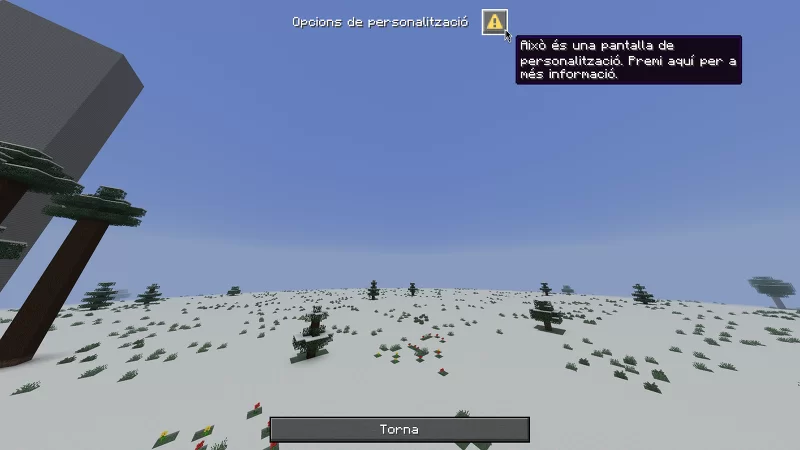
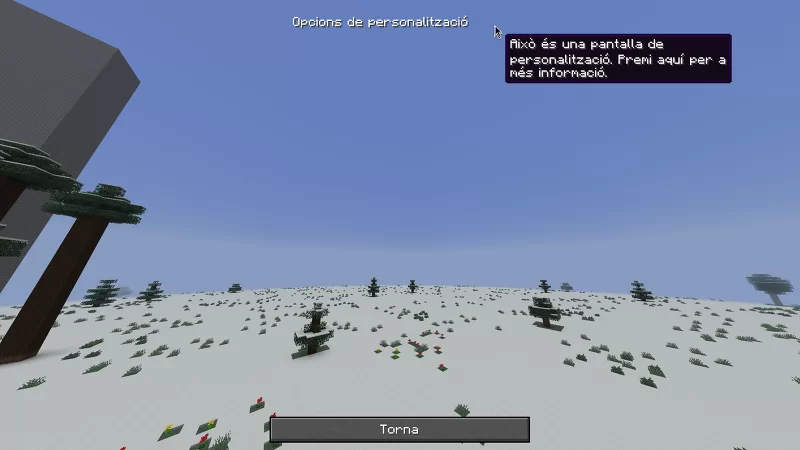
A simple resource pack to hide the Warning Button. It does not disable it; it just hides it, which mean is fully functional invisible. I like it very much because I think it's pretty ugly. PD: the button exists so you don't get a soft-locker in that dialogue. It's important.
Works for 1.21.6+ version Until Mojang says: "Change: <warning_button.png> to <warning-button.png>" Or similar thing
Have fun
[Catala]
Un Simple resource pack per oculta el botó d'emergència; vist en la pàgina de diàleg, serveix perquè no et quedis bloquejat. Aquest resource pack només l'oculta, però la seva funció segueix totalment bé.
Funciona per les versions 1.21.6+, fins que Mojang digui: "Canviat: "warning_button.png" a "warning-button.png" Divertir-vos
This is a port from Planetminecraft
- Edition: Minecraft Java
- File type: .zip (resource pack)
- Minecraft versions listed: 1.21.6, 1.21.7, 1.21.8
- How to install: Download the .zip resource pack — do not unzip it. → Put it in .minecraft/resourcepacks. → Enable it in Options → Resource Packs.
- Where to get it: Opens on Modrinth — not every file is mirrored on our own servers.
Install steps are the general flow for this file type — How to install Minecraft Java resource packs walks through it step by step.
- Downloads as hides-warning-botton.zip
- Download size: 5 KB
- Download link checked 14 Sept 2026 — working
These come from our own check of the pack file, not from the source page.