
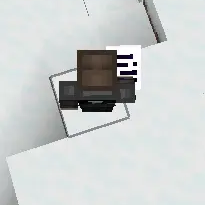

Documents please?
Running a nation, managing a city, or enforcing the law on a roleplay server loses a bit of its immersion when your official decrees look like a magical spellbook from a fantasy game.
Documents please? is a resource pack completely overhauls the default Minecraft book model and user interface icons, replacing them with a sleek, modern, and official administrative aesthetic. It is designed specifically for political roleplay, modern city builds, or any player who wants their paperwork to actually look like paperwork.
Features
Official Document Model: Replaces the standard book item with a clean, professional folder or official ledger design.
Modernized UI Icons: Updates the book icon in chests, inventories, and crafting tables to match the new governmental look.
Roleplay resourcepack: Perfect for server mayors, presidents, police forces, and judges who need to hand out official laws, fines, permits, or licenses.
Dependencies: No mods required.
How to Install
Download the zip file from the Versions tab.
Open Minecraft and go to Options, then Resource Packs.
Click Open Pack Folder and drop the downloaded zip file inside.
Select Documents from the in-game list, move it to the active column, and click Done.
- Edition: Minecraft Java
- File type: .zip (resource pack)
- Minecraft versions listed: 1.17, 1.17.1, 1.18
- How to install: Download the .zip resource pack — do not unzip it. → Put it in .minecraft/resourcepacks. → Enable it in Options → Resource Packs.
- Where to get it: Opens on Modrinth — not every file is mirrored on our own servers.
Install steps are the general flow for this file type — How to install Minecraft Java resource packs walks through it step by step.
- Downloads as documents please.zip
- Download size: 8 KB
- Download link checked 14 Sept 2026 — working
These come from our own check of the pack file, not from the source page.