
Dark GUI
A sleek, minimalist dark mode overhaul for your game interfaces. Clean lines, High contrast, and easy on the eyes.
I don't know my version or loader
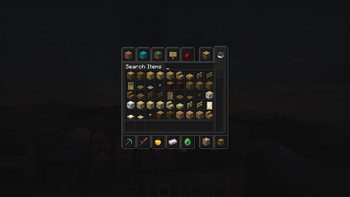
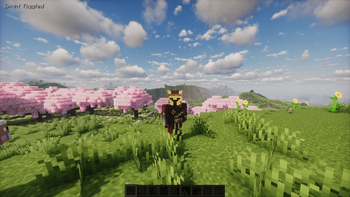
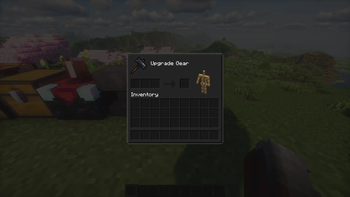
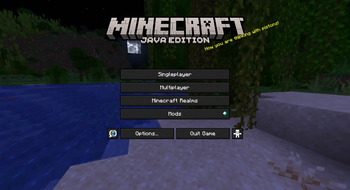
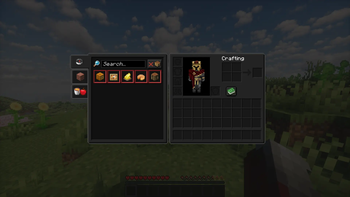
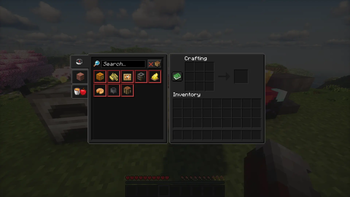
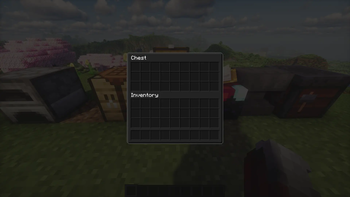
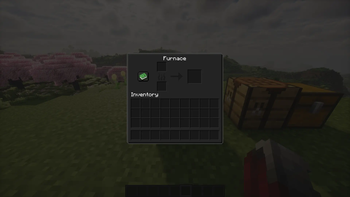
🌙 Dark GUI
Tired of bright, eye-straining default interfaces? Dark GUI is a clean, minimalist resource pack designed to overhaul your game's user interface with a sleek, dark color palette. Built specifically to reduce eye strain during late-night gaming sessions while maintaining a highly professional, modern look.
✨ Features
- True Dark Mode: Replaces all bright inventory screens, containers, and menu backgrounds with a curated dark charcoal theme.
- High Contrast Text: Enhanced font readability against dark backgrounds so you never miss an item count or tooltip.
- Minimalist Design: Removed unnecessary borders, heavy textures, and clutter for a perfectly flat, clean aesthetic.
- Mod Compatibility: Includes basic dark styling support for popular modded containers and configuration menus.
🛠️ Installation
- Download the latest
.zipfile from the Versions tab. - Open your game and navigate to Options > Resource Packs.
- Click Open Pack Folder and drop the downloaded file inside.
- Move Dark GUI to the top of your selected packs list and click Done.
📄 License & Permissions
Feel free to include this pack in your modpacks! Please do not re-upload or redistribute this pack on other websites without explicit permission.
📥 Download
Get the official, safe download exclusively on our Modrinth page.
- Edition: Minecraft Java
- File type: .zip (resource pack)
- Minecraft versions listed: 1.21.6, 1.21.7, 1.21.8
- How to install: Download the .zip resource pack — do not unzip it. → Put it in .minecraft/resourcepacks. → Enable it in Options → Resource Packs.
- Where to get it: Opens on Modrinth — not every file is mirrored on our own servers.
Install steps are the general flow for this file type — How to install Minecraft Java resource packs walks through it step by step.
- Downloads as Dark GUI 1.21.6+.zip
- Download size: 1.2 MB
- Download link checked 20 Aug 2026 — working
These come from our own check of the pack file, not from the source page.