
ResourcepacksJava
Legacy GUI - Better Dark Mode
Java resource pack listed for Minecraft 1.0–26.x. Downloads from the MC Java Mods app on Android.
⬇ Download on Modrinth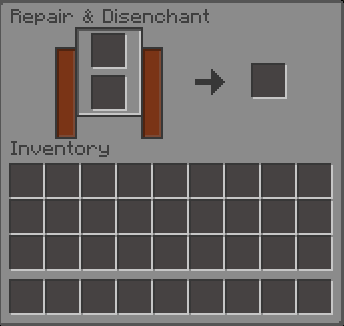
Legacy GUI – Better Dark Mode
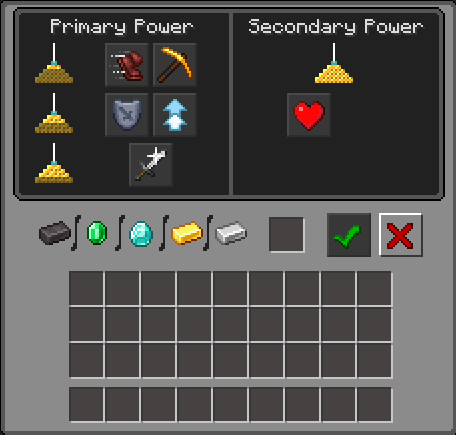
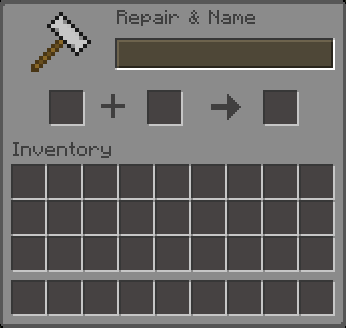
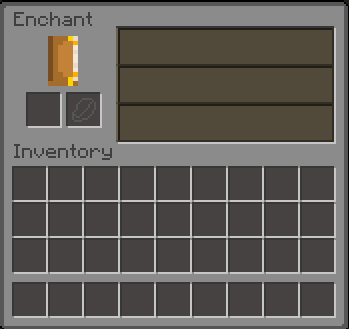
Transforms Minecraft’s default interface into a clean and modern dark-themed UI. Built specifically for a long survival gameplay, this pack enhances visibility and contrast, reduces eye strain, and delivers a more immersive experience without changing any gameplay mechanics. WARNING! STILL UNDER DEVELOPMENT! Join Our Discord Community
- 🌙 Full Dark Mode Interface
Reworked GUI elements darker but aestethic
- 🧼 Clean & Modern Design
Simple, aestethic, clean design
- 🎮 Survival-Friendly & Improved Visibilty
Improved visibilty & contrast for UI
Version 1.0 Only modify survival GUI for version 1.0 Dark Mode GUI List Legacy GUI - Better Dark Mode 1.0 : Survival Inventory, Crafting Table, All Furnace type, All Chest, Shulker, Barrel type, Anvil, Beacon, Cartography Table, Crafter, Grindstone, Loom, Smithing Table, Enchanting Table, Dispenser, Dropper, Villager / Wandering Trader Trade UI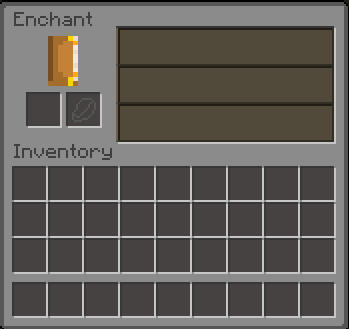
Quick facts
- Edition: Minecraft Java
- File type: .zip (resource pack)
- Minecraft versions listed: rd-132211, rd-132328, rd-20090515
- How to install: Download the .zip resource pack — do not unzip it. → Put it in .minecraft/resourcepacks. → Enable it in Options → Resource Packs.
- Where to get it: Opens on Modrinth — not every file is mirrored on our own servers.
Install steps are the general flow for this file type — How to install Minecraft Java resource packs walks through it step by step.
File checked by MCModsHub
- Downloads as LegacyGUI-BetterDarkMode-v1.0a.zip
- Download size: 40 KB
- Download link checked 21 Oct 2026 — working
These come from our own check of the pack file, not from the source page.