
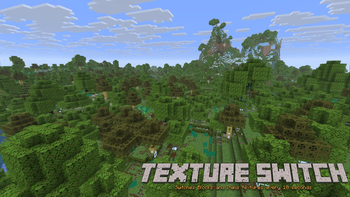
10-Second Vanilla Randomizer
Watch your world constantly shift. This resource pack takes standard vanilla textures and forces them to cycle every 10 seconds (200 ticks).
Features
Fully Randomized: Applies to both block and item textures.
Vanilla Friendly: Uses 100% standard Minecraft 16x16 assets.
Installation
Download the .zip file. Place the file into your %appdata%.minecraft\resourcepacks folder. Launch Minecraft 26.1.2. Go to Options > Resource Packs and enable the pack.
Quick facts
- Edition: Minecraft Java
- File type: .zip (resource pack)
- Minecraft versions listed: 1.13, 1.13.1, 1.13.2
- How to install: Download the .zip resource pack — do not unzip it. → Put it in .minecraft/resourcepacks. → Enable it in Options → Resource Packs.
- Where to get it: Opens on Modrinth — not every file is mirrored on our own servers.
Install steps are the general flow for this file type — see the MC Java Mods guides for the full walkthrough.
Verified by MCModsHub
- Downloads as Texture_Switch_V_1.0.zip
- Download size: 24.2 MB
- Download link checked 21 Aug 2026 — working
These come from our own check of the pack file, not from the source page.