
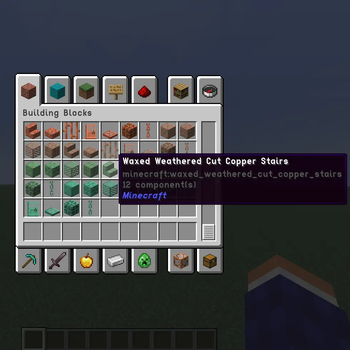
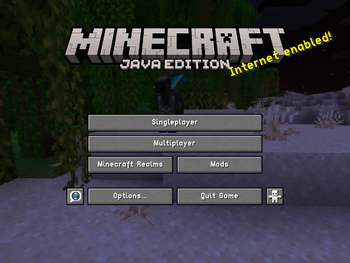
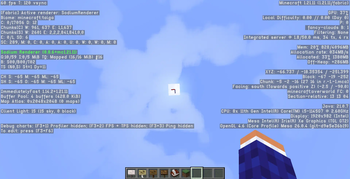
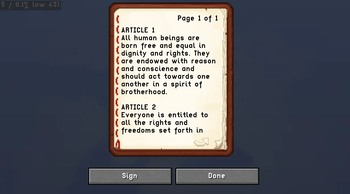
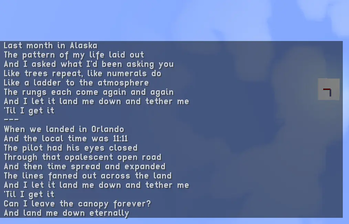
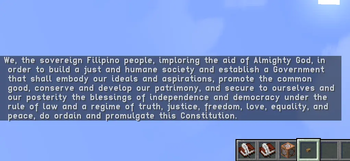
A few years ago I published Onyx Sans, my font for Minecraft's 2× GUI scale. The font itself still works up to 1.21.11, and you are encouraged to download it, but now I do not play at that scale due to eye strain. I have to play at 3× scale instead, and back when I started doing so I did not like how Minecraft's default font looked at that scale. From the general need to make a font for the 3× GUI scale (so as to resolve that lack of amusement), Zircon Sans was born.
The goal of this font pack is essentially the same as Onyx Sans: to be readable, compact, and detailed. But here with Zircon, I took more creative liberties in designing the letters, particularly the lowercase ones. I have designed them to be a bit more cursive and resemblant of their appearance in handwriting (if there are enough complaints about this design decision, I may work on and release a fully-print version of the font).
In addition, I have worked to reduce ambiguity between glyphs wherever possible such as in the distinctions between I, 1, and l, between O and 0, between b, p, d, and q, and other examples. (TODO: Show this off in a screenshot)
The measurements of Zircon Sans are as follows:
- X-height: 13px
- Ascender: 5px
- Descender: 6px
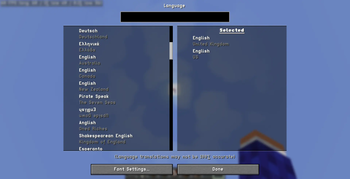
This font supports every character set that Minecraft's default raster font supports, including - but not limited to:
- Latin (Basic, IPA, Extended-A, Extended-B, Extended-Additional)
- Greek (Monotonic and Polytonic)
- Cyrillic (Basic, Supplement)
- Georgian (Asomtavruli, Mkhedruli, Nuskhuri)
- Armenian
- Hebrew
- Runic
- Gothic
- Lots of symbols
I may think to extend this character set once I figure out how to. Please suggest in the comments what character blocks I could add. In the meantime, please do look at how the font looks in the Gallery/Images page, and please do forward all comments and feedback about this pack to romeodiskette@gmail.com. Thank you!
This font pack was developed using FireAlpaca for Linux Mint.
- Edition: Minecraft Java
- File type: .zip (resource pack)
- Minecraft versions listed: 1.19, 1.19.1, 1.19.2
- How to install: Download the .zip resource pack — do not unzip it. → Put it in .minecraft/resourcepacks. → Enable it in Options → Resource Packs.
- Where to get it: Opens on Modrinth — not every file is mirrored on our own servers.
Install steps are the general flow for this file type — How to install Minecraft Java resource packs walks through it step by step.
- Downloads as zircon-sans-b002.zip
- Download size: 102 KB
- Download link checked 13 Sept 2026 — working
These come from our own check of the pack file, not from the source page.