
Aim Mark Infinite Pack
A minimalist Minecraft resource pack that adds a smooth infinite-style aim mark to block textures for a cleaner and more focused gameplay experience.
⬇ Download on Modrinth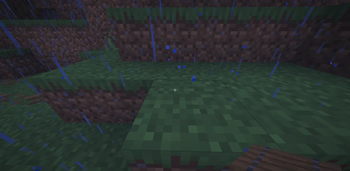
Aim Mark Infinite Pack
A minimalist Minecraft resource pack that adds a smooth infinite-style aim mark to block textures for a cleaner and more focused gameplay experience. Features
Infinite-style centered aim marker
Clean and minimalist visual design Vanilla-friendly appearance Lightweight and performance-friendly Smooth alignment on block textures
Improves visual precision while building or aiming
Perfect For PvP players Precision builders Minimalist Minecraft setups Players who enjoy clean visuals Content creators and montage videos Style This pack preserves Minecraft’s original aesthetic while adding a subtle modern targeting effect directly onto blocks. The infinite-style mark blends naturally with gameplay without making textures feel overloaded. Compatibility Compatible with most Minecraft Java Edition versions that support resource packs. Installation Download the resource pack Move the .zip file into your resourcepacks folder Open Minecraft Go to Options → Resource Packs Enable the pack and enjoy the new visual style Notes Designed for players who want a subtle visual aiming reference and a unique infinite-style texture experience without heavily modifying the vanilla look.
- Edition: Minecraft Java
- File type: .zip (resource pack)
- Minecraft versions listed: 1.20.5, 1.20.6, 24w18a
- How to install: Download the .zip resource pack — do not unzip it. → Put it in .minecraft/resourcepacks. → Enable it in Options → Resource Packs.
- Where to get it: Opens on Modrinth — not every file is mirrored on our own servers.
Install steps are the general flow for this file type — How to install Minecraft Java resource packs walks through it step by step.
- Downloads as Dot Crosshair.zip
- Download size: 5 KB
- Download link checked 20 Aug 2026 — working
These come from our own check of the pack file, not from the source page.