
QOL Vanilla Plus
Java resource pack listed for Minecraft 1.21–26.x. Downloads from the MC Java Mods app on Android.
⬇ Download on Modrinth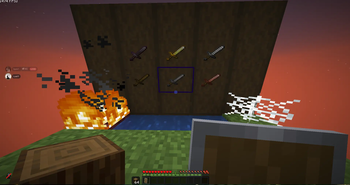
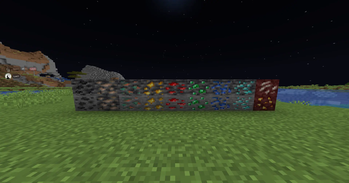
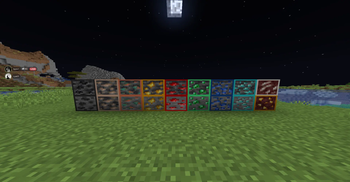
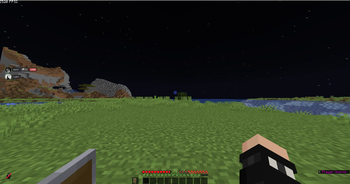
This pack upgrades your Minecraft experience with a set of sharp, practical visual improvements designed for smoother PvP, cleaner gameplay, and a more polished overall look. It keeps the vanilla style intact while enhancing clarity, visibility, and item readability.
Better Swords
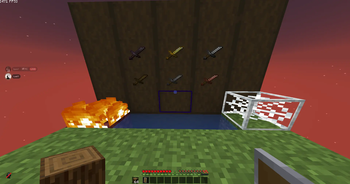
Your swords get a refined redesign with cleaner edges, improved shading, and a more defined silhouette. They look sharper, feel more modern, and stand out clearly during combat without breaking the classic Minecraft aesthetic.
Low Fire
Fire is reduced to a minimal, unobtrusive height—perfect for PvP. You keep the visual cue without losing half your screen to flames, giving you better awareness in every fight.
Better Square Cobwebs
Cobwebs are retextured into cleaner, more defined square patterns. They’re easier to see, easier to identify, and fit more naturally into the blocky world while still looking crisp.
Side Shield
Your shield moves to the side of the screen, opening up your field of view while still showing enough of the model to feel immersive. It’s a subtle but game-changing improvement for visibility.
Smaller Held Items
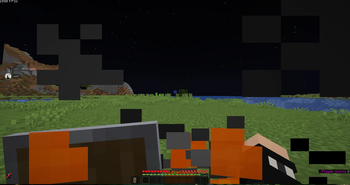
Held items are scaled down for a cleaner first-person view. Tools, weapons, and other items take up less screen space, making your gameplay feel smoother and less cluttered.
- Edition: Minecraft Java
- File type: .zip (resource pack)
- Minecraft versions listed: 1.21, 1.21.1, 1.21.2
- How to install: Download the .zip resource pack — do not unzip it. → Put it in .minecraft/resourcepacks. → Enable it in Options → Resource Packs.
- Where to get it: Opens on Modrinth — not every file is mirrored on our own servers.
Install steps are the general flow for this file type — How to install Minecraft Java resource packs walks through it step by step.
- Downloads as vanilla+ 2.0.zip
- Download size: 349 KB
- Download link checked 19 Oct 2026 — working
These come from our own check of the pack file, not from the source page.