
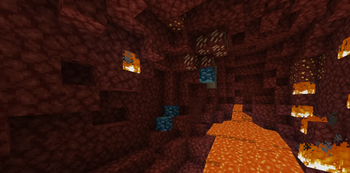
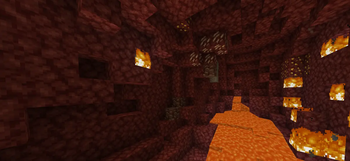
Frozen Ancient Debris
Key Features:
Icy Visual Overhaul: Replaces the standard brown textures with high-contrast, frozen blue tones.
Improved Visibility: The bright, cold colors make it significantly easier to spot Ancient Debris while mining in the dark environments of the Nether.
Thematic Consistency: Ideal for players who enjoy winter-themed builds or "Cold Nether" modpacks.
Lightweight: Designed to be performance-friendly without requiring heavy shaders or high-end hardware.
How to Use:
Simply download the .zip file, place it in your resourcepacks folder, and activate it in-game. For the best experience, ensure it is placed near the top of your active packs list.
- Edition: Minecraft Java
- File type: .zip (resource pack)
- Minecraft versions listed: 1.20, 1.20.1, 1.20.2
- How to install: Download the .zip resource pack — do not unzip it. → Put it in .minecraft/resourcepacks. → Enable it in Options → Resource Packs.
- Where to get it: Opens on Modrinth — not every file is mirrored on our own servers.
Install steps are the general flow for this file type — How to install Minecraft Java resource packs walks through it step by step.
- Downloads as Frozen Ancient Debris.zip
- Download size: 5 KB
- Download link checked 8 Sept 2026 — working
These come from our own check of the pack file, not from the source page.