
Dualshade
I don't know my version or loader
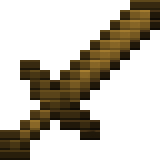
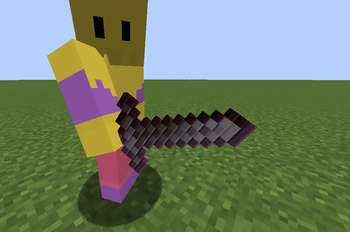
Dual Shade A clean, high-contrast rework for Minecraft combat. Dual Shade focuses on a sleek two-tone style for swords and core gear, giving your weapons a sharper edge without the pixel clutter.
The Highlights Split-Tone Design: Every sword features a dark-to-light gradient for a more aggressive, tapered look.
PVP Ready: Minimalist textures keep your screen clear during fights.
Stackable: Designed to sit on top of your favorite environment packs.
Quick Fixes Glint or textures missing? Minecraft prioritizes packs from the top down. Drag Dual Shade to the very top of your Resource Packs list to make sure other packs don't overwrite the sword models.
- Edition: Minecraft Java
- File type: .zip (resource pack)
- Minecraft versions listed: 1.20, 1.21, 1.21.11
- How to install: Download the .zip resource pack — do not unzip it. → Put it in .minecraft/resourcepacks. → Enable it in Options → Resource Packs.
- Where to get it: Opens on Modrinth — not every file is mirrored on our own servers.
Install steps are the general flow for this file type — How to install Minecraft Java resource packs walks through it step by step.
- Downloads as Dualshade.1.21.11 V2 Beta.zip
- Download size: 157 KB
- Download link checked 13 Sept 2026 — working
These come from our own check of the pack file, not from the source page.