





Unlock custom item textures by renaming items in-game. This resource pack is built for builders and creative players, allowing you to create detailed decorations, unique item, and immersive builds using simple vanilla mechanics. No mods required just rename item and start building.

🎨 Rename-Based Textures Change an item’s appearance instantly by renaming it in an anvil.
🏗️ Builder-Focused Design Perfect for creating custom decorations, props, and themed builds.
🧩 Vanilla-Friendly Works entirely in vanilla Minecraft no mods or external tools needed.
⚡ Lightweight & Efficient No performance impact purely texture-based.
🧠 Creative Freedom Turn simple items into detailed assets for storytelling and builds.

- This pack uses Minecraft’s built-in custom model system.
- Take a supported item (e.g. stick, paper, etc.)
- Rename it in an anvil to a specific name.
- The item will automatically change its texture/model.

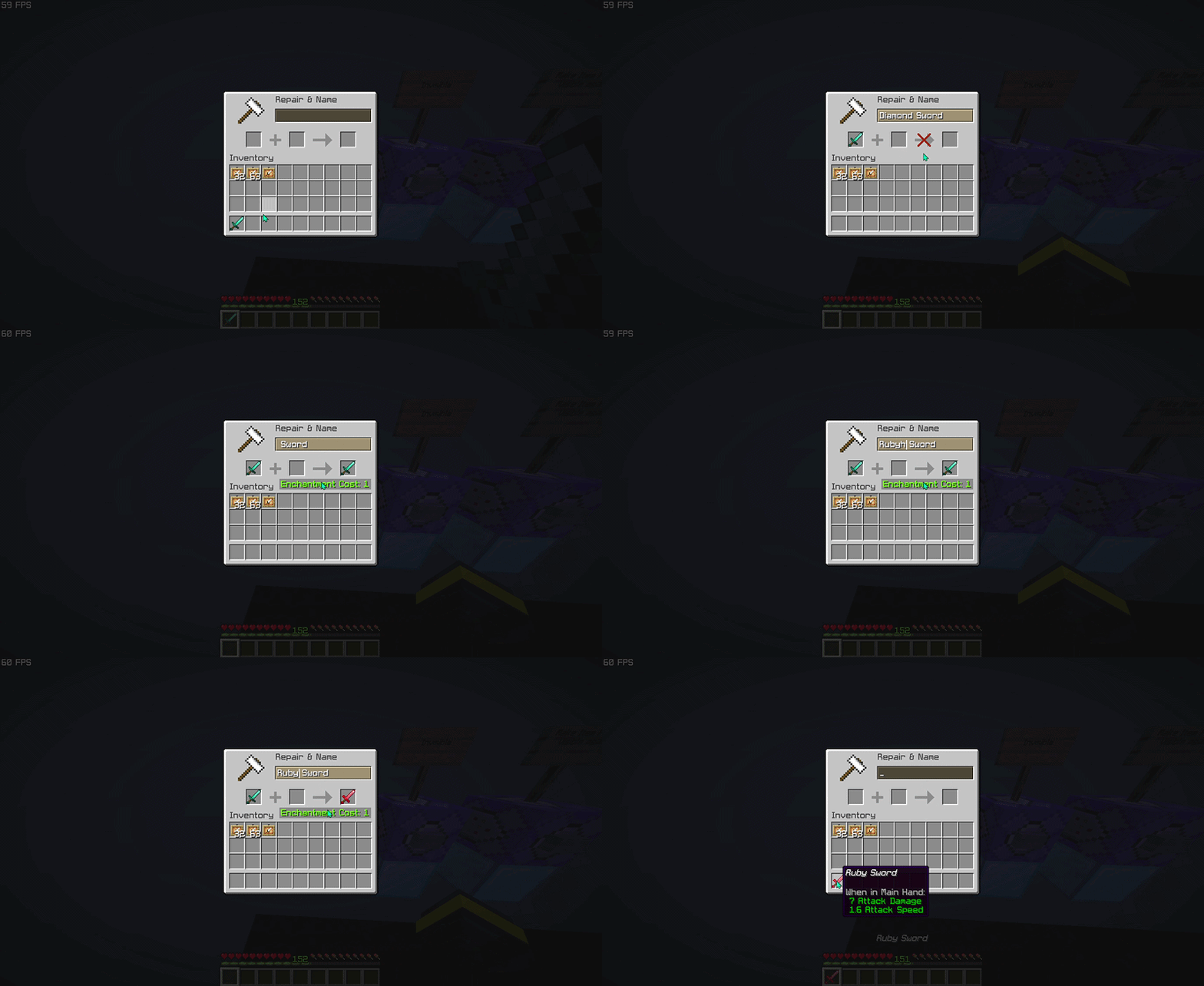
This pack focuses on visual customization, not gameplay changes!


| ━━━━━━━━━━ Item ━━━━━━━━━━ | ━━━━━━━━━━ Rename ━━━━━━━━━━ |
|---|---|
| baked_potato | Golden Baked Potato |
| beetroot | Golden Beetroot |
| beetroot_soup | Golden Beetroot Soup |
| bread | Golden Bread |
| chorus_fruit | Golden Chorus Fruit |
| cooked_beef | Golden Steak |
View the full item list here: Wiki Page

Want to see all available custom items in-game? Check out the companion tool that lets you browse every supported anvil rename item and resource pack entry directly in-game. Download RP Rename Mod


- Thanks for using this pack! 🎉
- If you find this resource pack useful, consider give a heart to the project ❤.
- More custom items, improvements, and expansions will be added in future updates. Stay tuned!
- Edition: Minecraft Java
- File type: .zip (resource pack)
- Minecraft versions listed: 1.21.5, 1.21.6, 1.21.7
- How to install: Download the .zip resource pack — do not unzip it. → Put it in .minecraft/resourcepacks. → Enable it in Options → Resource Packs.
- Where to get it: Opens on Modrinth — not every file is mirrored on our own servers.
Install steps are the general flow for this file type — How to install Minecraft Java resource packs walks through it step by step.
- Downloads as Rename Item 0.8.zip
- Download size: 8.1 MB
- Download link checked 5 Sept 2026 — working
These come from our own check of the pack file, not from the source page.