
ResourcepacksJava
Bare Bones Better Trims
I don't know my version or loader
Open the Minecraft launcher and look at the profile you play on — it names both, like fabric-loader-1.21.4. The version also shows in the bottom-right corner of the game's main menu.
No loader in the profile name? Then it's plain Minecraft, and these mods won't run — you need Fabric or NeoForge installed first.
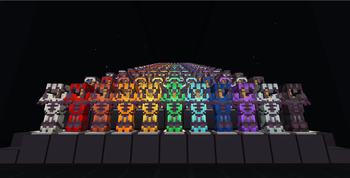
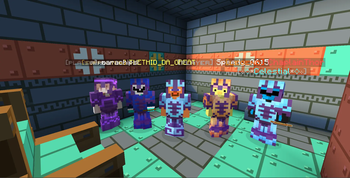
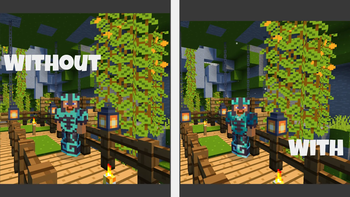
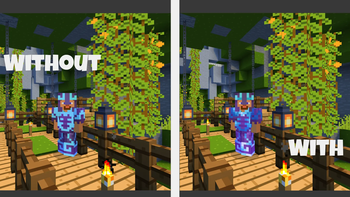
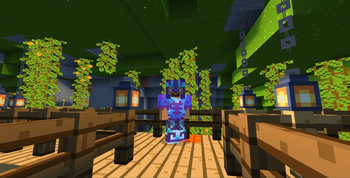
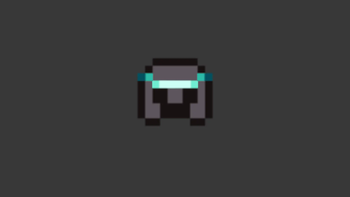
I usually play with Bare Bones on, and decided to remove it one day. Then I saw how cool the armor trims in vanilla are compared to the flat single colors in bare bones, and couldn't bear not having both. So bam! I made this technically for myself but I thought others might feel the same way, so here ya go :D
VERSIONS: 1.2.3 Alpha is the fully vanilla version, and the other 2, 1.2.3 Beta and 2.0 are hybrid versions, 2.0 being the more polished one.
Quick facts
- Edition: Minecraft Java
- File type: .zip (resource pack)
- Minecraft versions listed: 26.1, 26.1.1, 26.1.2
- How to install: Download the .zip resource pack — do not unzip it. → Put it in .minecraft/resourcepacks. → Enable it in Options → Resource Packs.
- Where to get it: Opens on Modrinth — not every file is mirrored on our own servers.
Install steps are the general flow for this file type — How to install Minecraft Java resource packs walks through it step by step.
Verified by MCModsHub
- Downloads as Better Trims BareBones 2.1.zip
- Download size: 35 KB
- Download link checked 6 Sept 2026 — working
These come from our own check of the pack file, not from the source page.