
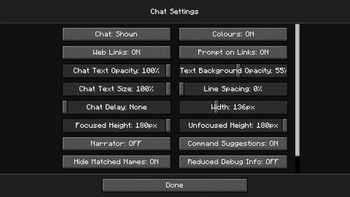
SmooBack Dark
SmooBack (Smooth Background) Dark changes the menu background(s) to be fully opaque and use the colour scheme used in SmooGUI Dark.
Important! There are two versions you can download:
- Out Of World: Only changes the menu background when you're not in a world (and leaves it unchanged otherwise)
- All Menus: Also replaces the in-world menu background.
SmooPacks
Check out all currently available SmooBacks in the SmooBack Collection.
If you want to smoothen your HUD as well, download any of the SmooHUD Collection.
If you want to have a uniquely coloured Hotbar Selector for your SmooHUD, download any of the SmooHUD Selector Collection. This will become useful only if and once I add more colour schemes, as then you'll be able to mix and match colours.
If you want to overhaul the rest of your GUI in the same style as SmooBack, download any of the SmooGUI Collection.
- Edition: Minecraft Java
- File type: .zip (resource pack)
- Minecraft versions listed: 1.20.2, 23w42a, 23w43a
- How to install: Download the .zip resource pack — do not unzip it. → Put it in .minecraft/resourcepacks. → Enable it in Options → Resource Packs.
- Where to get it: Opens on Modrinth — not every file is mirrored on our own servers.
Install steps are the general flow for this file type — How to install Minecraft Java resource packs walks through it step by step.
- Downloads as §3SmooBack OOW v1.0 §0§lDark§r §6[1.20.2-26.1.2].zip
- Download size: 4 KB
- Download link checked 11 Sept 2026 — working
These come from our own check of the pack file, not from the source page.