


SmooHUD Dark
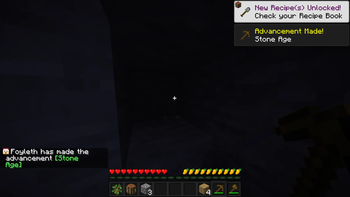
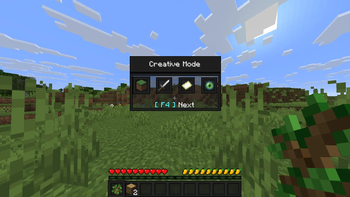
SmooHUD (Smooth HUD) Dark transforms your HUD and makes it smooth and cohesive, using a dark and consistent colour scheme with as few (shades of) colours as possible to keep it simple and smooth.
As of v1.1, SmooHUD has support for AppleSkin.
Attribute icons are also changed to be more colourful/contrasting and smooth.
This is the Dark version of SmooHUD, and currently this is the only version. SmooHUD will most likely be made available in more colour schemes in the future when I have time. I intend, but do not promise to at least release a Grey and Light (white) version of SmooHUD.
SmooHUD isn't the only SmooPack available. See below for SmooPacks that alter other parts of the GUI.
SmooPacks
Check out all currently available SmooHUDs in the SmooHUD Collection.
You can also download only the selected slot texture as a standalone resource pack by downloading any of the SmooHUD Selector Collection. This will become useful only if and once I add more colour schemes, as then you'll be able to mix and match colours.
If you want to have a smooth options background, download any of the SmooBack Collection.
If you want to overhaul the rest of your GUI in the same style as SmooHUD, download any of the SmooGUI Collection.
- Edition: Minecraft Java
- File type: .zip (resource pack)
- Minecraft versions listed: 1.20.2, 23w42a, 23w43a
- How to install: Download the .zip resource pack — do not unzip it. → Put it in .minecraft/resourcepacks. → Enable it in Options → Resource Packs.
- Where to get it: Opens on Modrinth — not every file is mirrored on our own servers.
Install steps are the general flow for this file type — How to install Minecraft Java resource packs walks through it step by step.
- Downloads as §3SmooHUD v1.2 §0§lDark§r §6[1.20.2-26.1.2].zip
- Download size: 27 KB
- Download link checked 7 Sept 2026 — working
These come from our own check of the pack file, not from the source page.