
SmooGUI Dark
A smooth and colour-consistent GUI pack that changes everything except the HUD and menu backgrounds, using a dark colour scheme
I don't know my version or loader
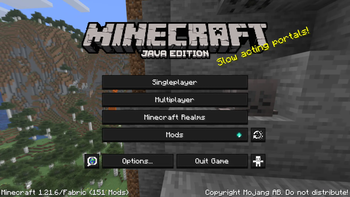
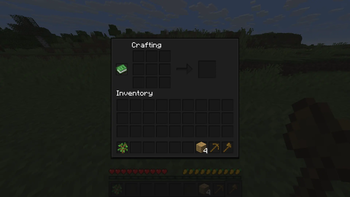
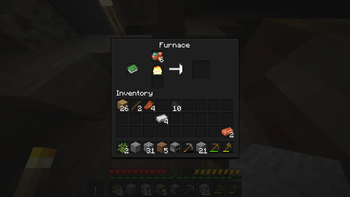
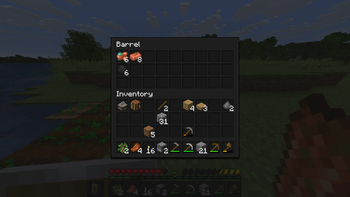
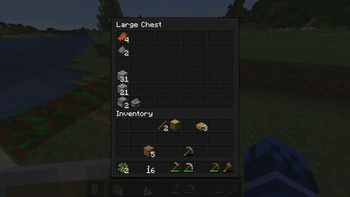
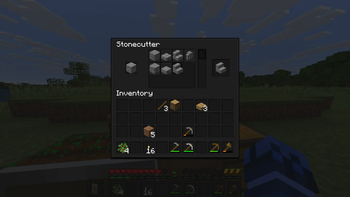
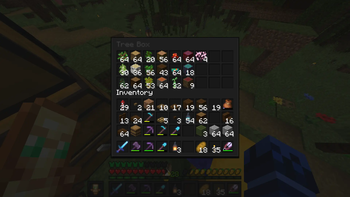
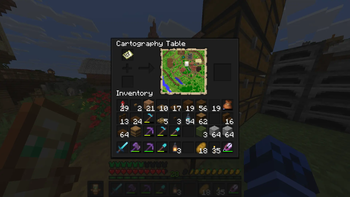
SmooGUI Dark
SmooGUI (Smooth GUI) makes every GUI element smooth and dark, except the HUD and menu backgrounds, which I have separate resource packs for, see below!
This is the Dark version of SmooGUI. Right now this is the only version of SmooGUI, but I intend to create more colour versions in the future if I have the time and motivation.
Recommendation
I recommend you to install my resource pack White Container Text if you're not using / going to use an alternative to it, as White Container Text will make all the text inside of vanilla GUIs white*, instead of the default dark grey; White looks a lot nicer with SmooGUI Dark in my opinion. If you want mod compatability or support for all languages, read the description on White Container Text. Or don't use it, that's fine too of course.
* in some languages only
Mod Support
SmooGUI has support for a couple of mods, mostly just mods I use or have used and wanted a SmooGUI for. I probably won't be adding support for (m)any other mods. The following mods are currently supported ([v...] indicates in which version of SmooGUI support was added for the mod):
- [v1.0] Mod Menu
- [v1.0] No Chat Reports
- [v1.4] Shulker Box Tooltip*
- [v1.5] Trinkets
- [v1.5] Trinkets Canary
- [v1.5] Trinkets Updated
- [v1.5] Roughly Enough Items**
* The colourless/default container uses the colour scheme from SmooGUI Grey, as this mod only uses one default container file, and automatically tints it for coloured containers. Using SmooGUI Grey ensures that the colour tinting produces good looking coloured containers.
** If anything looks wrong/buggy, it's probably the fault of Roughly Enough Items and I can't do anything about that. It mostly looks fine though, apart from the Composite Appearance mode.
The following mods have been tested to work without having to create any extra textures for them:
SmooPacks
Check out all currently available SmooGUIs in the SmooGUI Collection.
If you want to smoothen your HUD as well, download any of the SmooHUD Collection.
If you want to have a uniquely coloured Hotbar Selector for your SmooHUD, download any of the SmooHUD Selector Collection. This will become useful only if and once I add more colour schemes, as then you'll be able to mix and match colours.
If you want to have a smooth options background, download any of the SmooBack Collection.
- Edition: Minecraft Java
- File type: .zip (resource pack)
- Minecraft versions listed: 1.21.11, 26.1, 26.1.1
- How to install: Download the .zip resource pack — do not unzip it. → Put it in .minecraft/resourcepacks. → Enable it in Options → Resource Packs.
- Where to get it: Opens on Modrinth — not every file is mirrored on our own servers.
Install steps are the general flow for this file type — How to install Minecraft Java resource packs walks through it step by step.
- Downloads as §3SmooGUI v1.5 §0§lDark§r §6[1.21.11-26.1.2].zip
- Download size: 290 KB
- Download link checked 9 Sept 2026 — working
These come from our own check of the pack file, not from the source page.