Played Express
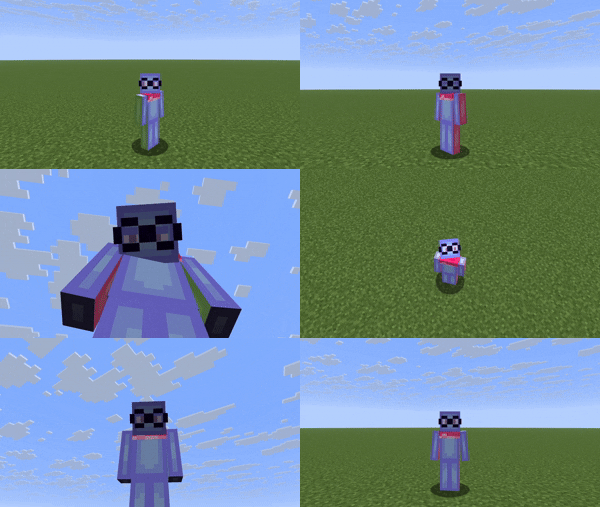
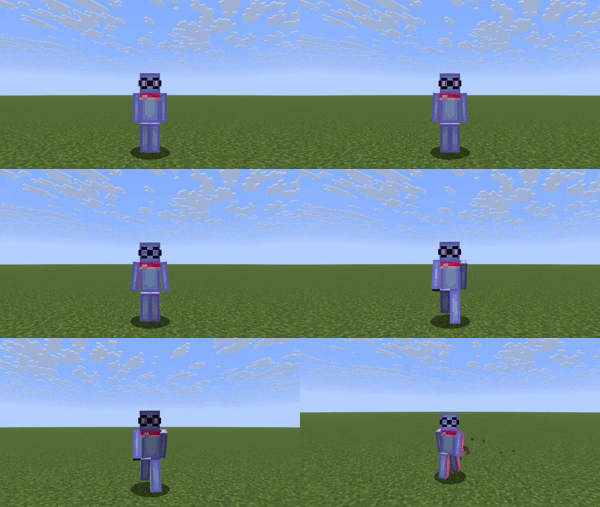
Adds Player Facial Expressions, Eye Movement, Blinking, Eyebrow Movement, and other Animations in Alpha using EMF & ETF
⬇ Download on Modrinth

Summary
Played Express is a Minecraft Resource Pack that adds player eye movement and expressions. Player animations in alpha
Dependencies
Played Express requires EMF & ETF to be able to change the player's model and animations. And will work with every Minecraft version that EMF & ETF are on.
Tutorial on Expressions
we are very sorry for using the wrong minecraft font

Tutorial video is outdated for version 1.1.0 and above
- Played Express does not interfere with the vanilla Minecraft player model's UV.
- When in a server, players without Played Express will see you as normal, and you will see players without Played Express as normal.
- The Model contains Left, Right, and Middle pupils, Left and Right Eye bases, Left and Right Eyebrows, Blinking Base, and Base to cover up the face.
Models & Textures provided
Played Express provides the player model, and player_slim model for user convenience. These are in the supplementary files of the download.
Feedback & Issue Tracker
You can use the Feedback Forms Although, it is still recommended to comment on the Release Video instead.
FAQ
Q : Is there an option to have just eye expressions?
A : Versions with "-Expressions" at the end contain only facial animations.
Q : Is there an option for players to have separate player animation packs while they use this resource pack's facial animations?
A : Played Express cannot be mashed with other packs because it and other simillar packs overwrite the player models.
Q : What folder should I put it in?
A : Boot up your prefered minecraft version, click "Options" then "Resource packs". After that, click "Open folder" and drag "Played Express.zip" ( or "Played Express Alpha.zip" ) into the folder it opened.
WORK IN PROGRESS
- Edition: Minecraft Java
- File type: .zip (resource pack)
- Minecraft versions listed: 1.20, 1.20.1, 23w31a
- How to install: Download the .zip resource pack — do not unzip it. → Put it in .minecraft/resourcepacks. → Enable it in Options → Resource Packs.
- Where to get it: Opens on Modrinth — not every file is mirrored on our own servers.
Install steps are the general flow for this file type — How to install Minecraft Java resource packs walks through it step by step.
- Downloads as Played Express Alpha.zip
- Download size: 12 KB
- Download link checked 1 Sept 2026 — working
These come from our own check of the pack file, not from the source page.