
AS Collectible Cards (Resourcepack)
Resourcepack required for my datapack with the same name, provides textures and models for cards and card packs
⬇ Download on Modrinth

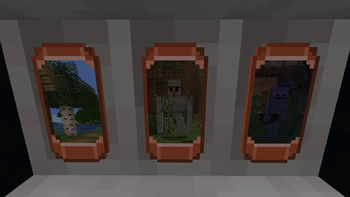
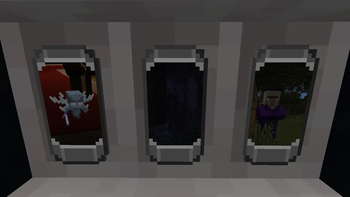
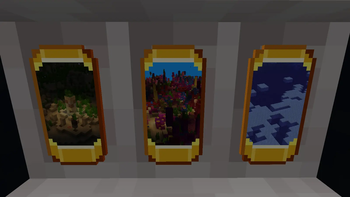
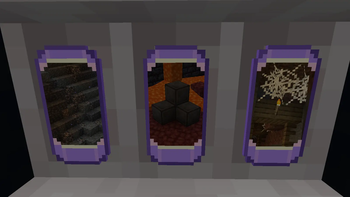
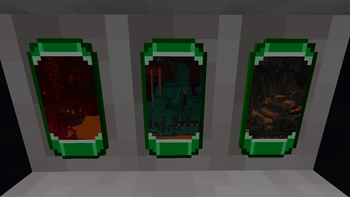
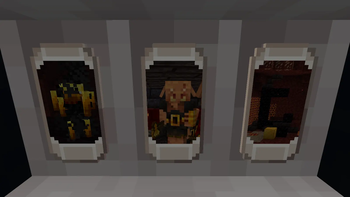
This resourcepack by itself is almost useless. But it can be used independently, but you will have to dig around the files to find where each "item" .json sits to know how to /give it
It is required for my datapack revolving around crafting card packs that you then open to obtain cards. No benefit, pure collectibles. Tiers do not define rarity, only the theme
Page updated, now gallery includes more images for better context
RECIPE IS PART OF DATAPACK I just included it here because more people will see the resourcepack page than datapack page
Materials for tiers:
- Copper - copper ingot
- Iron - iron ingot
- Gold - gold ingot
- Amethyst - amethyst shard
- Emerald - emerald
- Quartz - quartz
- Diamond - diamond
- Netherite - netherite scrap
- If you're testing your own card lienup, then Example pack recipe uses bedrock
I also left README in the Resourcepack's root folder, and two python scripts that will help you quickly generate the cards for your set
the README is mostly credit to the tooling I used, and explaination to the way I was making screenshots for the card art
To replace / add cards:
First use image generator script once you collect enough 1:2 screenshots/images
Then drop them in ../paste of any present tier (or add your own in the datapack)
Then open, configure and run the "generator_screenshot_to_texture.py" (you need to have Pillow installed for it to work or else you'll have to do the work manually for each image)
After it's done, - IF YOU ARE ADDING NEW TYPE/TIER OR EDITING EXAMPLE TIER - count how many images you got
Then open, configure and run "generator_card_model_and_item.py" to generate ../model and ../items .json's for new models
- Edition: Minecraft Java
- File type: .zip (resource pack)
- Minecraft versions listed: 1.21.11, 26.1, 26.1.1
- How to install: Download the .zip resource pack — do not unzip it. → Put it in .minecraft/resourcepacks. → Enable it in Options → Resource Packs.
- Where to get it: Opens on Modrinth — not every file is mirrored on our own servers.
Install steps are the general flow for this file type — How to install Minecraft Java resource packs walks through it step by step.
- Downloads as AS Collectible Cards (Resourcepack).zip
- Download size: 53.4 MB
- Download link checked 14 Sept 2026 — working
These come from our own check of the pack file, not from the source page.