
GrayScale Pale Oak v1.1 (26.1 Update)
Give this project a heart! For more GrayScale packs!
What's this?
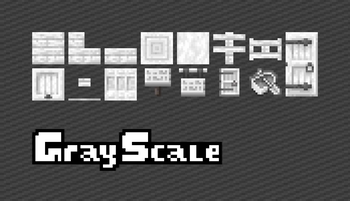
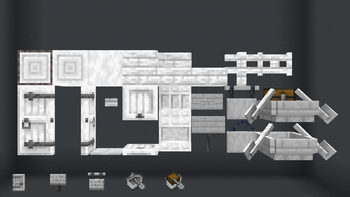
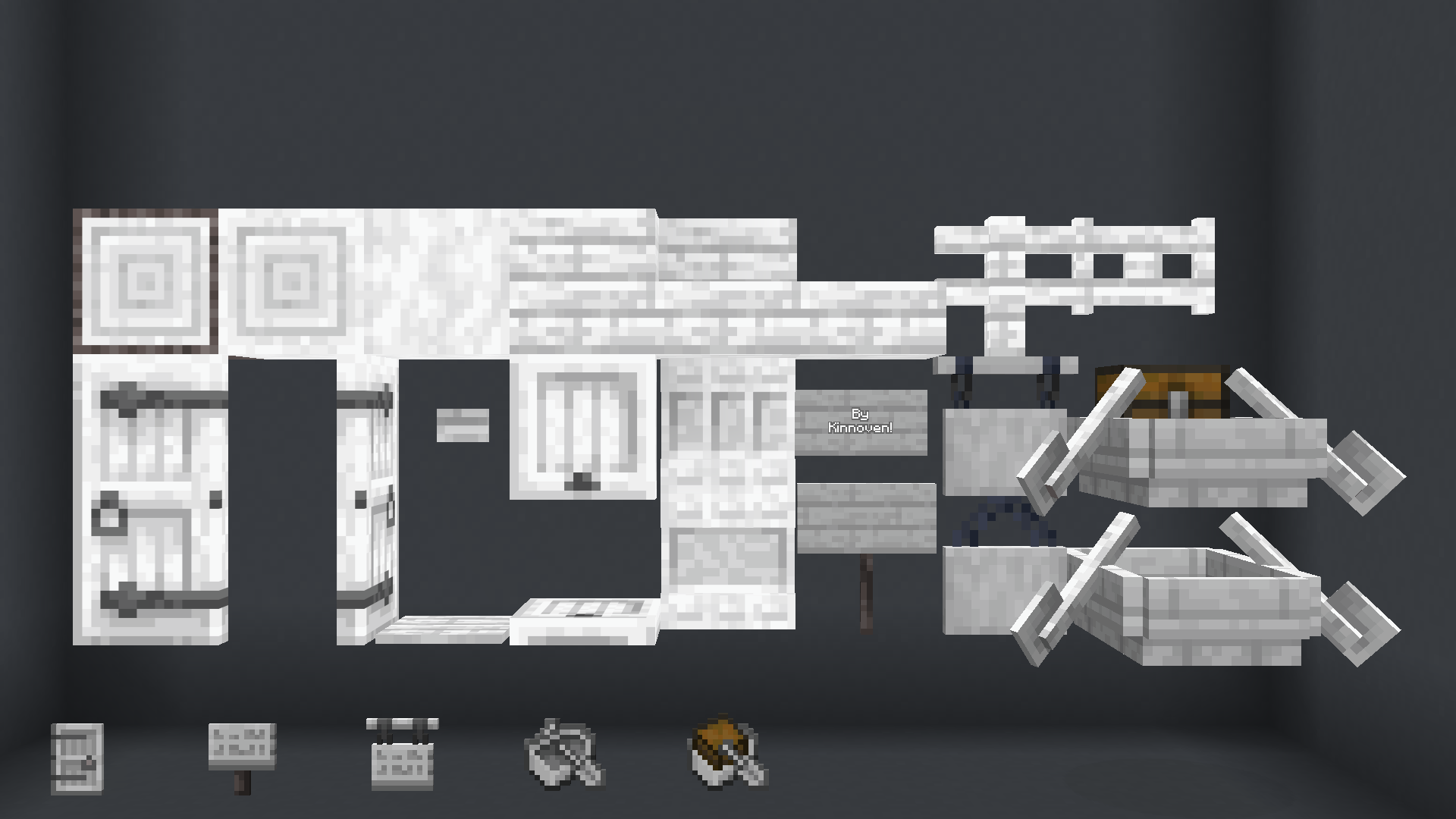
Do you use pale oak for many builds, but the redish tint makes it stand out or look out of place? Well as an resourcepack artist I fixed it by simply redrawing them in grayscale! Includes all blocks, items, and boats! Barks on logs and signs are unaffected. Here is a list of changed textures and models;
- Pale Oak Planks
- Pale Oak Stairs
- Pale Oak Slab
- Pale Oak Log
- Pale Oak Wood
- Pale Oak Stripped Log
- Pale Oak Stripped Wood
- Pale Oak Door
- Pale Oak Trapdoor
- Pale Oak Fence
- Pale Oak Fence Gate
- Pale Oak Button
- Pale Oak Pressure Plate
- Pale Oak Sign
- Pale Oak Hanging Sign
- Pale Oak Boat
- Pale Oak Chest Boat
- Pale Oak Shelf
- ALL Pale Oak Item models
- Fixed Pale Oak Door model
Other pack(s)
Sea Lantern : https://modrinth.com/resourcepack/gray-lantern (NEW UPDATE)
Compatibility
Should work from 1.21.4 to present day. Let me know if there are any issues.
Credits
All textures has been painted from ground up with accuracy. GrayScale logo created by ME
- Edition: Minecraft Java
- File type: .zip (resource pack)
- Minecraft versions listed: 1.21.4, 1.21.5, 1.21.6
- How to install: Download the .zip resource pack — do not unzip it. → Put it in .minecraft/resourcepacks. → Enable it in Options → Resource Packs.
- Where to get it: Opens on Modrinth — not every file is mirrored on our own servers.
Install steps are the general flow for this file type — How to install Minecraft Java resource packs walks through it step by step.
- Downloads as grayscale_pale_oak_v1.1.zip
- Download size: 20 KB
- Download link checked 19 Aug 2026 — working
These come from our own check of the pack file, not from the source page.