
Summary(English, short)
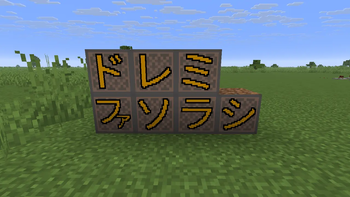
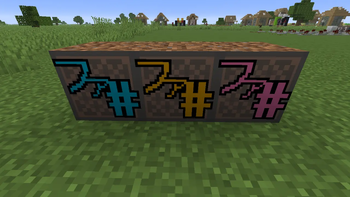
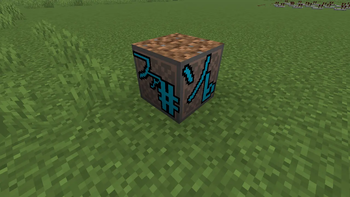
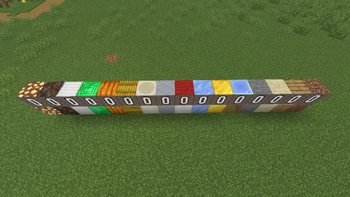
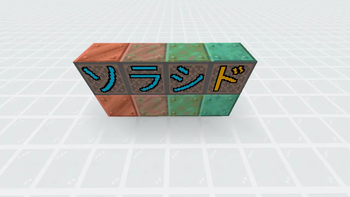
The appearance of the note blocks will change.
・Japanese solfege labels (Do-Re-Mi)
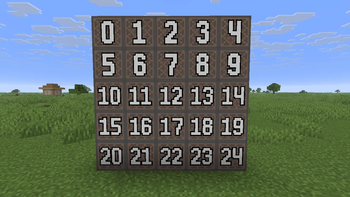
・pitch (0–24)
・Instrument block placed underneath
For Java Edition.
概要(日本語)
音符ブロックの見た目が変わるリソースパックです
・音階(ドレミ)
・クリック回数(0~24回)
・下に敷いてるブロック(楽器の代表ブロックに変わります)
対応バージョン
ver1.14以降のバージョンに対応しています
※古いバージョンでも動きますが、一応バージョンに合うファイルを選んでください。
Permissions / Terms of Use
Use & Modification: Allowed (including personal use, videos/streams, and use on servers).
Redistribution: Not allowed (both original and modified versions). This includes re-uploading the ZIP, uploading it to other sites, bundling it in modpacks, and any form of secondary distribution.
Credit: Optional (but appreciated).
Disclaimer: The author is not responsible for any issues or damages caused by using this resource pack.
ライセンス(日本語)
利用・改変:OK(個人利用/動画/配信/サーバーでの使用含む)
再配布:NG(未改変・改変問わず。ZIPの再アップロード、他サイト転載は禁止、modpack同梱配布、二次配布を含む)
クレジット:任意(DJ Minecraftと書いてくれると嬉しいです)
免責:本パックの利用で発生した問題について作者は責任を負いません
Credits
Autor:DJ Minecraft
Links
Youtube→https://www.youtube.com/channel/UCbkP2h3fFruGDk3X5b7NgLg
(I am sharing how to create noteblock song.)
(音符ブロック演奏の作り方を公開しています)
- Edition: Minecraft Java
- File type: .zip (resource pack)
- Minecraft version listed: 26.1
- How to install: Download the .zip resource pack — do not unzip it. → Put it in .minecraft/resourcepacks. → Enable it in Options → Resource Packs.
- Where to get it: Opens on Modrinth — not every file is mirrored on our own servers.
Install steps are the general flow for this file type — How to install Minecraft Java resource packs walks through it step by step.
- Downloads as ドレミ音ブロ1.26~.zip
- Download size: 83 KB
- Download link checked 8 Sept 2026 — working
These come from our own check of the pack file, not from the source page.