HomeJavaResourcepacksAuric GUI - hotbar, buttons and more
Auric GUI - hotbar, buttons and more
ResourcepacksJava

Auric GUI - hotbar, buttons and more

by MIDASYT · on Modrinth

Which Minecraft do you have?

Every version of the game needs its own build. Pick yours, then download — the wrong build installs fine and then does nothing in the game. This mod is built for Resource pack only.

⬇ Download for 1.21.11–26.2⬇ Download for 1.20–1.21.10
I don't know my version or loader
Open the Minecraft launcher and look at the profile you play on — it names both, like fabric-loader-1.21.4. The version also shows in the bottom-right corner of the game's main menu.
No loader in the profile name? Then it's plain Minecraft, and these mods won't run — you need Fabric or NeoForge installed first.
Auric GUI - hotbar, buttons and more — screenshot 1Auric GUI - hotbar, buttons and more — screenshot 2Auric GUI - hotbar, buttons and more — screenshot 3Auric GUI - hotbar, buttons and more — screenshot 4Auric GUI - hotbar, buttons and more — screenshot 5Auric GUI - hotbar, buttons and more — screenshot 6Auric GUI - hotbar, buttons and more — screenshot 7Auric GUI - hotbar, buttons and more — screenshot 8

⚡ Auric GUI

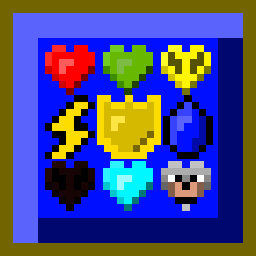
Auric GUI is a complete overhaul of the Minecraft user interface, focusing on a pure gold and blue aesthetic. Designed to give a premium visual experience while maintaining total clarity during gameplay.

✨ Features:

Hotbar Inventories Inventories Buttons Inventories

🌐 My Socials (Spanish Content / Contenido en Español)

Note: My social media channels and community are entirely in Spanish! You are welcome to join, but please keep the language barrier in mind.

Quick facts

Install steps are the general flow for this file type — How to install Minecraft Java resource packs walks through it step by step.

Verified by MCModsHub

These come from our own check of the pack file, not from the source page.

Explore more