
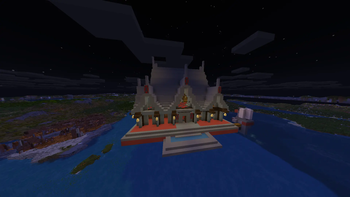
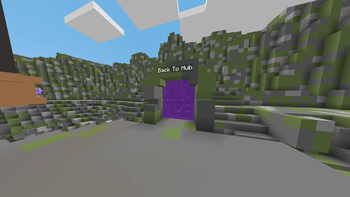
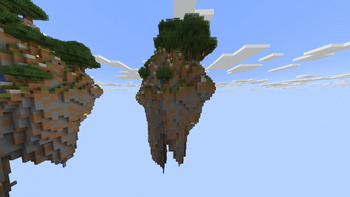


Every texture. One colour.


What is this?
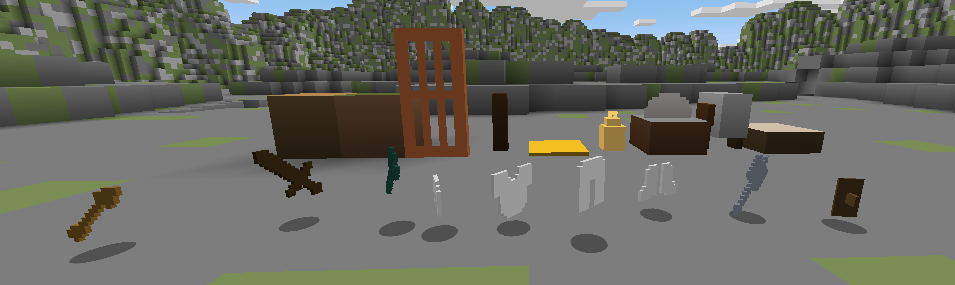
MC-Utilitarian replaces every Minecraft texture with a single flat colour — specifically, whatever colour appears most in that texture.
Grass becomes a flat green square. Stone becomes a flat grey square. Lava is a flat orange square. Every block, item, mob, and UI element reduced to its single most dominant colour.
Is it beautiful? No. Is it useful? Surprisingly, sometimes. Is it hilarious to show your friends? Absolutely.
Could actually be useful for...
- Low-end machines — fewer pixels to render means marginally better performance
- Colour palette reference — instantly see what "colour" each block is without texture noise
- Accessibility testing — great for checking how readable your builds are by colour alone
- Streaming overlays / screenshots — weirdly clean brutalist aesthetic
Installation
- Download the pack
.zip - Place it in your
.minecraft/resourcepacks/folder - Go to Options → Resource Packs and enable it
- Press Done and question everything you thought you knew about Minecraft
Compatibility
| Minecraft | Status |
|---|---|
| 1.21.x | ✅ Supported |
| Other | ❓ Untested — pack format may differ |
No mods required.
Quick facts
- Edition: Minecraft Java
- File type: .zip (resource pack)
- Minecraft versions listed: 1.20, 1.20.1, 23w31a
- How to install: Download the .zip resource pack — do not unzip it. → Put it in .minecraft/resourcepacks. → Enable it in Options → Resource Packs.
- Where to get it: Opens on Modrinth — not every file is mirrored on our own servers.
Install steps are the general flow for this file type — How to install Minecraft Java resource packs walks through it step by step.
Verified by MCModsHub
- Downloads as MC-Utilitarian_1.0.0.zip
- Download size: 1.5 MB
- Download link checked 14 Sept 2026 — working
These come from our own check of the pack file, not from the source page.