
Soda's PvP Overlay For Bare Bones
A PvP-focused overlay that gives every sword a cleaner, shorter look—built specifically for Bare Bones players who want an edge without sacrificing the…
⬇ Download on Modrinth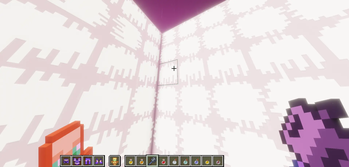

Project Status: On Hold
Development is currently paused while I focus on some bigger projects! The pack is still fully functional for 1.21.11, but new texture updates and feature requests won't be actively worked on for a little while.
Thanks for the support, and I'll be back to work on this as soon as time allows!
Soda's PvP Overlay x Bare Bones
A lightweight PvP overlay built on top of Bare Bones.
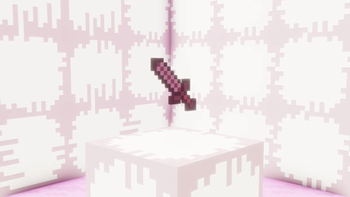
This pack shrinks swords, lowers fire, lowers shields, and cleans up item textures for a better PvP experience while keeping the Bare Bones look.
⚠️ Requires Bare Bones
This is an overlay, not a full texture pack. It only changes combat items and depends on Bare Bones for everything else.
Make sure this pack is placed ABOVE Bare Bones in your resource pack list!
Installation
- Download Bare Bones and Soda's PvP Overlay.
- Put both files into your
.minecraft/resourcepacksfolder. - Open Minecraft, go to Options > Resource Packs.
- Move Soda's PvP Overlay to the right side and place it above Bare Bones.
Supported Versions
FAQ
Do I really need Bare Bones?Yes. This pack only retextures specific PvP items and relies on Bare Bones for blocks, mobs, and UI. Without it, the textures won't match. Why does my sword still look default?
Check your resource pack load order. This pack must be placed above Bare Bones in the in-game menu. Does this work with Optifine / Iris / Sodium?
Yes, it works fine with all performance mods since it's just standard textures. Does this work on multiplayer servers?
Yes, resource packs are client-side so it works anywhere. Will you add more items?
More retextures are planned for future updates.
Credits
- Bare Bones by RobotPants
- Low Shield by Oculie
- Low Fire by Oculie
Huge thanks to Oculie for helping make this pack possible!
- Edition: Minecraft Java
- File type: .zip (resource pack)
- Minecraft version listed: 1.21.11
- How to install: Download the .zip resource pack — do not unzip it. → Put it in .minecraft/resourcepacks. → Enable it in Options → Resource Packs.
- Where to get it: Opens on Modrinth — not every file is mirrored on our own servers.
Install steps are the general flow for this file type — How to install Minecraft Java resource packs walks through it step by step.
- Downloads as Soda's PvP Overlay.zip
- Download size: 57 KB
- Download link checked 29 Aug 2026 — working
These come from our own check of the pack file, not from the source page.